
The nine outcome labels every cold-call rep should log are: Meeting Booked, Connected — Interested, Connected — Not Interested, Callback Requested, Gatekeeper, No Answer, Left Voicemail, Wrong Number / Disconnected, and Do Not Contact. Log one of these immediately after every call and you have the raw data for connection rates, meeting booking rates, and pipeline hygiene without any extra reporting work. Dialedsales lets you pick an outcome and move on in under 10 seconds, so the discipline costs almost nothing.
Table of Contents
- Why do structured call outcomes matter?
- What types of sales outcomes to track on cold calls?
- Three ready-to-copy outcome taxonomies
- What metrics do outcome labels actually calculate?
- What automations should each outcome trigger?
- How do you keep outcome data accurate over time?
- What should you track first versus later?
- How do you implement outcomes in your call-tracking app?
- Your 90-day rollout plan
- Key Takeaways
- The part most teams skip
- Dialedsales: log outcomes, see your pipeline, never miss a callback
Why do structured call outcomes matter?
A call outcome, sometimes called a call disposition, is the label a rep assigns right after hanging up to describe what actually happened. That single label converts a phone interaction into structured data your CRM and dashboards can act on.
Sales tracking runs across three layers. Activities are the leading indicators: calls made, emails sent, doors knocked. Pipeline tracks deal stages. Outcomes are the lagging signal that ties the first two together, telling you whether your activity is producing real progress or just volume. Without outcome labels, automated capture of activity data is incomplete and reps lose the feedback loop that shows them what is working.

The immediate payoffs are concrete. Accurate connection rates reveal whether your list quality or call timing is the real problem. Clean outcome data flags which reps need coaching on objection handling versus which ones just need more dials. And every outcome label can trigger a follow-up action automatically, so nothing falls through the cracks.
What types of sales outcomes to track on cold calls?
Connected outcomes
These fire when you actually reached a human decision-maker or influencer.
- Meeting Booked: Prospect agreed to a scheduled meeting or demo. Next step: auto-create a calendar invite and update the CRM stage to "Discovery Scheduled."
- Connected — Interested: Conversation happened, prospect showed interest, but no meeting set yet. Next step: schedule a callback within 48 hours.
- Connected — Not Interested: Reached the prospect; they declined. Next step: move to a long-term nurture sequence or close the record.
- Callback Requested: Prospect asked you to call back at a specific time. Next step: set a callback reminder for that exact window.
- Gatekeeper: Reached an assistant or receptionist who did not transfer you. Next step: log the gatekeeper's name and retry with a different approach.
Unreachable outcomes
- No Answer: Phone rang, no pickup, no voicemail left. Next step: retry in a different time window.
- Left Voicemail: Reached voicemail and left a message. Next step: schedule a follow-up email and a retry call in 2–3 days.
- Wrong Number / Disconnected: Number is bad. Next step: flag for data cleanup and remove from active sequence.
Compliance and data-quality outcomes
- Do Not Contact (DNC): Prospect requested no further outreach. Next step: immediately add to DNC list; no further calls or emails.
- Disqualified: Prospect confirmed they are not a fit (wrong industry, no budget, no authority). Next step: close the record and log the disqualification reason.
| Outcome | CRM Stage Update | Follow-Up Action | List Action |
|---|---|---|---|
| Meeting Booked | → Discovery Scheduled | Calendar invite + AE notification | — |
| Connected — Interested | → Engaged | Schedule callback (48 hrs) | — |
| Connected — Not Interested | → Nurture | Add to long-term sequence | — |
| Left Voicemail | No change | Retry + follow-up email (2–3 days) | — |
| Wrong Number | — | — | Flag for data cleanup |
| Do Not Contact | Closed/Lost | — | Add to DNC list |
| Disqualified | Closed/Lost | — | Remove from sequence |
Three ready-to-copy outcome taxonomies
Pick the one that matches where your team is right now. You can always expand later.
Minimal (5 labels) — for new teams or fast rollout:
- Meeting Booked
- Interested — No Meeting
- Not Interested
- No Answer / Voicemail
- Do Not Contact
Recommended (9–11 labels) — for most SDR and BDR teams:
- Meeting Booked
- Connected — Interested
- Connected — Not Interested
- Callback Requested
- Gatekeeper
- No Answer
- Left Voicemail
- Wrong Number / Disconnected
- Do Not Contact
- Disqualified
- (Optional: Left Message with Gatekeeper)
Extended (15+ labels) — for complex sales motions: Add granular demo outcomes (Demo Completed — Advancing, Demo Completed — Stalled), negotiation-stage labels (Proposal Sent, Contract Under Review), and success-outcome labels (ROI Confirmed, Renewal Initiated) for customer success teams. The Context-Action-Outcome model pairs well here: log the deal context, the specific action, and the binary outcome in one record.
Pro Tip: Limit each activity type to 5–7 outcome choices. Use dependent fields so a "Prospecting" call only shows prospecting outcomes and a "Demo" call shows demo outcomes. Cognitive overload from a 20-item flat list is the fastest way to kill logging compliance.
What metrics do outcome labels actually calculate?
Outcome labels are the inputs for every meaningful sales performance metric your team tracks.
| Metric | Formula | What It Tells You |
|---|---|---|
| Connection Rate | Connected outcomes ÷ Total calls | List quality and call timing |
| Meeting Booking Rate | Meetings Booked ÷ Connected calls | Pitch effectiveness on live conversations |
| Outcome Completion Rate | Calls with an outcome logged ÷ Total calls | Logging discipline across the team |
| Win Rate | Deals won ÷ Total opportunities | Overall close effectiveness |
Worked example: A rep makes 50 calls. 18 reach a live person (connection rate: 36%). Of those 18, 4 book a meeting (meeting booking rate: 22%). Of all 50 calls, 47 have an outcome logged (outcome completion rate: 94%). Those three numbers tell a manager whether the problem is list quality, pitch quality, or rep discipline — three very different coaching conversations.
The meeting booking rate uses connected calls as the denominator, not total calls. That distinction matters because it isolates pitch performance from list quality. A rep with a 10% connection rate and a 40% meeting booking rate has a list problem, not a pitch problem.
What automations should each outcome trigger?
Wiring automations to outcomes turns logging from a chore into a productivity multiplier. A single label can update a CRM stage, fire a webhook, and schedule a follow-up task simultaneously.
- Meeting Booked: Create calendar invite, update CRM stage to Discovery Scheduled, notify the assigned AE via webhook or Slack.
- Connected — Interested: Create a callback task with a 48-hour due date, add to a warm-prospect email sequence.
- Left Voicemail: Schedule a retry call for 2–3 days out, trigger a follow-up email template.
- Wrong Number / Disconnected: Flag the contact record for data cleanup, remove from active call queue.
- Do Not Contact: Immediately suppress across all channels (calls, email, SMS), log the date for compliance records.
- Disqualified: Close the opportunity, log the disqualification reason, optionally add to a re-engagement list for 12 months out.
Pro Tip: For custom routing, use webhooks to push outcome data to your AE's CRM view or a Slack channel the moment a meeting is booked. Test every automation in a sandbox environment before rolling it out to the full team. One misconfigured DNC automation can create a compliance problem fast. Teams planning more complex integrations can explore AI automation workflows that connect outcome data to broader business operations.
How do you keep outcome data accurate over time?
Good governance is what separates a useful outcome dataset from a noisy one. A few rules make the difference.
- Keep picklists to 5–11 labels per motion. More than that and reps default to "Other," which is useless data.
- Enforce a 24-hour logging rule — every call gets an outcome within one business day. Pair this with a required next-step date in the activity note.
- Make every outcome map to exactly one automated action. If an outcome has no clear next step, it should not exist in your picklist.
- Assign one person to own DNC enforcement and data cleanup. Without an owner, both degrade quickly.
- Run a weekly outcome-distribution report. If more than 5% of calls land on "Other" or "Unassigned," your taxonomy has a gap.
Adoption tactics that work: tie outcome completion rate to the weekly team scorecard, review it in your Monday pipeline call, and coach reps who fall below 90% before the week closes. The sales coaching guide on the Dialedsales blog walks through how to turn outcome data into rep-specific coaching conversations.
What should you track first versus later?
Launch phase (Minimal taxonomy): Focus on connection outcomes, Meeting Booked, and Do Not Contact enforcement. Get outcome completion rate above 90% before adding complexity.
Stabilize phase (Recommended taxonomy): Add Callback Requested, Gatekeeper, and Disqualified. Start tracking connection rate and meeting booking rate weekly. Use pipeline visibility data to spot where deals stall.
Optimize phase (Extended taxonomy): Layer in demo-stage outcomes, negotiation labels, and success outcome capture for customer ROI documentation. Mature teams add win rate by segment and conversion rates by stage as their primary outcome metrics.
The signal to expand your taxonomy is an outcome completion rate consistently above 90% and a stable distribution across your existing labels. If one label is absorbing 30%+ of calls, it probably needs to be split into two.
How do you implement outcomes in your call-tracking app?
You can set this up in one sitting.
- Create an Activity Type called "Prospecting Call" and attach your chosen outcome picklist to it.
- Set field dependencies: Prospecting outcomes appear only on Prospecting Call records; Demo outcomes appear only on Demo records.
- Build two automations first: Meeting Booked triggers a calendar invite and CRM stage update; Do Not Contact triggers immediate suppression across all channels.
- Train reps on the 10-second log: customer name, outcome, one-line note, follow-up date. That is the full workflow.
- Set follow-up dates on every call that is not a DNC or Disqualified. Dates auto-surface on the dashboard when they are due.
The Dialedsales cold call tracking methods guide covers the admin setup in detail for teams getting started.
Your 90-day rollout plan
This week: Pick Minimal or Recommended taxonomy, add the picklist to your call-tracking app, and enable the Meeting Booked automation. Nothing else.
This month: Enforce the 24-hour logging rule, pull outcome completion rate every Monday, and coach any rep below 90%. Add the Callback Requested automation.
At 90 days: Review your outcome distribution. Any label absorbing more than 30% of calls needs to be split. Any label under 2% should be removed or merged. Add 1–2 automations based on what your data shows is slipping through.
Key Takeaways
Structured outcome logging is the single fastest way to convert cold-call activity into coaching signals, pipeline data, and automated follow-up without adding reporting overhead.
| Point | Details |
|---|---|
| Start with 9 core labels | Log Meeting Booked, Connected — Interested, Connected — Not Interested, Callback Requested, Gatekeeper, No Answer, Left Voicemail, Wrong Number / Disconnected, and Do Not Contact from day one. |
| Hit 90% outcome completion first | Outcome completion rate is your first KPI; expand the taxonomy only after it holds above 90% consistently. |
| Wire one automation immediately | Connect Meeting Booked to a calendar invite and CRM stage update before anything else. |
| Use the 24-hour logging rule | Every call gets an outcome and a next-step date within one business day to keep pipeline data current. |
| Dialedsales for fast logging | Dialedsales lets reps log outcome, note, and follow-up date in under 10 seconds, with reminders surfacing automatically on the dashboard. |
The part most teams skip
Most teams spend a week debating the perfect taxonomy and never ship it. The Minimal five-label set is good enough to start generating real data today. What actually breaks outcome tracking is not the wrong labels — it is the absence of a required next-step date. A rep who logs "Connected — Interested" with no follow-up date has created a record that looks complete but will never produce a meeting. Require a date on every non-terminal outcome, make it visible in the weekly pipeline review, and you will close more deals than any taxonomy redesign will ever produce. The close rate improvement guide on the Dialedsales blog makes the same case with field data.
Dialedsales: log outcomes, see your pipeline, never miss a callback
Cold-call reps lose deals not because they make bad calls but because follow-ups slip. Dialedsales is built specifically for that gap: a lightweight tracker where logging a call takes 10 seconds and every due callback surfaces on your dashboard the moment it is ready.
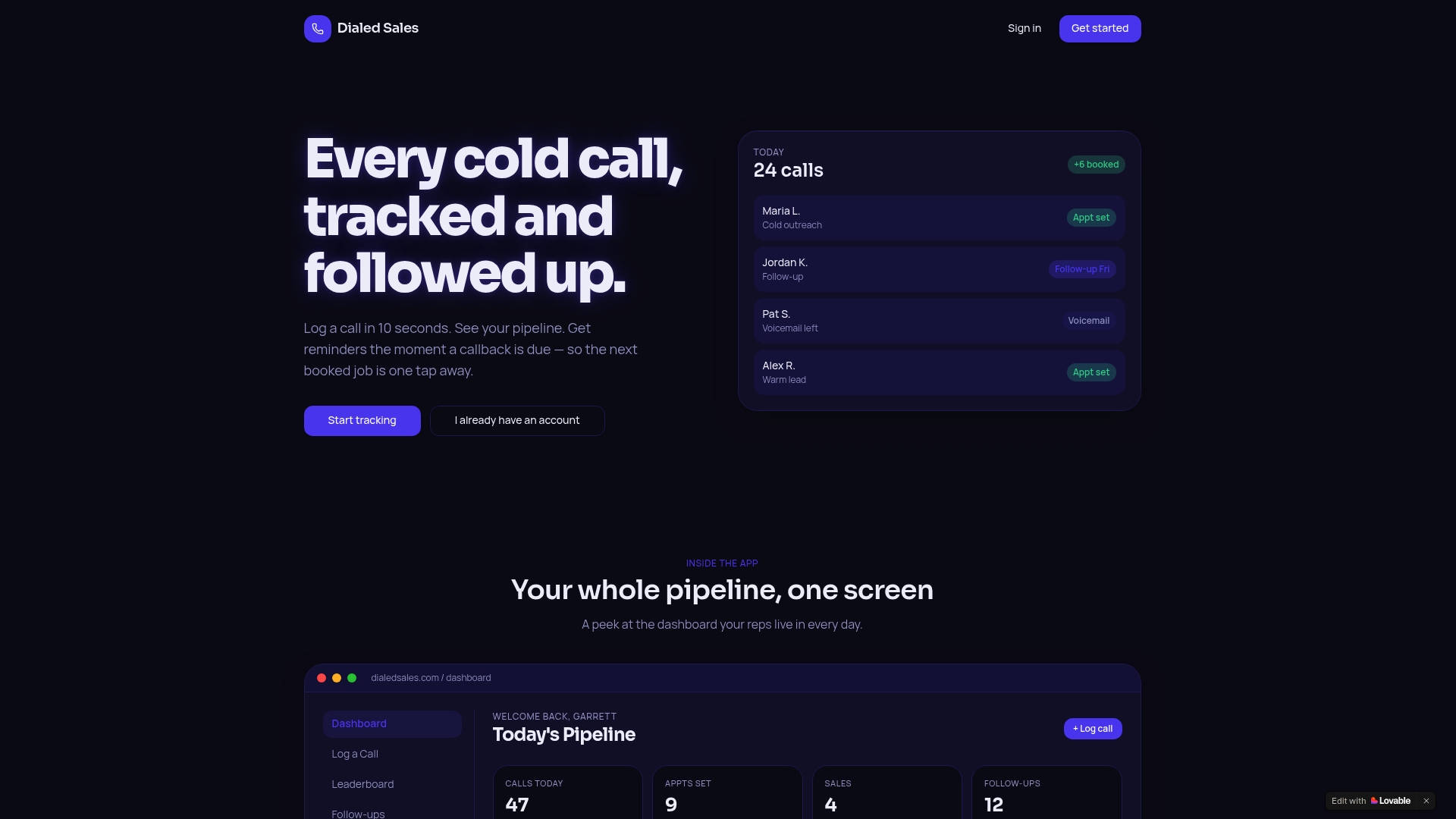
- 10-second outcome logging: Name, outcome, note, follow-up date. Done.
- Dashboard reminders: Follow-up dates auto-surface when they are due, so nothing gets buried.
- Outcome reports: See your connection rate, meeting booking rate, and outcome completion rate without building a spreadsheet.
- Automations: Wire Meeting Booked to a CRM stage update or a webhook notification in minutes.
Start tracking outcomes today and have your first outcome report ready by end of week.