
Cold call activity tracking methods are the processes and tools sales professionals use to capture, analyze, and act on data from their outbound calling efforts. Done right, they turn a phone-heavy day into a measurable system with clear outcomes. The core components are call dispositions, CRM automation, and performance dashboards. Sales reps who track every call outcome with structured disposition codes gain a direct line of sight into what is working and what needs to change.
What are cold call activity tracking methods and why do they matter?
Cold call activity tracking is the formal practice of logging every outbound call with a defined outcome, timestamp, and next action. The industry term for this practice is outbound call activity management, and it covers everything from raw dial counts to disposition-driven pipeline updates. Without a structured system, reps rely on memory and managers fly blind on performance.
The most common failure in cold calling is treating the activity log as a formality. A call log that captures only "called" or "no answer" tells you nothing useful. The real value comes from structured disposition codes that force a next step, connect rates that reveal list quality, and dashboards that surface patterns across the team.

Dialedsales is built around this exact principle. Reps log a call in 10 seconds, attach an outcome, and set a follow-up date that appears on the dashboard the moment it is due. That workflow eliminates the gap between calling and acting on what the call revealed.
What are effective cold call disposition taxonomies and why they matter?
A call disposition is a standardized label applied to every call at the moment it ends. Dispositions are the foundation of any cold call tracking system because they convert raw call activity into usable data. A mutually exclusive disposition taxonomy means each call gets exactly one outcome code, with no overlap between categories.
Standard disposition categories used by high-performing outbound teams include:
- Connected, Interested — prospect engaged and wants more information
- Left Voicemail — message left, follow-up sequence triggered
- No Answer — no contact made, redial scheduled
- Callback Requested — prospect asked to be called at a specific time
- Meeting Booked — calendar event created, opportunity stage updated
- Wrong Number — record flagged for data cleanup
- Disqualified — prospect removed from active pipeline
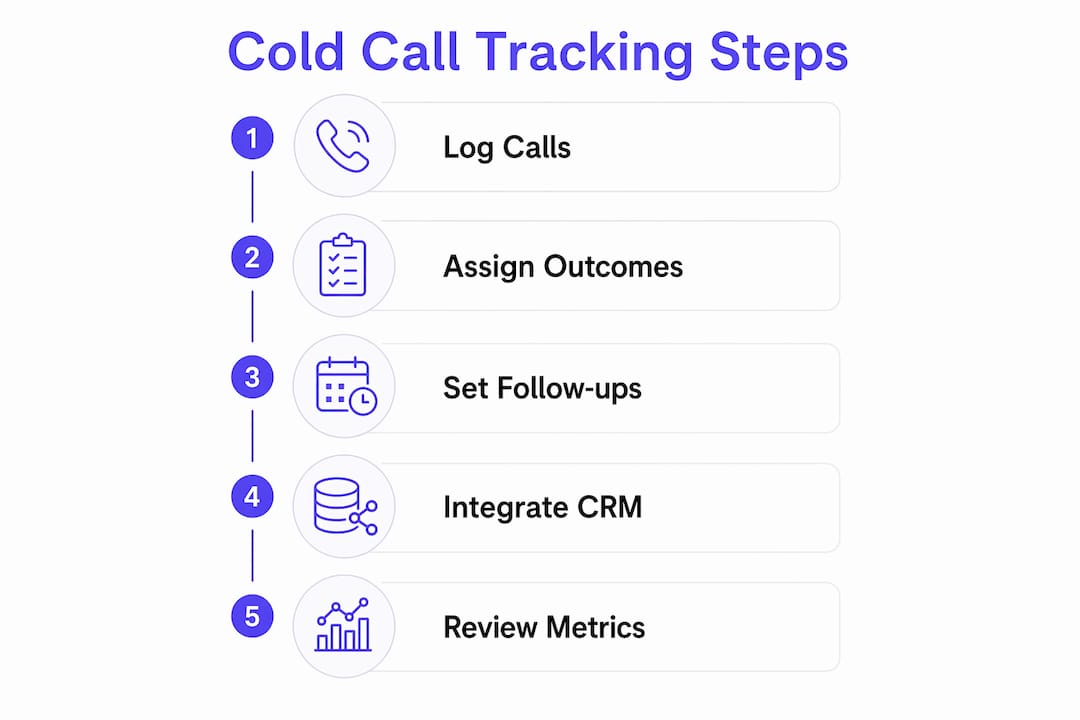
Each code must trigger a next action, not just record a status. "Left Voicemail" should automatically enroll the prospect in a follow-up sequence. "Meeting Booked" should push the opportunity to the next pipeline stage. Dispositions that do not trigger anything create dead data that clogs your reporting.
The most common pitfall is ambiguous codes. When "No Answer" and "Not Reached" coexist in the same picklist, reps choose inconsistently. That inconsistency makes your connect rate calculations unreliable and your coaching conversations harder to ground in facts.
Pro Tip: Design every disposition code to answer one question: what happens next? If you cannot answer that question for a given code, remove the code.
How to set up a cold call tracking workflow using CRM and CTI integrations
A well-built tracking workflow captures call data automatically and routes it to the right place without rep intervention. The two technologies that make this possible are your CRM and your CTI (computer telephony integration). The CRM stores the data. The CTI captures it in real time during the call.
Setting up a complete workflow requires these steps:
- Build your disposition picklist in the CRM. Create a custom field on the call activity object with your finalized disposition taxonomy. Make selection mandatory before the rep can save the call record.
- Add supporting custom fields. At minimum, track call direction (inbound or outbound), talk time in seconds, a first-connect flag (yes/no), and the rep's user ID.
- Connect your CTI to the CRM. Native CTI integrations auto-populate timestamps, call duration, and recording links without manual entry. This eliminates the most common source of tracking errors.
- Build disposition-triggered automations. Tools like Salesforce Flow Builder let you automate follow-up actions based on the disposition value. "Meeting Booked" can update the opportunity stage, create a calendar task, and alert the manager simultaneously.
- Test every disposition path end to end. Log a test call with each disposition code and confirm the downstream automation fires correctly before going live.
- Train reps on mandatory entry. Reps who skip disposition entry break the entire system. Make it a non-negotiable part of the post-call routine, not an optional field.
Structured disposition picklists with mandatory selection reduce admin time by up to 90 seconds per call. Across a team making 80 calls a day, that adds up to hours of recovered selling time each week.
Pro Tip: If your CTI vendor does not offer a native CRM connector, treat that as a disqualifying factor. Manual entry is not a workaround. It is a liability.
Which cold call tracking metrics you must monitor and how to interpret them
The most important cold call performance metrics are connect rate, dials per rep, meetings booked, abandoned call rate, and agent utilization. Each metric answers a different question about where your outbound system is breaking down.
Connect rate is the clearest signal of list quality and caller ID health. B2B connect rates typically fall between 3% and 8%, while B2C rates run slightly higher at 6% to 12%. A connect rate below 3% usually points to caller ID flagging, poor list quality, or answering machine detection errors, not rep performance.
Dials per rep sets the baseline for volume. Industry benchmarks put typical daily dials between 60 and 100 per rep. A rep consistently below 60 dials may have a workflow problem, not a motivation problem.
Agent utilization measures how much of a rep's available time is spent on active calls. Utilization below 35% signals idle time that automation or better list management can fix. Utilization above 50% often means reps are burning out or skipping post-call logging.
Abandoned call rate must stay below 2.5% to remain compliant with FCC regulations. Anything above that threshold creates both a legal risk and a data integrity problem.
Disposition data adds a layer of insight that raw volume metrics miss entirely:
- A high "No Answer" rate combined with low connect rates points to caller ID flagging.
- A high "Left Voicemail" rate with few callbacks suggests the voicemail script needs work.
- A low "Meeting Booked" ratio despite solid connect rates means the conversation itself is the problem.
Disposition dashboards give managers the granular data needed for targeted coaching. Managers should run daily dashboard reviews and weekly deep dives to catch these patterns before they compound.
Compliance checks and common pitfalls in cold call activity tracking
Compliance is not separate from tracking. It is built into the tracking workflow or it fails. The FCC and TCPA set the rules for outbound calling, and your activity log is your primary defense if a complaint is filed.
The core compliance requirements for outbound call tracking in 2026 include:
- DNC scrubbing before every dial, integrated directly into your dialer or CRM workflow
- Time-of-day restrictions limiting calls to 8 AM to 9 PM in the prospect's local time zone
- Consent documentation with timestamp, IP address, and the original consent language on file
- Opt-out processing that removes a prospect from all active sequences within the required window
- Caller ID authentication to reduce flagging and maintain answer rates
"Call recording alone is insufficient for TCPA defense without detailed consent records. Compliance for cold call tracking must include documented audit trails capturing timestamp, IP address, and original consent language, kept for the full statute of limitations period." TCPA consent compliance
The most common operational mistakes that break tracking accuracy are inconsistent disposition use across the team, incomplete consent documentation, and manual data entry errors. Each one creates a gap between what actually happened on a call and what your reports show.
Pro Tip: Build your compliance log as a parallel data stream to your activity log. Every call record should link to its consent record, recording file, and opt-out status. Audit trails that require manual assembly after the fact are not audit trails.
Key Takeaways
Effective cold call tracking combines mutually exclusive dispositions, automated CRM workflows, and regular metric reviews to turn raw call volume into a measurable, coachable sales system.
| Point | Details |
|---|---|
| Disposition taxonomy design | Use mutually exclusive codes that each trigger a defined next action, never passive status labels. |
| CRM and CTI integration | Native CTI connections auto-capture timestamps and dispositions, eliminating manual entry errors. |
| Connect rate benchmarks | B2B connect rates of 3%–8% are healthy; anything below 3% signals a list or caller ID problem. |
| Compliance as a workflow layer | DNC scrubbing, consent records, and audit trails must be built into the tracking system, not added later. |
| Daily and weekly metric reviews | Managers who review disposition dashboards daily catch rep-level issues that raw dial counts hide. |
Why most reps are tracking calls wrong and what actually fixes it
Most sales reps I have worked with treat the call log as a box to check after the real work is done. That mindset is the root cause of bad tracking data. The log is not the paperwork. It is the product of the call.
The shift that changes everything is designing your disposition taxonomy before you build anything else. When every code forces a next step, the log becomes a live action queue instead of a historical archive. Reps stop seeing it as admin work because it directly controls their follow-up schedule.
Automation is the second lever. When a CTI integration handles timestamps, duration, and recording links automatically, reps spend their post-call time on the disposition and the note, not on data entry. That is a 10-second task, not a 2-minute one. Dialedsales is built around that exact workflow, and the difference in data quality is immediate.
The metric that most managers overlook is the disposition mix, not the dial count. A rep making 90 calls a day with 60% "No Answer" dispositions has a completely different problem than a rep with 90 calls and 40% "Left Voicemail." Raw volume hides both. The high-volume calling playbook only works when you know which part of the funnel is leaking.
Compliance requirements in 2026 are tighter than most teams realize. Build the audit trail into the workflow from day one. Retrofitting consent documentation after a complaint is filed is expensive and often incomplete.
— Garrett
How Dialedsales supports your cold call tracking workflow
Dialedsales is a lightweight cold call tracker built for sales reps and field teams across every sales-based industry. It handles the full tracking workflow without requiring a complex CRM setup.
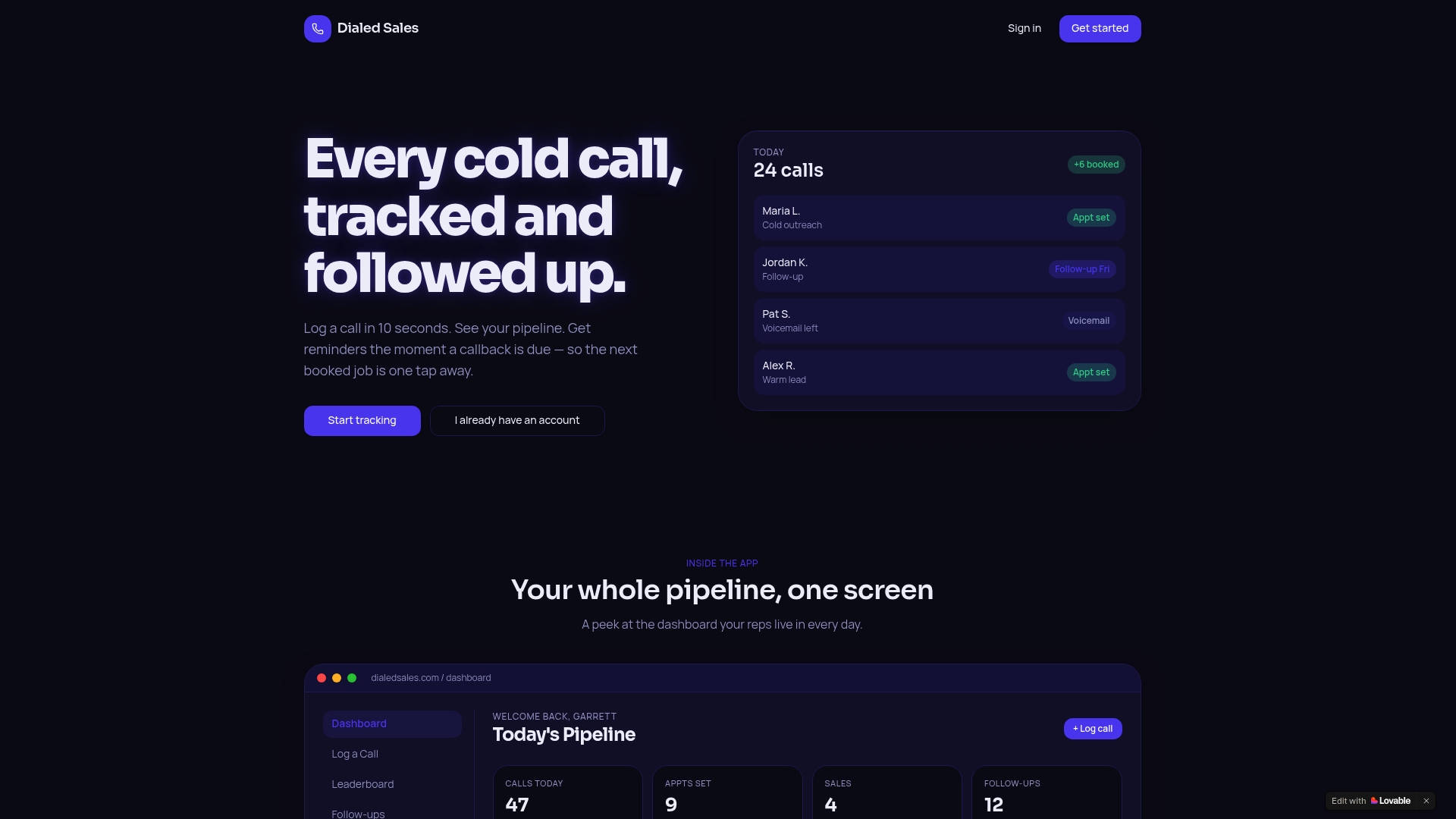
Reps log a call in 10 seconds by entering the customer name, outcome, and notes. A follow-up date surfaces automatically on the dashboard when it is due, so no callback slips through. Every outcome feeds into a live pipeline view that shows close rate trends over time. For teams that need disposition tracking, automated reminders, and a clean activity log without the overhead of an enterprise platform, Dialedsales delivers exactly that. Visit dialedsales.com to see how it fits your team's workflow.
FAQ
What is a cold call disposition?
A cold call disposition is a standardized outcome code applied to every call at the moment it ends, such as "Meeting Booked" or "Left Voicemail." Each code should trigger a specific next action like a follow-up task or pipeline update.
What is a healthy connect rate for outbound cold calls?
B2B connect rates typically fall between 3% and 8%, with B2C rates running slightly higher at 6% to 12%. Rates below 3% usually indicate caller ID flagging or list quality problems rather than rep performance issues.
How do CRM and CTI integrations improve call tracking?
Native CTI integrations automatically capture call timestamps, duration, direction, and disposition without manual entry. This eliminates the most common source of tracking errors and ensures your activity log reflects what actually happened on every call.
What compliance records do I need for outbound cold calling?
TCPA compliance requires documented consent records that include the timestamp, IP address, and original consent language for each contact. Call recordings alone are not sufficient for a legal defense without these supporting records.
How often should managers review cold call tracking metrics?
Managers should run daily dashboard reviews of core metrics like dials and connect rates, and weekly deep dives into disposition distributions and rep-level performance. Daily reviews catch problems early; weekly reviews reveal the patterns that drive coaching decisions.