
Sales call analytics, in its most useful form, means logging a call in 10 seconds, tagging the outcome, and letting the software surface the follow-up the moment it's due. Do that consistently and connect rates go up, callbacks stop slipping through the cracks, and managers get a pipeline view without chasing spreadsheets. Dialed Sales built its entire workflow around this exact loop because consistent call reporting is what turns scattered dials into a coaching asset.
TL;DR:
- Focus on logging calls in 10 seconds with outcome tags and auto-surfaced follow-up reminders to improve connection and callback rates.
- Tracking only key metrics like connect rate, conversion rate, and call volume can predict pipeline health better than monitoring too many numbers.
- Build follow-up workflows with clear stage triggers, ownership, reminders, accurate data, and SLA compliance to ensure consistent follow-up.
- Use a simple, one-screen sales dashboard to monitor rep activity, sequence performance, and pipeline bottlenecks in real time.
- Deep conversation intelligence is unnecessary for most outreach teams; outcome-based call tracking is sufficient for improving pipelines.
Table of Contents
- What Does Lightweight Sales Call Analytics Actually Include?
- Which Call Metrics Actually Predict Pipeline Health?
- How Do You Build a Call Logging and Reminder Workflow?
- What Should a Sales Call Dashboard Actually Show?
- How Should Managers Coach Using Call Outcomes?
- What's a Fast Setup Checklist for a New Team?
- Why Dialed Sales Sticks to Lightweight Analytics
- Ready to Stop Losing Callbacks to a Sticky Note?
- Keep Reading
- Sources
What Does Lightweight Sales Call Analytics Actually Include?
Lightweight sales call analytics covers a specific set of capabilities: call logging that takes about 10 seconds, a short list of outcome tags (connected, voicemail, no answer, booked meeting), a next-step date that auto-surfaces on a dashboard, a pipeline view, per-rep activity stats, and short AI-generated summaries of recent activity. That's the whole scope.
What it deliberately excludes is enterprise conversation intelligence: talk-transcription, sentiment scoring, or keyword-based objection detection. Those tools solve a different problem for a different buyer.
For reps making 40 to 80 dials a day, speed of logging is the entire game. If entering a call takes 90 seconds, reps stop doing it by lunchtime. Dialed Sales's own research found that logging friction, not lack of discipline, is usually the reason call data goes stale. A tool built for field and cold-call teams wins on adoption, and adoption is the only thing that makes analytics real.
Which Call Metrics Actually Predict Pipeline Health?
Most teams track too many numbers and act on none of them. A handful of metrics tell you almost everything you need to know about rep behavior and pipeline health.
Connect rate is connected calls divided by total dials. Conversion rate (or meeting-booked rate) is meetings booked divided by connects. Call volume per rep is simply daily or weekly dial count. Follow-up attempts per lead tracks how many touches it takes before a lead converts or dies. Callback rate measures what share of promised callbacks actually happen on time. Next-step completion rate shows whether reps close the loop on their own commitments.
| Metric | Formula | Typical benchmark range |
|---|---|---|
| Connect rate | Connects ÷ total dials | Typical connect rates range from moderate to good levels |
| Conversion rate | Meetings booked ÷ connects | Conversion rates vary by context and are generally positive |
| Dials per rep per day | Total dials ÷ active reps | Daily dials per rep typically fall within a functional range |
| Follow-up attempts per lead | Total touches ÷ leads worked | Follow-up attempts per lead fall within an effective range |
These benchmark ranges come from Dialaxy's outbound call tracking data, and they're a starting point, not a ceiling. Industries with longer sales cycles, like commercial insurance, tend to run lower connect rates and higher follow-up attempt counts.
Connect rate and call volume are diagnostic metrics. They tell you about effort and access, not results. Conversion rate and callback rate are outcome metrics. Show diagnostic metrics to reps daily; save outcome metrics for weekly manager reviews, where trend matters more than any single day's number. As Leadhaste points out, a metric that doesn't map to a specific lever, like open rate, doesn't belong on a frontline dashboard at all.
How Do You Build a Call Logging and Reminder Workflow?
A follow-up system only works if it runs without anyone remembering to check it. Here's the five-step build:
- Define stage triggers. Set rules for first-touch follow-up (same day), post-demo follow-up (within 24 hours), and no-response thresholds (three attempts before marking a lead cold).
- Set ownership and fallback routing. Every lead needs one clear owner, plus a fallback rule for what happens if that rep is out or the lead goes untouched for a set number of days.
- Configure reminders and escalation. Link reminder timing to your SLA. If a callback isn't logged within the window, escalate it to a manager view rather than letting it disappear. Apollo's automation research found teams without escalation logic simply stop following up consistently.
- Clean your core data fields. Owner, last-activity date, and next-step date need to be accurate before automation means anything. Garbage fields produce garbage reminders.
- Measure SLA compliance and pipeline velocity. Track what percentage of callbacks happen inside the SLA window, and whether deals move faster once the workflow is live.
Pro Tip: Start with just three outcome tags. Teams that launch with ten tags almost always end up with inconsistent logging, because reps guess wrong under time pressure.
Automated follow-up systems work because they remove memory from the equation entirely.
What Should a Sales Call Dashboard Actually Show?
A good dashboard fits on one screen and tells a manager what to do in the next ten minutes. Three views cover almost every use case.
- Rep activity dashboard: dials, connects, and next-step completion rate per rep, with a leaderboard that doubles as a coaching prompt. If someone's connect rate is half the team average, that's your first conversation Monday morning.
- Sequence performance dashboard: reply rates by touch, where prospects drop off, and meeting conversion at each step. This shows you which part of the cadence is actually working.
- Pipeline health dashboard: leads currently in sequence, stalled deals, and SLA compliance across the team. This is where bottlenecks get caught before they become a quarter-end problem.
Color matters more than people expect. Flag SLA breaches in red, keep real-time widgets small, and highlight outliers instead of averages. An average hides the one rep who's three days behind on every callback.
How Should Managers Coach Using Call Outcomes?
Outcome tags turn a pile of dials into a two-minute coaching conversation. If a rep's tags show a spike in "no answer" but low "voicemail," that's a dialing-window problem, not a skill problem. If "connected but no next step" is climbing, that's a closing-the-call issue worth a five-minute listen-back.
Garrett has written extensively on this inside Dialed Sales's own sales coaching guide, built from watching frontline teams use outcome data in real weekly reviews rather than quarterly retrospectives.
A few practical moves managers can run this week:
- Pull each rep's outcome distribution and rank who needs coaching on volume versus who needs coaching on conversion.
- Review two calls per rep per week, not twenty. That small ritual, paired with clean outcome tags, tends to move skill faster than a monthly all-hands review.
- Compare callback rate against conversion rate. A rep who calls back reliably but converts poorly needs a different conversation than one who converts well but ghosts every callback.
What's a Fast Setup Checklist for a New Team?
You can get a minimal version of this running in about half an hour.
- Pick one north-star metric (usually conversion rate) and two outcome tags to start.
- Set owner fields and define calling hours for the team.
- Create one SLA rule, such as "callback within 24 hours of a promised date."
- Build a single rep activity widget showing dials, connects, and next-step completion.
- Run it for 30 days as a baseline before adding more tags or metrics.
Fix the boring stuff first: duplicate leads, missing owners, and time zone mismatches cause more bad data than any dashboard design flaw. At the 7-day mark, check whether logging is actually happening. At 14 days, check SLA compliance. At 30 days, compare conversion rate against your baseline and decide what to add next.
Why Dialed Sales Sticks to Lightweight Analytics
Deep conversation intelligence, with full transcription and sentiment scoring, solves a real problem for large teams with dedicated revenue-operations staff. Most outbound teams don't have that staff, and they don't have that problem. They have a simpler one: reps forget to log calls, and follow-ups fall through.
Dialed Sales was built around the tradeoff that speed and adoption beat depth almost every time for frontline teams. A 10-second log that a rep actually completes beats a rich transcript nobody reviews. Teams should graduate toward heavier tooling once they have dedicated coaching staff, call volume in the thousands per month, and a specific reason to analyze word choice or tone rather than outcomes and follow-through. Until then, outcome-based tracking covers what actually drives pipeline movement.
— Garrett
Ready to Stop Losing Callbacks to a Sticky Note?
Dialed Sales gives you the exact workflow this guide describes: log a call in 10 seconds with customer name, outcome, and notes, set a follow-up date, and watch it surface automatically on your dashboard the moment it's due. Per-rep activity stats and team leaderboards run in the background, so you get pipeline visibility without a single manual report.
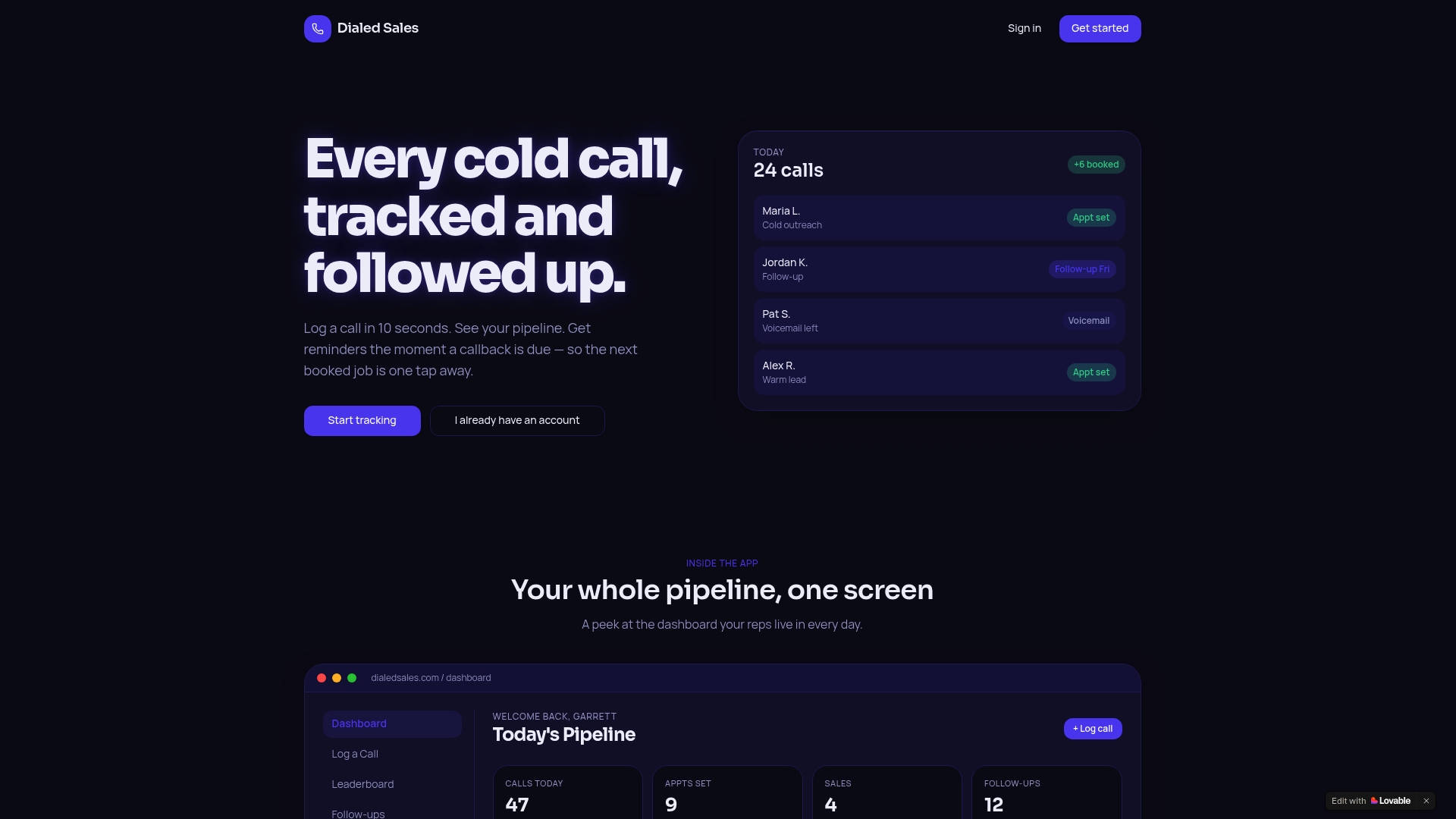
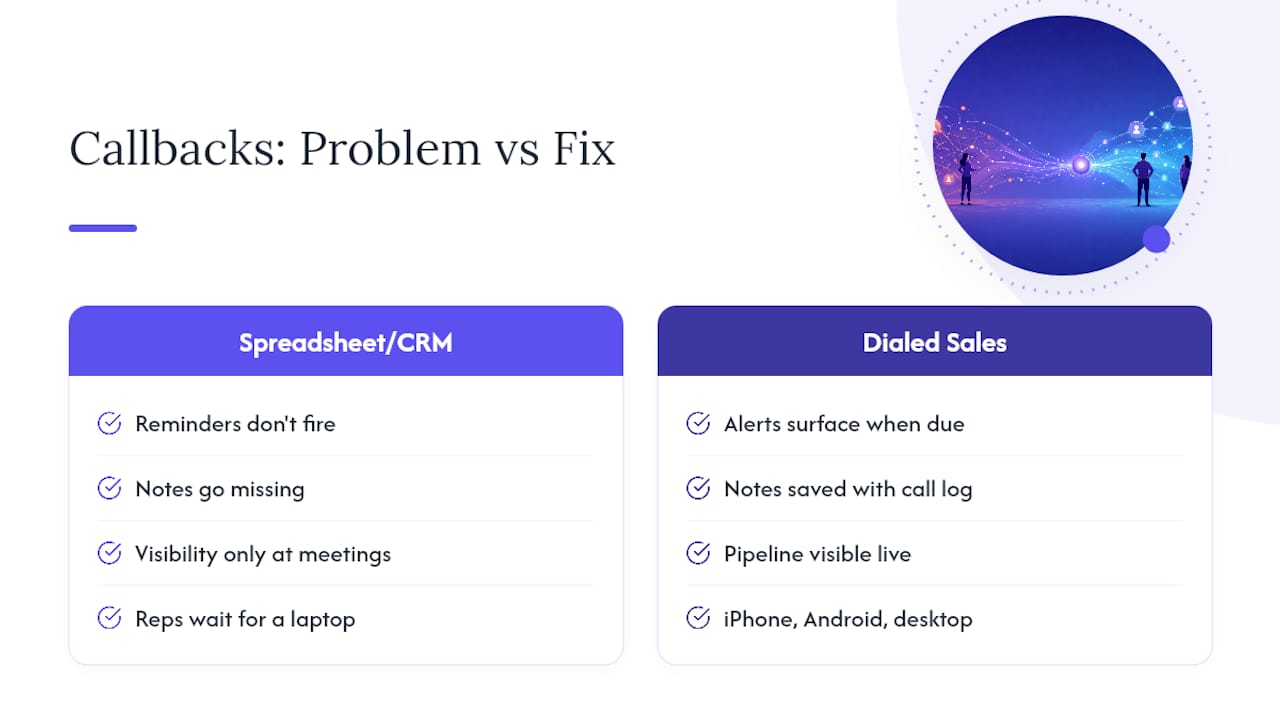
If you've been trying to run this workflow out of a spreadsheet or a generic CRM field, you already know where it breaks: reminders don't fire, notes go missing, and nobody can see the pipeline until Friday's status meeting. Dialed Sales fixes the part that actually causes lost deals, the gap between "I meant to call them back" and an alert that puts the lead in front of you at the right moment. It also works across iPhone, Android, and desktop, so reps in the field aren't stuck waiting to get to a laptop.
Start a free trial of Dialed Sales and get your first callback reminder firing today.
Keep Reading
For deeper reading on this workflow, see the sales call reporting breakdown from HubSpot, the automated follow-up guide from monday.com, and Offbook's call report resources for coaching-focused teams.
Sources
- Sales call reports: what to track and how to use them | HubSpot Blog
- Monday
- How Do You Automate Follow-Up Reminders in B2B Sales? | Apollo
- Outbound call tracking guide: metrics, setup & 2026 benchmarks | Dialaxy