
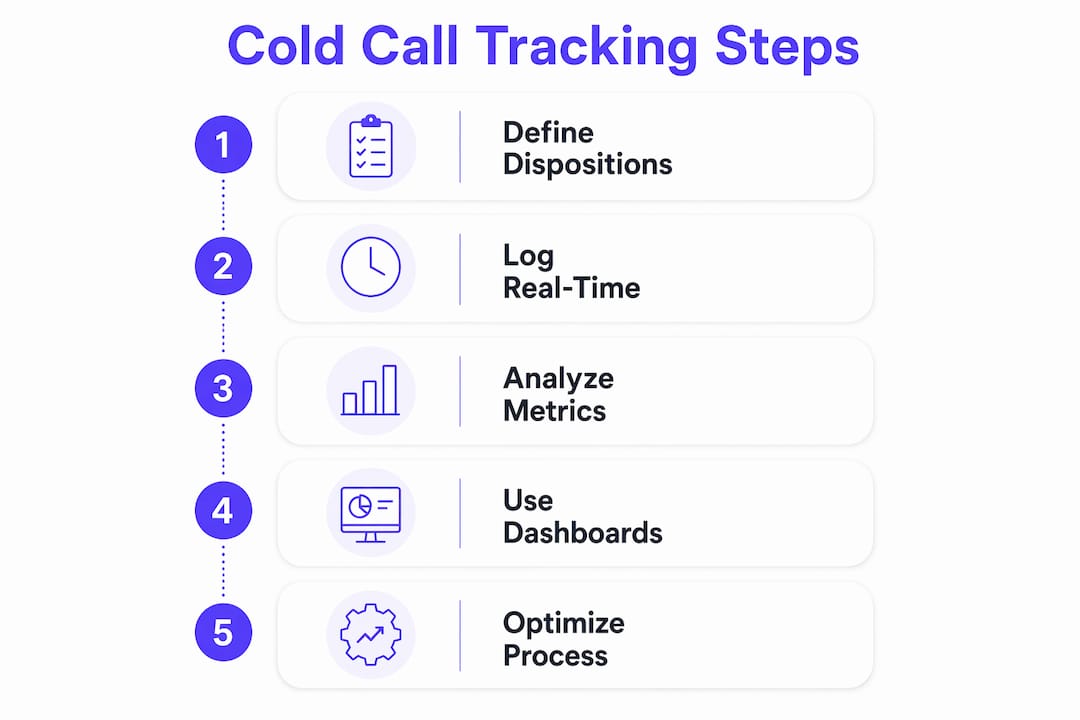
Log every call in your CRM with a standardized disposition and a one-line behavior note the moment you hang up. That single habit separates teams that improve from teams that just stay busy. To track cold call outcomes effectively from day one, set up three things before your next call block:
- A short disposition list (six options maximum)
- One behavior question you score after every conversation
- A "next action date" field that auto-surfaces on your dashboard
Your immediate action list:
- Add six dispositions to your CRM or tracker today (see Section 3 for the exact list).
- Create a "behavior score" field — a 1–3 rating for opening quality.
- Add a "next action date" field to every call record.
- Log each call within 30 seconds of hanging up, not at end of day.
- Pull a five-row sample tomorrow morning and check for blank fields.
Table of Contents
- The metrics that actually tell you what's broken
- How to design dispositions and call fields that actually report cleanly
- Which CRM features and logging habits actually hold up under volume
- What your daily and weekly dashboards should actually show
- How to build a behavior scorecard and run coaching from it
- Common tracking mistakes and the fast fixes for each
- A one-week setup checklist you can copy into any CRM or Google Sheet
- Key Takeaways
- What actually works in the field
- Dialedsales: built for the tracking system this article describes
The metrics that actually tell you what's broken
Most teams track too many numbers and fix the wrong problem first. The right approach is a three-tier hierarchy: diagnostic metrics first, effectiveness metrics second, revenue metrics third. Fix upstream before you coach downstream.
| Metric | What It Measures | Target / Benchmark |
|---|---|---|
| Dial-to-connect rate | List quality and caller ID health | 5–10%+ (below 5% = data problem) |
| Conversation-to-meeting rate | Rep skill and script quality | ~4.6% average; ~16.7% top performers |
| Conversations over 2 minutes | Engagement quality proxy | Track as % of total connects |
| Pipeline generated per SDR | Revenue impact of outbound effort | Set per rep, per week |
| Cost per meeting | Efficiency and ROI signal | Track monthly |
Industry benchmark: The average dial-to-booked-meeting rate is 2.7%. Top-performing teams using verified data and targeted scripts reach 11% or higher.
Pro Tip: When connect rate drops below 5%, don't touch the script yet. Check your data source and caller ID health first. Numbers flagged as "Spam Likely" can drastically reduce answer rates, and no script fixes that.
For a deeper look at which sales activity metrics move the needle for outbound teams, the Dialedsales blog breaks it down by role and deal size.
How to design dispositions and call fields that actually report cleanly
A disposition taxonomy is only useful if every rep uses the same six words to mean the same six things. More than six options and reps start guessing. Fewer than five and you lose diagnostic signal.
Minimum disposition set:
- Connected — live conversation, any length
- Voicemail left — message recorded
- No answer — rang through, no voicemail
- Wrong number — disconnected, fax, or wrong person
- VM return — prospect called back from a voicemail
- Disqualified — connected but prospect is not a fit
"A call without a log is invisible. A call with a vague log is almost as bad." The standard disposition list is what makes aggregate reporting possible — notes tell the story behind the numbers.
Required CRM fields for every call record:
| Field | Format | Who Logs It |
|---|---|---|
| Date and time | Auto-stamp | System |
| Attempt number | Integer | System or rep |
| Disposition | Dropdown | Rep, real-time |
| Call duration (seconds) | Auto-capture | Dialer/system |
| Conversation over 2 min | Yes/No flag | Rep or auto |
| Meeting booked | Yes/No | Rep |
| Next action date | Date picker | Rep |
| Objection tag | Short dropdown | Rep |
| Notes | One-line text | Rep |
A practical tracking sheet typically covers 12 columns with six auto-calculated metrics including connect rate, meeting rate, and cost per meeting. You can replicate this in Google Sheets or any CRM with custom fields. For callback sequencing tied to the "next action date" field, a solid sales callback strategy keeps prospects from falling through the cracks.

Which CRM features and logging habits actually hold up under volume
Real-time logging takes about 10 seconds per call and prevents the end-of-day memory decay that turns your disposition data into a column of "no answer" defaults. Log between call blocks, not after your shift.
Required CRM features for cold-call tracking:
- Disposition dropdown on the call record (not buried in a sub-menu)
- Auto-captured call duration from a connected dialer
- Call recording link stored on the contact record
- Follow-up reminder that surfaces on the dashboard when due
- A basic formula or widget showing daily connect rate
Integration checklist after setup:
- Dialer logs call duration and recording link automatically to the CRM contact
- Calendar integration creates a task when "meeting booked" is flagged
- Caller ID monitoring tool (e.g., a number-reputation checker) is reviewed weekly
- Voice capture tools can help surface missed-call data; AI voice assistants are one option for teams handling high inbound callback volume alongside outbound
Pro Tip: Cut logging friction with hotkeys. Map your six dispositions to keyboard shortcuts in your dialer. On mobile, use a lightweight tracker that lets you tap a disposition and swipe to the next record. The faster the log, the cleaner the data.
What your daily and weekly dashboards should actually show
Daily dashboards are diagnostic. Weekly dashboards are coaching tools. Treat them differently.
Daily checks (10 minutes):
- Total dials vs. target
- Connect rate (flag if below 5%)
- Conversations logged vs. connects (flag if below 50%)
- Total talk time (90–120 minutes is a reliable daily indicator of productive activity)
- Meetings booked
Weekly coaching dashboard (30 minutes):
- Conversation-to-meeting rate by rep
- Attempts per prospect before connect
- Caller ID health report (any numbers flagged this week?)
- Pipeline generated per SDR
- Conversations over 2 minutes as a percentage of total connects
Monthly strategic review (60 minutes):
- Cost per meeting trend vs. prior 90 days
- Pipeline-to-close ratio for cold-sourced deals
- Data quality audit: percentage of records with blank disposition or missing next-action date
Benchmark check: If your team's conversation-to-meeting rate sits near the 4.6% average, the weekly session is where you close the gap toward the 16.7% top-performer mark. Daily diagnostics paired with weekly 30-minute coaching is the cadence that turns measurement into iteration.
How to build a behavior scorecard and run coaching from it
Outcomes tell you what happened. Behaviors tell you why. Coaching on "you only booked two meetings" gives a rep nothing to change. Coaching on "your opening ran 45 seconds before you asked a question" gives them something to fix tomorrow.
"Do not use 'meeting booked' as the primary coaching score. It is an outcome, not a behavior." Coach on rep-controlled actions — openings, discovery, next-step control — so every coaching intervention is something the rep can act on.
Behavior scorecard (score each 1–3):
- Opening clarity — did the rep state who they are and why they're calling in under 15 seconds?
- Permission-giving — did they ask if now is a reasonable time?
- Discovery questions — did they ask at least two open questions before pitching?
- Objection handling — did they acknowledge before responding?
- Next-step control — did the rep propose the next step, or wait for the prospect to?
- Call close — was a specific date and time confirmed, not just "I'll send a calendar invite"?
Tie scorecard findings to metrics directly. Low conversation-to-meeting rate? Pull three recordings and score the first 30 seconds of each. That's usually where the breakdown lives. For a full framework on coaching from call outcomes, the Dialedsales guide walks through the full session structure.
Weekly 30-minute coaching routine:
- Pull the rep's weekly scorecard averages (5 minutes).
- Listen to two recordings together, scoring in real time (15 minutes).
- Identify one behavior to improve and agree on a specific change (5 minutes).
- Set a checkpoint for the following week's session (5 minutes).
Common tracking mistakes and the fast fixes for each
- Logging at end of day. Fix: require logging between call blocks. A 10-second habit per call yields far better diagnostic data than reconstructed end-of-day guesses.
- Tracking too many metrics. Fix: cut to the five-metric hierarchy in Section 2. More columns don't mean more insight.
- Using "meeting booked" as the primary coaching metric. Fix: separate outcome tracking from behavior scoring. One tells you the result; the other tells you what to change.
- Vague disposition taxonomy. Fix: lock the list to six options and remove free-text disposition fields entirely.
- Ignoring caller ID health. Fix: run a number-reputation check weekly. One flagged number can tank an entire team's connect rate.
Pro Tip: Run a five-minute data audit every Monday: pull last week's call records and count blank "next action date" fields. If more than 20% are empty, you have a logging discipline problem, not a performance problem.
A one-week setup checklist you can copy into any CRM or Google Sheet
| Day | Task | Owner |
|---|---|---|
| Day 1 | Add six dispositions, custom fields, and import a verified contact list | CRM admin |
| Day 2 | Connect dialer, enable call duration capture, link recording storage | Ops |
| Day 3 | Start real-time logging; flag all conversations over 2 minutes | Reps |
| Day 4 | Build daily dashboard with five core metrics and set threshold alerts | Manager |
| Day 5 | Run first weekly review: pull scorecard data, listen to two recordings per rep | Manager + reps |
Google Sheets starter columns: Date | Rep Name | Prospect Name | Company | Disposition | Duration (s) | Conversation >2 min (Y/N) | Meeting Booked (Y/N) | Next Action Date | Objection Tag | Notes | Attempt #
Auto-calculate in the sheet: connect rate (connected ÷ total dials), conversation-to-meeting rate, % conversations over 2 minutes, and meetings booked per rep per week.
Early benchmark signal: If your team's dial-to-booked-meeting rate after week one sits near 2.7%, the fix is usually data quality or caller ID, not script. If connect rate is healthy but conversation-to-meeting rate is low, that's a behavior coaching problem — start scoring openings.
- Verify dialer-to-CRM sync is logging duration automatically (test with three calls).
- Confirm follow-up reminders surface on the dashboard when the next-action date arrives.
- Check that call recordings are accessible directly from the contact record.
- Run a five-row data spot-check at end of Day 3 to catch blank fields early.
- Schedule the first weekly coaching session before Day 5 arrives.
Key Takeaways
Tracking cold call outcomes effectively comes down to five things: standardized dispositions, real-time logging, a small metric hierarchy, behavior-based scorecards, and a consistent daily-plus-weekly review cadence.
| Point | Details |
|---|---|
| Log in real time | A 10-second habit per call prevents end-of-day defaults and keeps disposition data accurate. |
| Fix connect rate first | A rate below 5% signals a data or caller ID problem — solve it before coaching behaviors. |
| Coach behaviors, not outcomes | Score openings, discovery, and next-step control; meeting count alone gives reps nothing to change. |
| Run daily diagnostics | Check dials, connects, talk time, and meetings every morning; use weekly sessions for coaching. |
| Dialedsales for lightweight tracking | Dialedsales lets reps log a call in 10 seconds, surfaces follow-ups automatically, and shows pipeline at a glance. |
What actually works in the field
The teams I see improving fastest share one habit: they separate what they measure from what they coach. Their dashboards track outcomes. Their scorecards track behaviors. Those are two different tools for two different conversations.
The conventional wisdom says "track everything." In practice, that produces dashboards nobody reads and coaching sessions that devolve into debating numbers. The teams that close the gap between a 2.7% and an 11% dial-to-meeting rate aren't tracking more. They're tracking smarter — five metrics, six dispositions, one behavior score per call, reviewed daily and coached weekly.
If you're managing a small outbound team and don't need a full enterprise CRM stack, Dialedsales fits that gap cleanly. Reps log a call in 10 seconds, follow-ups surface automatically when they're due, and the pipeline view shows you exactly where deals stand without digging through records. It's purpose-built for the workflow this article describes.
Dialedsales: built for the tracking system this article describes
Most cold-call tracking advice assumes you have a full CRM admin team and a six-figure software budget. Dialedsales is the answer for outbound reps and field teams who need clean data without the overhead.
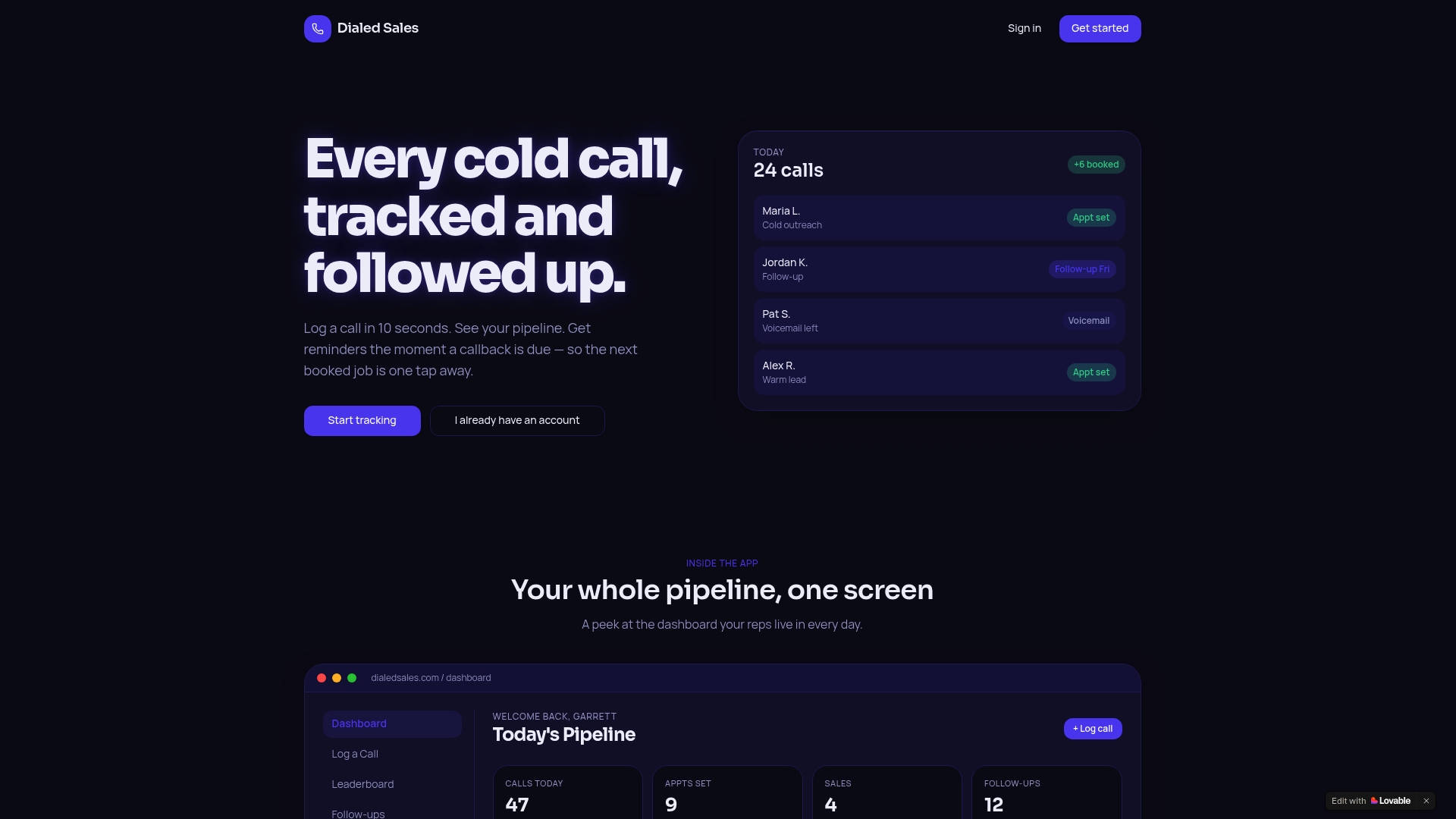
Log a call in 10 seconds. Set a follow-up date that auto-surfaces on your dashboard when it's due. Watch your connect rate, conversation rate, and pipeline in one view without building custom reports. The workflow maps directly to the disposition taxonomy, real-time logging habits, and daily dashboard structure covered in this article.
Dialedsales works across sales-based industries — field sales, inside sales, real estate, financial services, and more. No complicated setup, no bloated feature list you'll never use.
Ready to put the system from this article to work? Start tracking your calls with Dialedsales today and see your pipeline clearly from the first call block.