
The fastest way to speed up call logging is to automate call capture into your CRM and pair it with a standardized, minimal template so reps add only one short field of human context. That's the whole strategy. Everything else is implementation detail.
Here's what to do in the next 24 hours:
- Turn on server-side logging or install a native integration so calls log even when the app or extension isn't open.
- Apply a 60-second short-call filter so voicemails and misdials don't clutter your pipeline.
- Roll out a one-line minimum template: outcome, next step, follow-up date.
Quick fact: App Connect's documentation confirms that server-side logging captures calls in real time as they end, while client-side logging only works when the extension is actively running. Tools built around this exact workflow, like Dialed Sales, log calls very quickly, aiming for the minimum time possible regardless of what system you use.
Key Takeaways
Cutting after-call work to near zero requires automated capture, a locked minimum template, and a weekly check that the automation is still actually running.
| Point | Details |
|---|---|
| Automate capture first | Server-side logging or a native integration removes the "did I remember to log it" problem entirely. |
| Standardize before you automate | A four-field minimum template (direction, disposition, next step, follow-up date) makes automated data reportable. |
| Test before trusting | Run a 50-call validation across inbound, outbound, missed, and transfer scenarios before going live. |
| Filter and monitor weekly | Exclude sub-60-second calls by default, and compare phone-system counts to CRM counts once a week. |
| Dialed Sales as the direct route | Its 10-second log flow, built-in dispositions, and auto-surfacing follow-ups apply this entire playbook out of the box. |
Table of Contents
- What Automation Option Actually Speeds Up Call Logging?
- Why Standardized Templates Cut Logging Time in Half
- How Do You Prevent Integrations from Failing Silently?
- Handling Mobile Logging and the Short-Call Problem
- Keeping Automation Reliable Once It's Running
- How Dialed Sales Turns This Playbook into a 10-Second Log
- Vendor Docs and Guides Worth Bookmarking
- What Most Advice on This Topic Gets Backward
- Get Call Logging Off Your Plate With Dialed Sales
- Frequently Asked Questions
- Sources
What Automation Option Actually Speeds Up Call Logging?
Not every automation path fits every team, and picking the wrong one wastes more time than it saves. The choice usually comes down to four factors: call volume, which CRM you run, whether your reps work mobile-first, and how much developer help you have on hand.
Start with the client-side vs. server-side distinction, because it determines whether logging happens reliably or only sometimes. Client-side logging depends on an active browser extension or desktop app. Close the tab, and logging stops. Server-side logging works at the network level, capturing the call the moment it ends regardless of what's open on a rep's screen. RingCentral's own support documentation walks through exactly how to configure this for Salesforce, and the setup difference explains why teams that switch to server-side see fewer gaps in their call history.
Middleware like Zapier or Make sits in between. It's fast to set up without a developer, but it comes with real limits: monthly task caps, thin error visibility when something breaks, and a learning curve for anyone building multi-step workflows for the first time.
AI-driven auto-summarization is the newer option. Platforms like Airspeed can record a call, transcribe it, extract structured notes, and map fields into Salesforce or HubSpot within minutes of the call ending, using conflict detection so it doesn't overwrite a rep's manual edits.
Here's how to choose:
- Under 50 calls a day, one CRM, no developer: native integration or a simple middleware zap.
- High call volume, multiple tools, some technical staff: server-side logging with custom field mapping.
- Mobile-first field team: prioritize a tool with true server-side capture, not one that depends on an open app.
Pro Tip: Test any new automation with a mix of call types before trusting it in production. A setup that logs outbound calls perfectly can still silently drop transfers or missed calls.
Why Standardized Templates Cut Logging Time in Half
Free-text notes feel faster in the moment, but they're slower for the whole team over time. Nobody can search "interested but budget concerns" reliably when every rep phrases it differently. InGenius's approach to automated call logging leans on customizable templates and disposition codes precisely because consistent tags make coaching and reporting possible.
A minimum viable note needs four fields: direction (inbound or outbound), disposition (a fixed outcome code, not a sentence), next step, and follow-up date. Everything past that is optional.
- Give every disposition a default value so a rep never has to think about what to type.
- Let managers lock the core fields but leave a short open-text box for genuine context.
- Review your disposition taxonomy quarterly. Codes that don't get used should be cut.
Pro Tip: If a rep needs more than 10 seconds to log a call, the template has too many required fields. Trim it.
How Do You Prevent Integrations from Failing Silently?
Integrations don't usually announce when they break. They just quietly stop logging calls, and nobody notices until a manager asks why the pipeline looks thin. PulseOps's guide to call logging automation identifies the usual suspects: webhook timeouts, API rate limits, and missing required fields that reject the whole record instead of logging it partially.
Run through this checklist before you trust any new integration:
- Map fields explicitly. Don't rely on auto-matching, set default values for anything optional so blank fields don't cause a rejection.
- Build a staging list for unmatched numbers. Calls from numbers not yet in the CRM need somewhere to land instead of disappearing.
- Pick one source of truth for timestamps and durations. Unit mismatches and timezone drift are a quiet but common cause of bad data, according to the same PulseOps analysis.
- Run a 50-call test across inbound, outbound, missed, and transferred scenarios. Confirm direction, duration, and contact match on every single one before going live.
- Turn on error alerts. A dashboard notification the moment a webhook fails beats discovering the gap three weeks later.
Skipping the test phase is the single most common reason automation projects get abandoned. Teams assume the integration works because the first ten calls logged fine, then find out two months later that transferred calls never mapped correctly.
Handling Mobile Logging and the Short-Call Problem
Mobile logging has a real limitation worth knowing before you rely on it: client-side capture only works while the app or extension is open. Close it mid-shift, and those calls won't log until you reopen it. App Connect's own documentation notes that retroactive logging then processes missed calls in batches, and it can cap how many historical calls it attempts to catch up automatically.
A few practical habits close most of that gap:
- Set the app to launch automatically on device startup so it's rarely closed by accident.
- Reopen the app at set intervals during the day if retroactive logging is your safety net, not your primary method.
- Filter out very short calls by default to reduce voicemail and misdial clutter, though watch for exceptions like quick but valuable confirmations.
- Check retroactive logs weekly for duplicates, since batch processing occasionally double-logs a call that partially processed earlier.
Keeping Automation Reliable Once It's Running
Automation that isn't monitored degrades quietly. Nobody sees the failure until pipeline numbers look wrong for reasons nobody can explain.
- Set error alerts on your middleware or vendor dashboard so a webhook failure sends a notification instead of vanishing into a log file nobody checks.
- Run a weekly sanity check. Pick one random day, compare your phone system's call count against what actually landed in the CRM.
- Audit monthly if you're on Zapier or Make. Task usage limits get hit quietly, and a maxed-out plan stops running zaps without much warning.
- Do a quarterly field audit. Confirm required fields are still populating correctly. CRM updates and API changes on the vendor side can silently break mapping that worked fine last quarter.
- Triage orphaned records weekly. A staging list for unmatched calls only helps if someone actually reviews it and assigns those records to the right contact.
Pro Tip: Assign the weekly sanity check to a specific person by name, not "the team." Shared ownership is how monitoring routines quietly stop happening.
How Dialed Sales Turns This Playbook into a 10-Second Log
Dialed Sales was built around the exact principle this article argues for: automate what you can, then make the manual part as short as possible. A rep logs a call with customer name, outcome, and a short note, sets a follow-up date, and it's done. That follow-up automatically surfaces on the dashboard the day it's due, so nothing depends on memory.
- Works on iPhone, Android, and desktop, so field reps and inside sales teams use the same workflow.
- Built-in disposition codes mean reps pick an outcome instead of typing a paragraph.
- A live pipeline dashboard and per-rep activity stats replace the manual spreadsheet tracking most teams start with.
- An AI assistant drafts activity summaries and follow-up messages, cutting the after-call writing down further.
Onboarding follows the same checklist covered above: map your fields once, run a real test batch across call types, turn on templates, and enable error alerts from day one.
The teams that stick with call logging long-term are the ones who made it fast enough that skipping it feels like more work than doing it.
Vendor Docs and Guides Worth Bookmarking
For hands-on setup, App Connect's logging documentation covers server-side versus client-side behavior in detail. PulseOps's automation audit guide walks through failure modes and monitoring cadence, and Call Time's take on call efficiency offers a useful outside perspective on time management around calls.
What Most Advice on This Topic Gets Backward
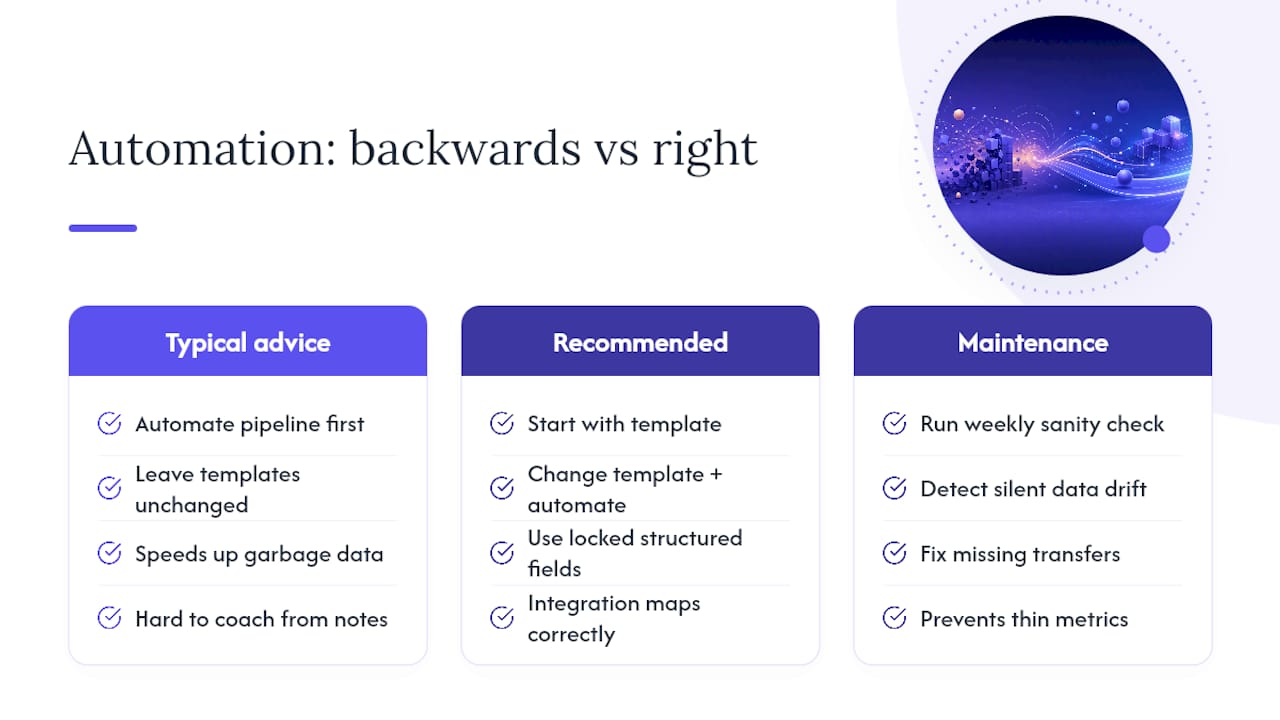
Most guides treat automation and templates as separate projects: fix the pipeline first, worry about note quality later. That order is backward. Automating a broken template just moves garbage data faster, and a perfect template filled in by hand sixty seconds after every call still burns hours a week that add up over a quarter.
The evidence points to running both changes at once. A minimal, locked template turns free text into structured fields an integration can actually map correctly. Automation without that structure produces call logs that are fast but useless for coaching, since nobody can filter "objection: price" from a wall of paragraph notes.
What gets underrated is the maintenance step. Teams build the integration, run one successful test, and stop checking. Three months later, half the transferred calls are silently missing, and nobody notices until a manager asks why a rep's numbers look thin. The weekly sanity check matters more than the initial setup, because setup happens once and drift happens constantly.
If you're choosing where to start, start with the template. It's the cheapest fix, it works regardless of what CRM or automation tool you're running, and it makes every automation decision after it easier.
Get Call Logging Off Your Plate With Dialed Sales
If webhook mapping and template enforcement sound like more setup than your team has time for, Dialed Sales skips the build entirely. It's a cold call tracker made specifically for reps and field teams in outbound-heavy industries like solar, HVAC, insurance, and real estate, where a call logged in 10 seconds beats a "perfect" integration that took three weeks to configure.
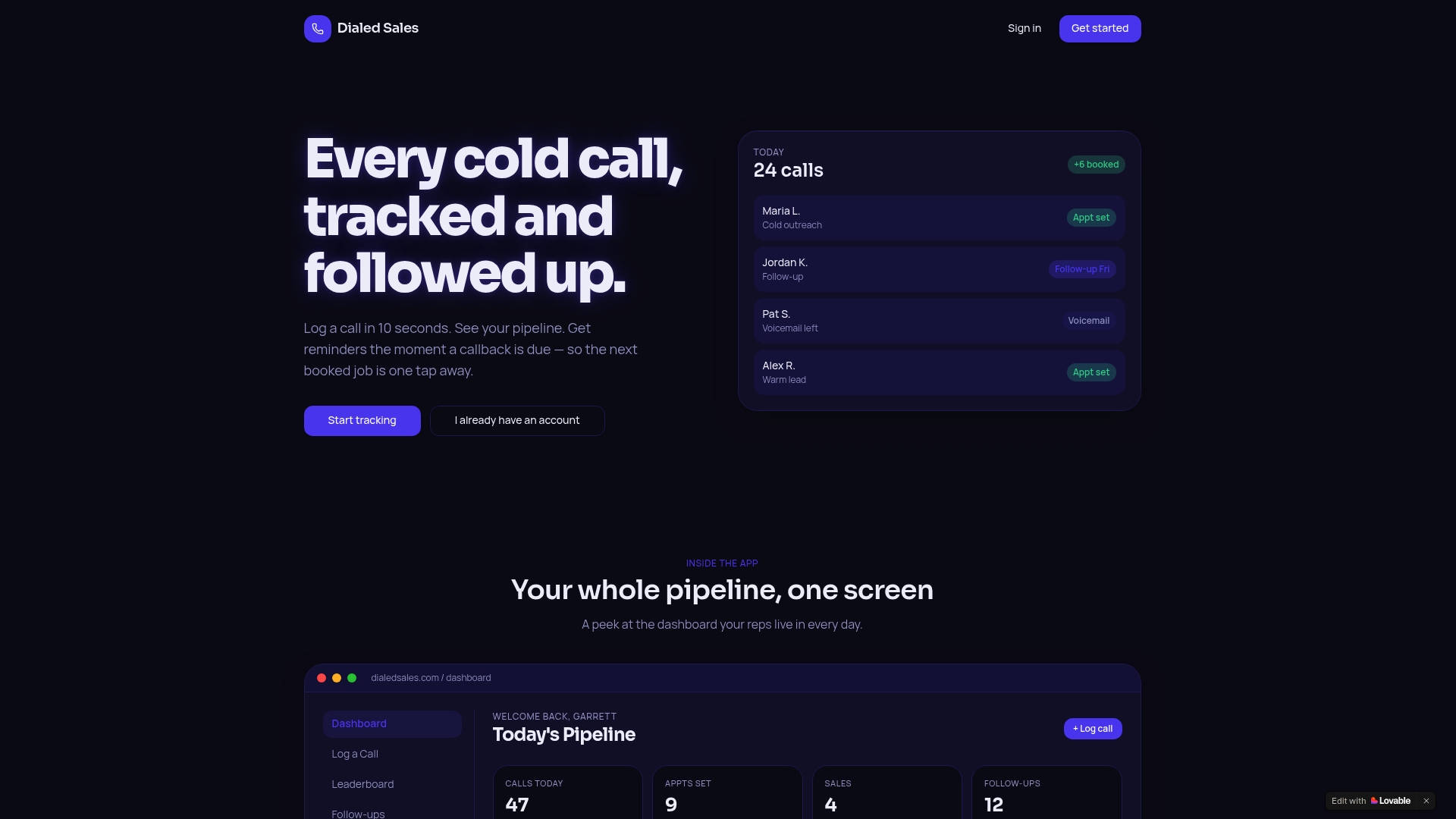
You log a call with the customer's name, outcome, and a quick note. Set a follow-up date, and it surfaces automatically on your dashboard the moment it's due, no webhook, no field mapping, no monthly task limit to watch. Add per-rep activity stats and a live leaderboard, and managers get the reporting benefit of a standardized template without building one from scratch.
Start your free trial of Dialed Sales and log your first call today to see how fast after-call work can actually get.
Frequently Asked Questions
What's the single fastest change to speed up call logging? Turn on server-side or native integration logging first. It removes the biggest source of missed calls: reps forgetting to log manually or closing the app before a call syncs.
Does automating call logging replace the need for templates? No. Automation captures the call, but a template determines whether the data it captures is useful. Skipping templates just means automated garbage instead of manual garbage.
How do I know if my call logging automation is broken? Run a weekly check comparing your phone system's call count to what actually appears in your CRM for one random day. A gap signals a mapping or rate-limit issue worth investigating immediately.
Should I filter out short calls automatically? Yes, generally. Excluding calls under 60 seconds cuts voicemail and misdial clutter, though watch for brief but meaningful calls, like a quick confirmation, that shouldn't get filtered out by accident.
Is voice-to-text or speech recognition worth using for call notes? It's useful for reps who talk faster than they type, especially paired with structured extraction tools that turn a transcript into disposition and next-step fields automatically rather than a wall of raw text.
Sources
- Logging calls in your CRM using App Connect - App Connect for RingEX
- Call logging automation for small business — PulseOps
- Auto-Log Sales Calls to Salesforce & HubSpot | Airspeed
- Configure Auto Creation of Call Log in Salesforce - RingCentral Support
- Logging calls automatically - App Connect for RingEX