
A CRM's primary role for sales teams is to make selling repeatable, measurable, and faster by centralizing every customer interaction, automating low-value tasks, and surfacing exactly where each rep should focus right now. That's the short version. The longer version is that companies using CRM report an average ROI of $8.71 for every $1 spent, 29% higher sales, and 34% productivity gains. Those numbers don't happen by accident. They happen when a team treats the CRM as the operating system for their sales process, not a place to dump contact data after the fact.
Here's what a properly used CRM delivers for sales teams:
- Pipeline visibility at every stage, so nothing stalls without someone noticing
- Faster follow-ups through automated reminders and task creation the moment a lead enters the system
- Forecast accuracy built on real pipeline data rather than gut instinct
- Activity accountability that shows who's working what and when
- Handed-off relationships where any rep can pick up a deal without losing context
Table of Contents
- What does a sales CRM actually do?
- How does a CRM support sales reps and managers every day?
- Which CRM features do sales teams rely on most?
- How do you measure the impact of CRM on sales performance?
- How do you implement CRM so your team actually uses it?
- What are the most common CRM pitfalls and how do you fix them?
- How does CRM use differ across sales models?
- How AI is changing what a CRM can do for your team
- How does CRM connect with the rest of your sales and marketing stack?
- Key Takeaways
- The gap between CRM promise and CRM reality
- Dialedsales: built for teams that sell on the phone
- Useful sources and further reading
What does a sales CRM actually do?
A sales CRM is a system that combines a contact and account database with workflow automation, pipeline tracking, and analytics, all oriented toward one outcome: closing more deals faster. The contact database is the foundation, but the database alone isn't the product. The product is the cadence it enforces.
Microsoft describes CRM as a unified, AI-enabled system that centralizes customer signals across channels and surfaces recommended actions for sellers. That framing matters because it separates a CRM from a spreadsheet or a basic contact list. A spreadsheet stores data. A CRM acts on it.
The three functional types worth knowing:
| CRM Type | Primary Focus | Sales Team Use |
|---|---|---|
| Operational | Automating tasks, follow-ups, and workflows | Daily rep activity, lead routing, reminders |
| Analytical | Reporting, forecasting, and pipeline analysis | Manager dashboards, quota tracking, trends |
| Collaborative | Sharing context across sales, marketing, and support | Handoffs, account history, cross-team notes |
Most modern platforms blend all three. The distinction helps when you're deciding which capabilities to configure first.
A CRM that only stores data is a filing cabinet. A CRM that enforces tasks, tracks outcomes, and surfaces next actions is a sales process made visible.
How does a CRM support sales reps and managers every day?
The role of CRM in sales teams breaks into three layers: operational (what reps do daily), tactical (what managers review weekly), and strategic (what leadership uses for forecasting and resource decisions).
For reps, the CRM is a task list with context. Every morning, a rep opens their dashboard and sees which leads need a call, which deals have gone quiet, and which callbacks are overdue. Industry research shows that roughly 60–65% of rep time goes to non-selling activities. CRM automation can return about 2 hours per rep per week just on email logging, by auto-logging emails, scheduling follow-up tasks, and eliminating the manual data entry that eats the first and last hour of every sales day.
For managers, the CRM is a coaching tool. The pipeline board shows deal value, stage, and last activity at a glance. When a deal hasn't moved in two weeks, that's visible without asking anyone. When one rep closes at twice the rate of another, the activity log shows what's different, which calls were made, which follow-up cadence was used, and which messaging worked.

For leadership, the CRM is a forecasting engine. A pipeline built on real, logged activity is far more reliable than one assembled from rep self-reporting on a Friday afternoon.
The core roles a CRM fills for a sales team:
- Central customer record with full interaction history
- Visual pipeline board showing deal stage and value
- Task and activity management tied to specific contacts and opportunities
- Automated follow-up sequences and reminders
- Forecast and reporting dashboards
- Cross-team context for handoffs between SDRs, AEs, and account managers
Pro Tip: Use CRM activity data for coaching, not surveillance. When you compare a top performer's activity log with a struggling rep's, the conversation shifts from "why aren't you closing?" to "what's working for your top rep that we can replicate?" That framing changes how the whole team relates to logging their work. For a practical playbook, see sales coaching using call outcomes.
Which CRM features do sales teams rely on most?
Features matter only when you can connect them to a specific problem a rep or manager faces. Here's how the core capabilities translate to daily work.
Contacts and account model
Every deal lives inside an account. The contact record stores the person; the account stores the company, the relationship history, and the deal context. When a rep leaves, the account stays. That's the feature that prevents relationship loss from becoming revenue loss.

Opportunity and pipeline stages
Opportunities move through defined stages from qualified lead to closed won. Each stage has an expected probability, which feeds the forecast. The pipeline board makes this visual. A deal stuck at "proposal sent" for 30 days is a red flag that's invisible in a spreadsheet and obvious in a CRM.
Tasks and reminders
Every interaction should generate a next action. CRMs create those tasks automatically or prompt the rep to set one before closing a record. Without this, follow-up depends entirely on memory, and memory is not a sales strategy.
Email and telephony integration
When email and phone calls log automatically, reps stop spending time on data entry and start spending it on conversations. Zendesk highlights automation and centralized data as top benefits precisely because they remove the friction between selling and recording.
Workflows and automation
A workflow is a rule: "When a lead is created, assign it to the next rep in rotation and create a task due in five minutes." That five-minute response window matters. Research shows that enforcing a tight lead-response SLA through CRM automation produces measurable conversion lifts in B2B contexts.
Lead scoring
Not every lead deserves the same urgency. Lead scoring assigns a numeric value based on behavior, fit, and engagement signals. Website visitor intelligence integrated with a CRM adds another layer, surfacing leads who are actively researching before they ever fill out a form.
Dashboards and reports
A good dashboard answers three questions without any clicks: How is the pipeline looking this month? Which reps are on track? Where are deals stalling? Managers who run their Monday pipeline review from the CRM dashboard, rather than a manually assembled spreadsheet, spend less time on prep and more time on actual coaching.
Pro Tip: Start with three reports: pipeline by stage, activity by rep, and deals with no activity in 14+ days. Those three views cover 80% of what a manager needs to run a weekly pipeline call.
| Feature | Problem It Solves | Before CRM | After CRM |
|---|---|---|---|
| Contact/Account model | Relationship loss on rep turnover | History lives in rep's inbox | Full history in the account record |
| Pipeline stages | Forecast guesswork | Rep self-reports on Fridays | Real-time stage and probability data |
| Tasks and reminders | Missed follow-ups | Memory-dependent | Automatic task creation |
| Email/phone integration | Manual data entry | 30–60 min/day logging | Auto-logged, searchable |
| Lead scoring | Wasted time on low-fit leads | Equal effort on every lead | Prioritized by signal strength |
| Automation/workflows | Slow lead response | Manual assignment | Instant routing with SLA task |
How do you measure the impact of CRM on sales performance?
The metrics that shift after CRM adoption fall into two categories: efficiency metrics (how reps spend their time) and outcome metrics (what that time produces).
Efficiency metrics to track:
- Time spent on selling vs. admin (target: admin below 35% of the day)
- Lead response time (target: under five minutes for inbound leads)
- Pipeline update frequency (target: every deal touched at least weekly)
- Activity logging rate (target: 90%+ of calls and emails logged)
Outcome metrics to track:
- Lead-to-opportunity conversion rate
- Opportunity-to-close conversion rate
- Average sales cycle length
- Forecast accuracy (predicted vs. actual close)
- Pipeline coverage ratio (pipeline value vs. quota)
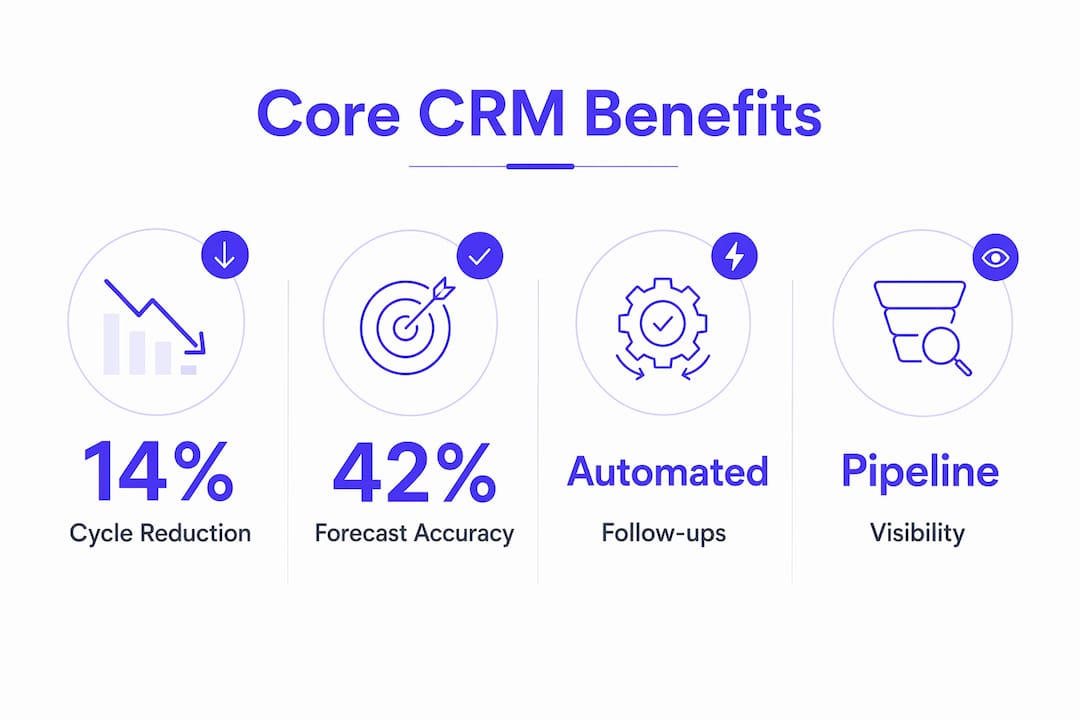
Industry benchmarks show an average sales cycle reduction of 8–14% and a 42% improvement in forecast accuracy after CRM adoption. Those aren't instant. Here's a realistic timeline:
| Timeframe | Milestone | What to Measure |
|---|---|---|
| Weeks 1–4 | Data migration, basic setup, rep training | Login rate, records created |
| Months 1–2 | Daily habits forming, pipeline populated | Activity logging rate, pipeline completeness |
| Months 2–4 | Automation running, follow-ups consistent | Lead response time, task completion rate |
| Months 4–6 | Forecast data reliable, coaching conversations active | Forecast accuracy, conversion rate trends |
| Month 6+ | ROI visible, cycle length shortening | Sales cycle length, revenue per rep |
A simple ROI calculation managers can run: take the number of reps, multiply by the hours saved per week through automation (industry estimates suggest roughly two hours per rep per week on email logging alone), and multiply by the rep's hourly cost. That's the efficiency gain before you count revenue impact. Add the conversion rate improvement and you have a business case that holds up in a budget meeting. For more on rep productivity metrics, the math gets more specific from there.
How do you implement CRM so your team actually uses it?
The most common reason CRM projects fail isn't the software. It's treating the rollout as an IT project rather than a sales process change. Research is clear that executive sponsorship, daily habits, and manager usage are the primary success factors, not configuration depth.
Rollout steps that work:
- Get executive sponsorship first. If the VP of Sales doesn't use the CRM, neither will the reps. Visible leadership usage is the single strongest adoption signal.
- Map your actual sales process before touching the software. Define your pipeline stages, qualification criteria, and handoff points. The CRM should reflect your process, not invent one.
- Migrate clean data. Bring in only what's current and relevant. A CRM full of stale contacts from three years ago starts with a credibility problem.
- Configure minimally at first. Five pipeline stages and three required fields beat a 20-field form that reps skip. Add complexity after adoption is proven.
- Run a pilot with your best and most skeptical reps. Best reps show what's possible. Skeptical reps surface the real friction points before you roll out to everyone.
- Roll out in waves, not all at once. Pilot team first, then the next group, then the full team. Each wave benefits from the previous group's lessons.
- Set KPI gates. Define what "good" looks like at 30, 60, and 90 days. Login rate above 90%, activity logging above 80%, pipeline updated weekly. If you don't measure adoption, you won't see it slipping until it's a problem.
Adoption habits that stick:
- Managers open the CRM dashboard before every pipeline call, not a spreadsheet
- Reps log every call outcome before moving to the next call
- No deal advances in a pipeline review unless it's updated in the CRM
- Weekly one-on-ones reference CRM data, not rep memory
Pro Tip: Tie CRM usage to something reps care about. If commission reports pull from CRM data, reps log their deals. If forecast calls reference only CRM pipeline, reps keep it current. Incentive alignment beats training every time. Track the activity metrics that matter to know what good looks like.
What are the most common CRM pitfalls and how do you fix them?
Every CRM implementation runs into the same handful of problems. Knowing them in advance is the difference between a quick correction and a six-month cleanup.
Low adoption: Reps use spreadsheets alongside the CRM, which means the CRM data is always incomplete. The fix is removing the alternative. If the spreadsheet is still there, it will be used. Make the CRM the only place pipeline lives, and enforce that in pipeline reviews.
Bad data hygiene: Duplicate contacts, missing fields, and outdated deal stages make the CRM untrustworthy. Once reps stop trusting the data, they stop using the tool. Run a monthly data audit. Assign ownership of data quality to a specific person, not "everyone."
Excessive customization: More fields, more stages, and more automation rules don't mean a better CRM. They mean a slower, more confusing one. Every custom field should answer a specific business question. If you can't name the question, delete the field.
Misaligned pipeline stages: Stages that don't match how deals actually progress create friction. Reps skip stages or use them inconsistently, which breaks forecasting. Revisit stage definitions with the sales team every quarter.
Over-reliance on reports without behavior change: A beautiful dashboard that no one acts on is decoration. Reports should trigger specific conversations and decisions, not just get emailed on Monday morning.
The CRM becomes a ghost town the moment managers stop referencing it in meetings. If the tool isn't part of the weekly rhythm, it isn't part of the sales process.
Red flags to watch for:
- Pipeline hasn't been updated in more than a week
- Activity logs are sparse for specific reps (or everyone)
- Spreadsheets reappear in pipeline review emails
- Reps can't answer basic pipeline questions without checking their notes
A 30-minute manager play to reset a struggling CRM: pull the "deals with no activity in 14 days" report, review it with the team in the next pipeline call, and require every stale deal to be updated or moved to closed lost before the meeting ends. That one ritual, run consistently, keeps the pipeline honest.
How does CRM use differ across sales models?
The core CRM functions are the same everywhere. What changes is which features get prioritized and which metrics matter most.
Inside sales teams
Inside sales reps live in the CRM. Every call, email, and demo is logged. The key workflows are lead routing, automated follow-up sequences, and activity dashboards. The metric that matters most is lead response time. A sales prospecting workflow built around CRM task queues keeps reps moving through their list without losing track of where each conversation stands.
First automation to enable: Auto-assign inbound leads with a five-minute response task. That single rule has a measurable impact on conversion rates.
Field sales teams
Field reps need mobile access and offline capability. The CRM use case centers on account history, visit logging, and route planning. The metric that matters most is accounts visited per week vs. accounts with no recent activity.
First automation to enable: Geolocation-triggered check-in logging so reps don't have to manually record visits after the fact.
SDR and BDR teams
SDRs live in sequences and call queues. The CRM tracks outreach attempts, responses, and meeting-booked outcomes. The handoff from SDR to AE is the critical workflow. A clean handoff note in the CRM means the AE walks into the first call with full context.
Metric that matters most: Meetings booked per rep per week, tracked against outreach volume to identify which sequences convert.
Enterprise account teams
Enterprise deals involve multiple stakeholders and long cycles. The CRM use case is relationship mapping, multi-threaded contact tracking, and opportunity stage management across months. Forecast accuracy is the primary metric because enterprise pipelines are small enough that one deal can swing the quarter.
First configuration to prioritize: Multi-contact opportunity records with role labels (economic buyer, champion, blocker) so the team knows who's engaged and who isn't.
How AI is changing what a CRM can do for your team
Modern CRM platforms have moved well past passive data storage. Microsoft's CRM documentation describes AI-driven features that identify high-intent leads, recommend outreach timing, summarize meetings, and draft personalized messaging. The practical effect is that a rep's next action is often suggested before they have to think about it.
That's the "personalized coach" framing that's now standard in enterprise CRM marketing. It's real, but it comes with a caveat: AI recommendations are only as good as the data they're trained on. A CRM with incomplete activity logs produces weak recommendations. Garbage in, garbage out still applies.
AI features in a CRM act as a personalized coach for reps: they identify high-intent leads, recommend outreach times, and can draft messaging to reduce administrative load — but only when the underlying data is clean and consistently logged.
A concrete call-tracking workflow that works today:
For call-driven teams, the workflow doesn't need to be complex. Dialedsales is built around exactly this: log a call in 10 seconds with the customer name, outcome, and notes; set a follow-up date that surfaces automatically on the dashboard when it's due; then track every outcome to watch close rate trends over time. That's the minimum viable CRM workflow for a field rep or cold caller, and it's enough to produce the accountability and visibility that most teams are missing.
The website engagement scoring layer adds signal on top of that: when a prospect visits your pricing page three times in a week, that behavior feeds into lead scoring and moves them up the call queue. Integrating those signals with your CRM means reps are calling the right people at the right time, not just working through a static list.
Pro Tip: Use AI recommendations as a starting point, not a final answer. When a CRM suggests a follow-up message, review it before sending. The rep's judgment about tone and timing still matters. AI reduces the blank-page problem; it doesn't replace the relationship.
How does CRM connect with the rest of your sales and marketing stack?
A CRM sitting in isolation is useful. A CRM connected to your other tools is a different thing entirely.
Marketing automation integration is the most common and highest-impact connection. When a lead moves from a marketing platform into the CRM, it carries behavioral data: which emails were opened, which pages were visited, which content was downloaded. That context lets reps personalize their first call instead of starting cold. Platforms like Salesforce have native connectors to most major marketing automation tools, and the data flow is bidirectional: CRM deal outcomes feed back into marketing to refine targeting.
ERP integration matters most for teams selling products with inventory, pricing, or order complexity. When a rep can see a customer's order history, credit status, and open invoices inside the CRM, they can have a more informed conversation and avoid promising delivery timelines that operations can't meet. MuleSoft is one of the more widely used integration platforms for connecting CRM and ERP systems at scale, particularly in enterprise environments.
Customer support integration closes the loop on the customer lifecycle. When a support ticket is visible inside the CRM, a rep calling to renew a contract knows whether the customer has had a bad experience in the last 30 days. Zendesk, which publishes extensively on CRM benefits for sales and support teams, is built around exactly this kind of cross-functional visibility.
Telephony and dialer integration is where call-driven teams get the most immediate efficiency gain. When calls log automatically with duration, outcome, and recording, reps stop spending 20 minutes at the end of the day catching up on data entry. The pipeline stays current in real time.
The integration principle that matters most: every tool in the stack should write to the CRM, not maintain its own separate record of the customer. When data lives in five places, no single view is trustworthy. When everything flows into the CRM, the customer record becomes the actual source of truth.
Key Takeaways
A CRM's value for sales teams comes from enforcing process, not storing data: pipeline visibility, automated follow-ups, and activity accountability are what separate teams that hit quota from teams that guess their way through the quarter.
| Point | Details |
|---|---|
| CRM enforces process, not just data | Treat the CRM as your sales operating system; every deal stage and activity must live there, not in a spreadsheet. |
| Adoption starts with managers | If leadership doesn't use the CRM dashboard in pipeline reviews, reps won't log their activity consistently. |
| Automation delivers immediate ROI | Configuring a five-minute lead-response task and auto-logging calls can return measurable conversion lifts within the first 60 days. |
| Metrics to watch first | Track login rate, activity logging rate, and lead response time before chasing forecast accuracy — those three drive the rest. |
| Dialedsales for call-driven teams | Dialedsales lets reps log a call in 10 seconds, set a callback reminder, and track outcomes on a live dashboard — the minimum viable CRM workflow for field and cold-call teams. |
The gap between CRM promise and CRM reality
Most CRM failures aren't technology failures. They're process failures wearing a technology costume. A team that didn't have a consistent follow-up cadence before the CRM won't develop one just because there's now a dashboard. The tool surfaces the problem; it doesn't solve it automatically.
What separates teams that get real results from teams that end up with an expensive contact database is one thing: the manager's behavior. When the manager runs every pipeline conversation from the CRM, references activity logs in one-on-ones, and refuses to accept "I think it's close" as a forecast answer, the team adapts. When the manager lets reps report from memory, the CRM becomes optional, and optional means unused.
The other thing most guides understate is how long it takes. The 8–14% sales cycle reduction and the 42% forecast accuracy improvement cited in industry research don't show up in week two. They show up at month four or five, after the data is clean, the habits are formed, and the coaching conversations have had time to change behavior. Teams that abandon the CRM at month two because they "aren't seeing results yet" are stopping right before the return starts.
Dialedsales: built for teams that sell on the phone
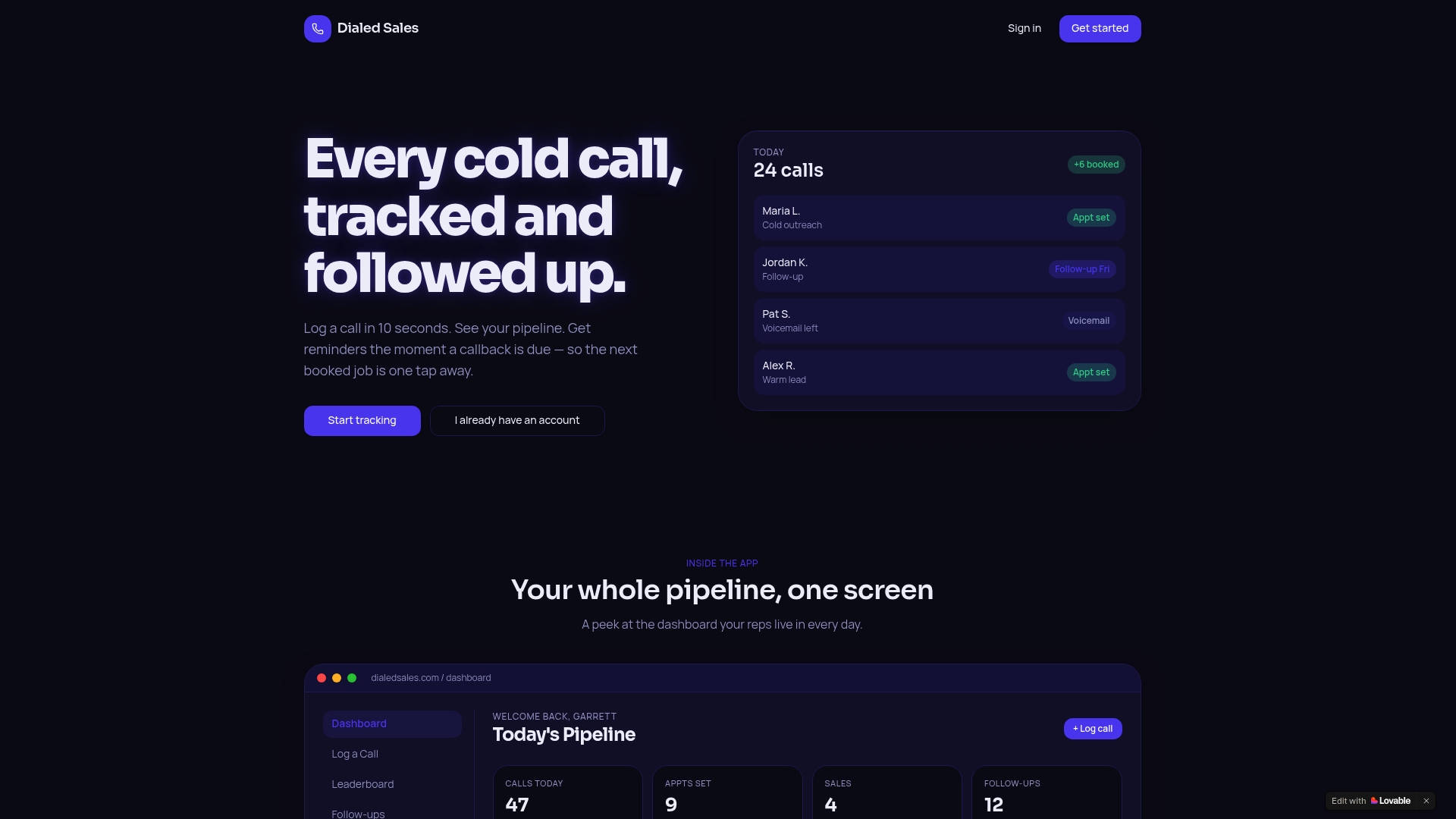
If your team's primary sales motion is outbound calls, the most important CRM feature isn't a complex pipeline board or a 15-field contact form. It's knowing who to call next, logging the outcome in seconds, and getting a reminder the moment a callback is due. That's the entire workflow, and most enterprise CRMs bury it under layers of configuration.
Dialedsales is built around that workflow specifically. Log a call in 10 seconds, set a follow-up date, and watch your dashboard surface the right callbacks at the right time. No setup overhead, no fields your reps will ignore. The close rate tracking is built in, so managers can see which outcomes are trending without pulling a custom report.
It fits every call-driven industry: field sales, inside sales, real estate, insurance, home services, and more. If your reps are on the phone and your pipeline visibility depends on what they remember to tell you, Dialedsales gives you the accountability layer without the enterprise CRM complexity. Try it free and see how fast the pipeline picture clears up.
Useful sources and further reading
These sources cover the research, vendor documentation, and tactical guides referenced throughout this article. Vendor documentation is the right place for feature-level questions; the Dialedsales blog covers tactical playbooks for call-driven teams.
- What is CRM? | Microsoft Dynamics 365 — Microsoft's overview of CRM components, AI-driven features, and the unified customer signal model. Useful for understanding modern CRM architecture.
- CRM Benefits: 12 Data-Backed Advantages — CRM.PH — Aggregates ROI benchmarks, productivity gains, and sales cycle data from vendor research. Good starting point for building a business case.
- Advantages of CRM: 10 top benefits for your team — Zendesk — Zendesk's breakdown of CRM benefits for sales and support teams, including automation, dashboards, and personalization at scale.
- How a CRM Actually Increases Sales | TatvaCRM — Covers implementation best practices, adoption success factors, and the five-minute lead-response rule with practical examples.
- Why Dialed Sales — Built for closers — Product overview of Dialedsales's call-tracking workflow: logging, outcomes, callback reminders, and dashboard visibility.
- Sales Rep Productivity Explained for Sales Managers — Breaks down how activity metrics and analytics connect to rep performance; useful for managers building a coaching framework.
- Sales Coaching Using Call Outcomes: 2026 Guide — Practical playbook for using call outcome data to structure coaching sessions and improve close rates.
- Sales Activity Metrics That Matter for Cold Callers — Defines which activity metrics to track for call-driven teams and how to record them consistently.
- Why CRM Projects Fail and How to Make Them More Successful — HBR — Harvard Business Review analysis of CRM failure patterns; the governance and sponsorship lessons hold up years later.
- How small businesses track website leads in 2026 — NinjaClick — Covers visitor intelligence and practical ways to capture website engagement signals for CRM lead scoring and prioritization.