
A customer touchpoint history is a chronological, call-by-call record of every outbound sales interaction stored in a cold-call tracking app. Each entry captures the timestamp, rep name, contact, outcome, notes, and scheduled follow-up date. Together, those entries form the documented feedback loop that turns raw conversations into structured data your team can coach from, forecast with, and act on.
Every complete call-by-call log includes:
- Date and time of the dial
- Rep name who made the call
- Contact name, role, and company
- Outcome code (connected, voicemail, no-answer, DNC)
- Short call summary (1–2 sentences max)
- Objections noted
- Follow-up date and next-step owner
Garrett, a sales-workflow contributor at Dialedsales, built the logging standards behind this guide. The Dialedsales cold call tracker is designed around exactly this schema.
Key Takeaways
A customer touchpoint history is only as useful as the consistency of the data inside it. Logging every dial with a timestamp, outcome code, and follow-up date is what turns a call log into a coaching and forecasting tool.
| Point | Details |
|---|---|
| Definition | A call-by-call touchpoint history logs timestamp, rep, contact, outcome, notes, and follow-up date for every dial. |
| Essential fields | Use dropdown outcome codes and a 1–2 sentence summary to keep data clean and filterable. |
| 10-second logging | Log immediately after each call using quick-pick templates so context stays accurate and reps stay fast. |
| Manager metrics | Track follow-up adherence, attempts per engagement, and outcome code distribution to spot coaching gaps. |
| Dialedsales | Dialedsales auto-surfaces due follow-ups, supports 10-second logging, and gives managers per-rep activity stats. |
Table of Contents
- Why a call-by-call history matters for reps and managers
- What every call entry must include
- How to use your touchpoint history in a daily calling workflow
- Best practices for fast, accurate logging
- Key metrics managers should pull from call histories
- Three sample call-log entries you can copy today
- Team checklist to roll out call-by-call logging
- Garrett's take on why logging speed became the priority
- Dialedsales puts this workflow into practice
- Sources
Why a call-by-call history matters for reps and managers
A single logged call is just a note. A hundred logged calls in sequence is a coaching dataset. That shift from impression to structured data is what makes sales call reports worth the discipline they require.
For managers, the payoff is concrete:
- Full visibility into rep activity without relying on memory or verbal updates
- Auditable records for pipeline reviews and deal risk detection
- Reliable coaching signals tied to specific calls, not vague impressions
- Forecasting inputs grounded in actual attempt counts and outcomes
For reps, the history removes friction:
- No duplicate dials because you forgot you already called
- Clear next steps auto-surfaced on your dashboard each morning
- Faster follow-up because the context is already written down
Automated logging reduces manual entry and preserves context across interactions, so neither the rep nor the manager has to reconstruct what happened from memory.
Pro Tip: Save one strong objection per call in its own field. After 30 days, you have a live objection map your whole team can prep against.
What every call entry must include
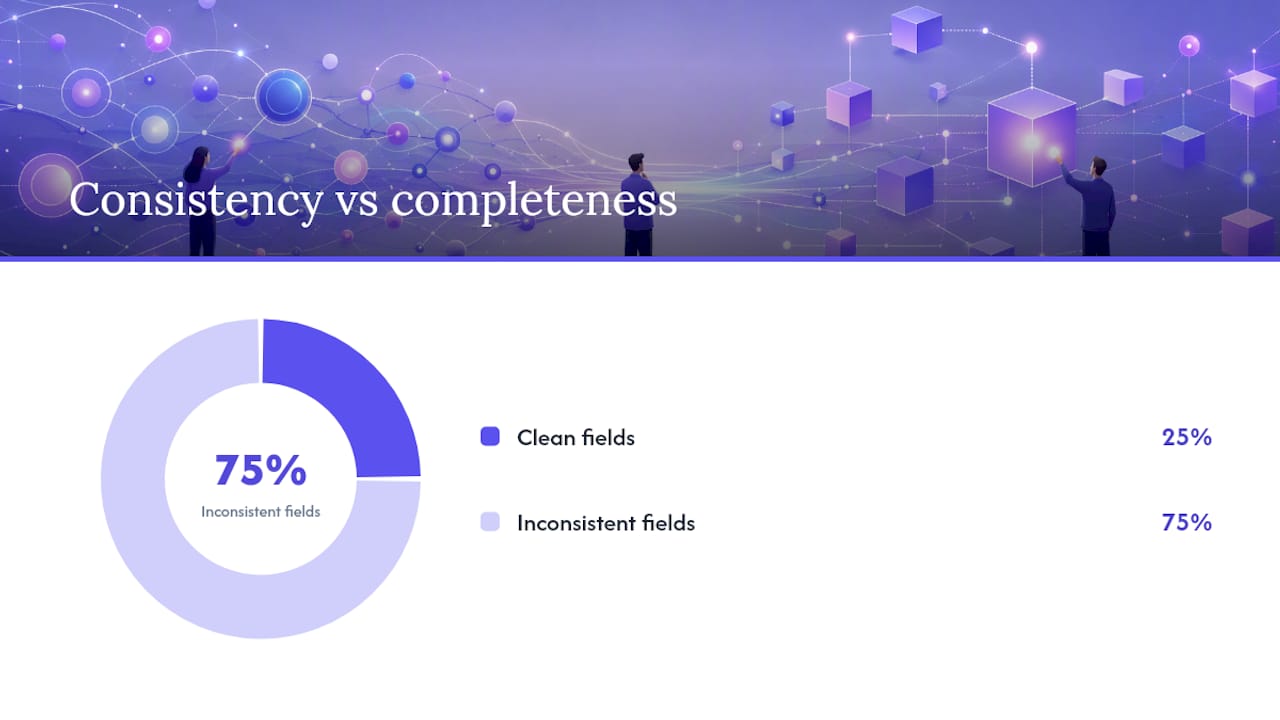
Consistency beats completeness. Five clean fields beat fifteen inconsistent ones, and dropdown validation keeps outcome data filterable before you ever run analysis on it.
| Field | Format | Why it matters |
|---|---|---|
| Date and time | MM/DD/YYYY HH:MM | Timestamps sequence the history and flag gaps |
| Rep name | Text / dropdown | Enables per-rep filtering and leaderboards |
| Contact name, role, company | Text | Prevents duplicate outreach to the same person |
| Call duration | Minutes:seconds | Separates real conversations from quick disconnects |
| Outcome code | Dropdown (Connected / Voicemail / No-Answer / DNC / Wrong Number) | Drives automation and keeps data filterable |
| Short summary | 1–2 sentences, buyer language | Preserves context for the next rep or next call |
| Objections | Text | Feeds coaching and objection-handling prep |
| Next-step owner | Rep name or "prospect" | Clarifies who acts next |
| Follow-up date and time | MM/DD/YYYY HH:MM | Triggers auto-reminders on the dashboard |
| Materials to send | Text or checklist | Prevents dropped commitments |
Keep the summary field to two sentences. Longer notes get skipped on the next dial. Using outcome codes and next-step dates lets the app auto-schedule follow-ups based on cadence rules, removing the mental load from the rep entirely. For a deeper look at how to structure this, the customer contact log guide on the Dialedsales blog covers field formats in detail.
How to use your touchpoint history in a daily calling workflow
The goal is a tight loop: prep, dial, log, schedule, repeat. Here is the exact sequence:
- Pull the history before dialing. Read the last outcome and summary for that contact. Takes 10 seconds.
- Dial. Reference your notes if the contact picks up.
- Log immediately after the call. Select the outcome code, write one sentence, set the follow-up date. Target: under 10 seconds.
- Tag the outcome so the app routes the contact to the right next step (connected calls get a calendar invite; voicemails trigger a follow-up retry).
- Move to the next dial. The dashboard handles the scheduling.
Each morning, your dashboard should surface every follow-up due that day. No list-building, no scanning spreadsheets. The multi-touch outreach workflow depends on this auto-surface behavior to keep cadences intact.
Managers get two natural checkpoints: a quick end-of-day activity review (did every rep log every dial?) and a weekly coachable-call selection (which logged calls show an objection worth role-playing?).
Pro Tip: Configure outcome-based branching so "voicemail" routes to an automated email plus a retry in 48 hours, while "connected, no decision" routes to a 5-day callback. One setup, zero manual routing.
Best practices for fast, accurate logging
Speed and quality are not opposites here. The 10-second logging rule works because it forces brevity, and brevity forces clarity.
- Write summaries in the buyer's language. "She said budget is frozen until Q3" beats "prospect not interested."
- Use standardized outcome codes only. Free-text outcome fields become unsearchable within a week.
- Log every dial, including no-answers and voicemails. A blank record is worse than a short one.
- Use quick-pick note snippets or templates for common call types so reps are not writing from scratch.
- Never batch-log at end of day. Context degrades fast; log within 60 seconds of hanging up.
For managers running a log audit, check these items weekly:
- Are outcome codes from the approved dropdown, not free text?
- Does every connected call have a follow-up date?
- Are summaries one to two sentences, written in buyer language?
- Are objections captured in their own field?
Clean, consistent log data is what enables AI analysis to surface objection patterns and top-performer behaviors. Garbage in means garbage out, and that problem starts at the note field.
Pro Tip: Run a 15-minute onboarding session where new reps log three practice calls using real scenarios. Catching format habits early saves weeks of cleanup later.
Key metrics managers should pull from call histories
The history is only useful if someone reads it. These are the numbers worth tracking:
| Metric | What to measure | Signal |
|---|---|---|
| Connect rate | Connected calls ÷ total dials | Low rate signals list quality or timing issues |
| Attempts per engagement | Dials before first real conversation | Reveals persistence gaps by rep |
| Follow-up adherence rate | Follow-ups completed on due date ÷ total scheduled | Flags reps who log but don't execute |
| Average calls per opportunity | Total dials tied to a won deal | Sets realistic volume expectations for the team |
| Outcome code distribution | % of each outcome code per rep | Uncovers reps over-coding "no-answer" to avoid hard calls |
Outbound tracking data shows many reps abandon prospects after a single attempt, despite benchmarks suggesting several touches are often needed before engagement. Call history makes that pattern visible at the rep level, not just the team level. A manager who can see that a rep stopped at two dials on 40% of their contacts has a specific coaching conversation to have.
Leaderboards and activity heatmaps add a second layer. When you can see which reps are logging consistently and which are not, follow-up completion rates become a leading indicator of pipeline health. For a full breakdown of which activity numbers to prioritize, the sales activity metrics guide covers benchmarks by call type.
Three sample call-log entries you can copy today
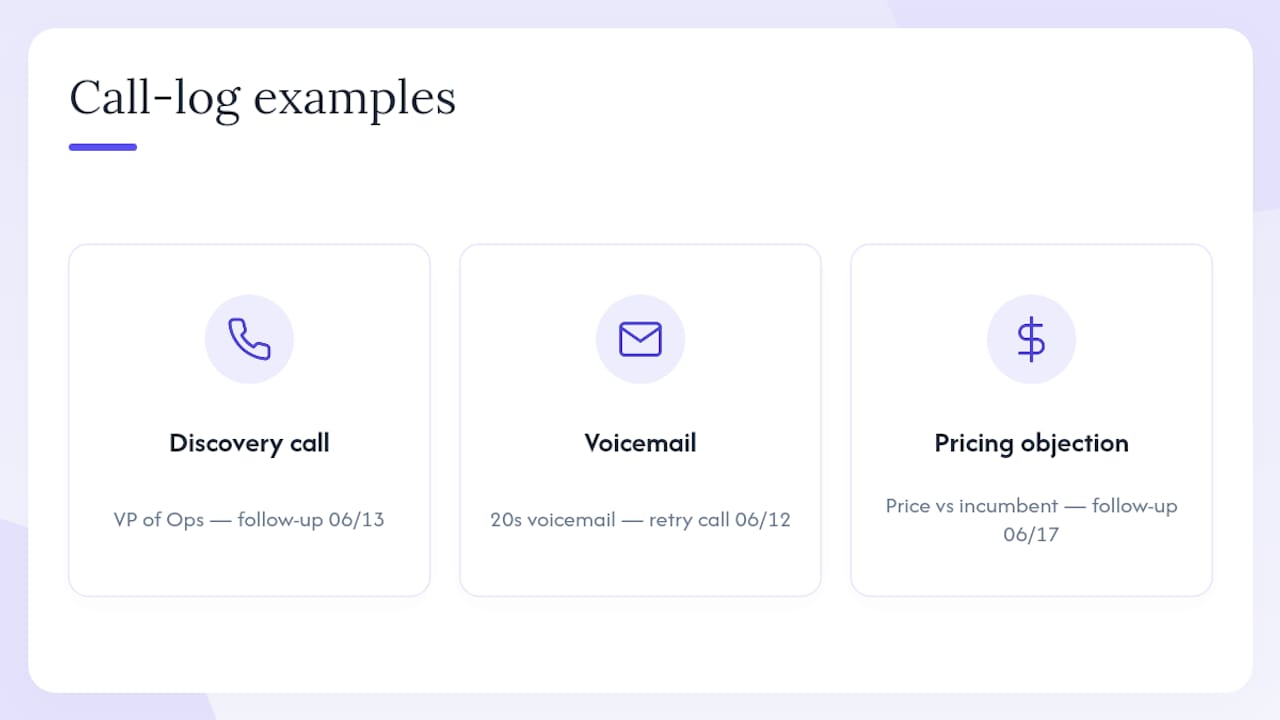
1. Connected discovery call
Date/Time: 06/10/2026 10:14 AM | Rep: J. Torres | Outcome: Connected — Discovery Summary: Spoke with VP of Ops. She confirmed a Q3 budget window and asked for a one-pager on pricing tiers. Objection: Wants to see ROI data before looping in CFO. Follow-up: 06/13/2026 — Send one-pager, schedule demo.
2. Voicemail left
Date/Time: 06/10/2026 11:02 AM | Rep: J. Torres | Outcome: Voicemail Summary: Left 20-second voicemail referencing the LinkedIn message sent 06/08. Follow-up: 06/12/2026 — Retry call, send email.
3. Pricing objection call
Date/Time: 06/10/2026 2:45 PM | Rep: J. Torres | Outcome: Connected — Objection Summary: Prospect said current vendor is "cheaper." Did not ask about contract length or support costs. Objection: Price vs. incumbent vendor. Follow-up: 06/17/2026 — Send total-cost comparison, re-engage.
Each entry is manager-ready because it names the objection specifically, sets a concrete follow-up date, and uses buyer language in the summary. A manager reviewing these can run a coaching session without ever listening to the recording.
Pro Tip: Keep a shared doc of your three best call-log examples. New reps copy the format in their first week and skip the "how long should my notes be?" question entirely.
Team checklist to roll out call-by-call logging
Use this as a week-by-week rollout plan:
- Week 1 — SDR Lead: Define the minimum field set and configure outcome code dropdowns in the app. No free-text outcome fields.
- Week 1 — Sales Ops: Enable auto follow-up reminders tied to outcome codes. Test that "voicemail" routes to a 48-hour retry.
- Week 1 — Manager: Build two or three note templates for common call types (discovery, voicemail, objection). Load them as quick-pick snippets.
- Week 2 — Manager: Shadow each rep for one calling session. Correct logging habits in real time, not after the fact.
- Week 3 — All Reps: Every dial logged, every outcome coded. Manager spot-checks five logs per rep.
- Day 30 — Manager: Run the audit checklist. Target: follow-up adherence above 80%, outcome codes used consistently across the team.
Watch for these early success signals:
- Follow-up completion rate climbing week over week
- Outcome code distribution stabilizing (fewer "other" or free-text entries)
- Reps referencing prior call notes before dialing without being prompted
Pro Tip: Pair the 30-day audit with a coaching session built around call outcomes. The audit finds the gaps; the coaching session closes them.
Garrett's take on why logging speed became the priority
The 10-second logging rule was not a marketing claim. It came from watching what reps actually do when logging takes longer: they batch it, they abbreviate it into uselessness, or they skip it entirely. Any one of those behaviors breaks the feedback loop the whole system depends on.
The decision to auto-surface follow-ups on the dashboard came from the same observation. Reps were setting follow-up dates and then never seeing them again because they were buried in a list. Moving due follow-ups to the top of the daily view removed the "I forgot" excuse and made follow-up adherence measurable.
The manager side of the product reflects a different problem. Coaching based on memory is coaching based on recency bias. The most recent call a manager heard is not necessarily the most representative one. A full call-by-call history lets a manager pick the call that best illustrates a specific skill gap, not just the one they happened to overhear.
Dialedsales puts this workflow into practice
Logging discipline only holds when the tool makes it easy. Dialedsales is built around the exact workflow this article describes: log a call in 10 seconds, set a follow-up that auto-surfaces on your dashboard, and watch your activity history build into a coaching and forecasting asset.
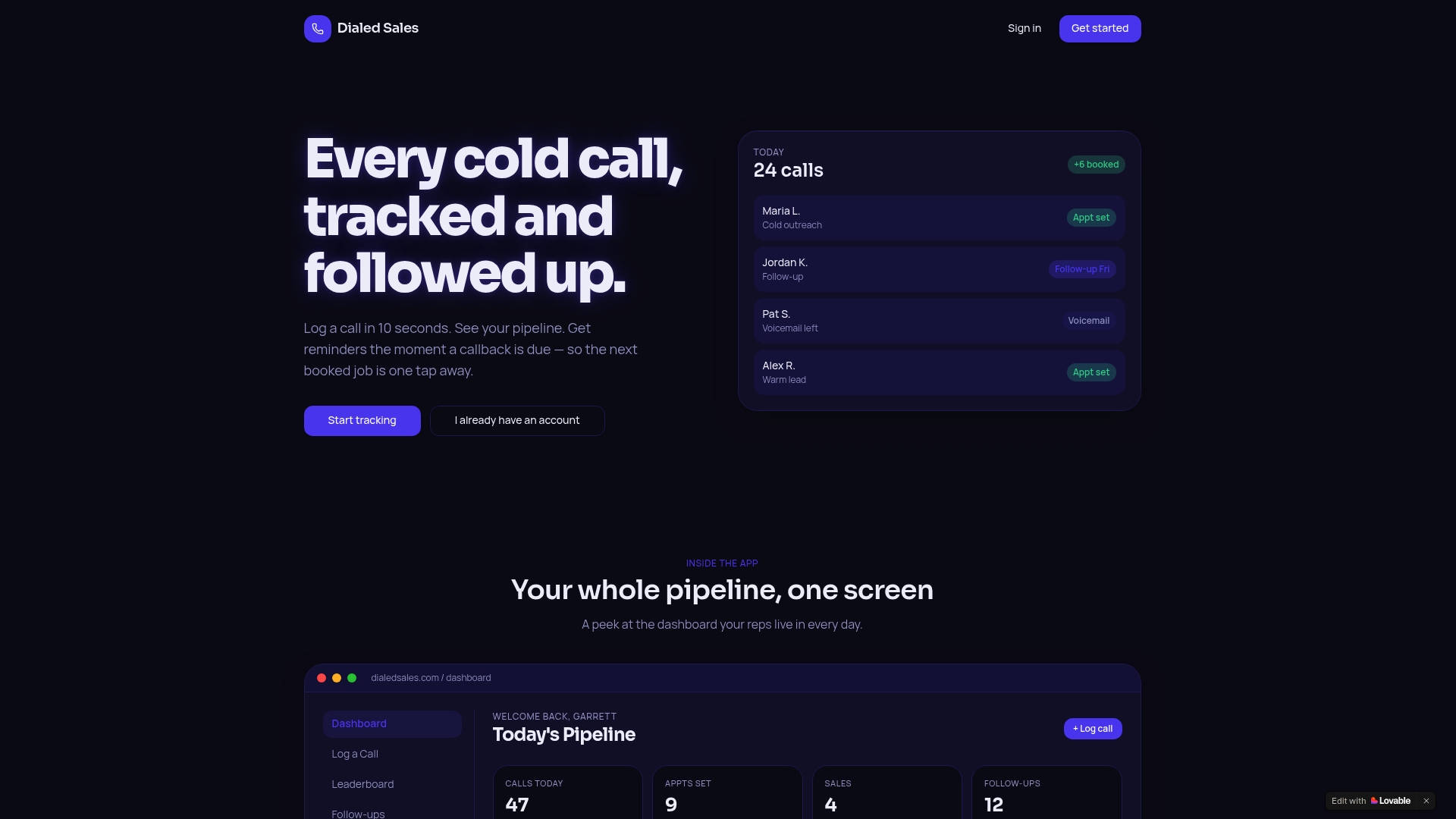
The features map directly to the recommendations above: outcome dropdowns keep data clean, auto-reminders surface due follow-ups without manual list-checking, per-rep activity stats give managers a coaching baseline, and the built-in AI assistant drafts summaries so reps spend less time writing and more time dialing. It runs on iPhone, Android, and desktop.
Teams in home services, solar, insurance, HVAC, real estate, and financial services use Dialedsales to track every dial and close more deals. Start a free trial at Dialedsales and have your team logging in under a minute.
Sources
- Sales call reports: what to include and why they matter | HubSpot Blog
- Follow-up Calls: Everything You Need to Know in 2026 | SyncGTM
- Monday
- Best Practices for Maintaining a Sales Call Log in Excel - Insight7
- Sales Call Tracking: What to Measure & Best Tools (2026) | Prospeo