
The most effective multi-touch sales outreach workflow runs multiple touches across email, LinkedIn, and phone over a few weeks, with a specific channel split and a key rule: every touch must be triggered by a signal, not a calendar date. Single-channel sequences have lower reply rates, while multichannel cadences yield significantly higher engagement with the same prospects. That gap is the entire argument for doing this right.
The core principle: treat the sequence as a responsive system. When a prospect opens an email without replying, swap channels. When a LinkedIn connection is accepted, escalate to a direct message. When you leave a voicemail, follow up by email within 24 hours. Dialedsales is built to close the loop on phone touches specifically, logging each call in seconds and surfacing callback reminders the moment they are due.
Key signals that justify each touch:
- Email opens without reply → channel swap to LinkedIn or phone
- LinkedIn connection accepted → send a direct message within 48 hours
- Voicemail left → email follow-up within 24 hours
- Inbound form fill or content download → compress the cadence immediately
- Website visit or intent data spike → prioritize the account and open with that context
Table of Contents
- What does an 11-touch multi-channel sequence look like?
- How do you prioritize accounts and build the signal layer?
- What messaging actually gets replies?
- When should you switch channels or back off?
- What tools do you need to run this at scale?
- How do you measure success and run A/B tests?
- What mistakes kill reply rates, and what does compliance require?
- Launch and audit checklist
- Key Takeaways
- Why signal-based workflows actually win
- Dialedsales keeps your phone touches from disappearing
- Further reading and useful sources
What does an 11-touch multi-channel sequence look like?
A practical multi-touch sequence runs 8–12 touches over 14–21 business days with conditional branches at each engagement point. Here is a battle-tested 11-touch version mapped to business days.

| Day | Channel | Objective | Sample opener / subject line |
|---|---|---|---|
| 1 | Introduce + signal hook | "Saw [company] just expanded into [market]" | |
| 3 | Connection request | Short note: "Noticed your work on [initiative]" | |
| 5 | Phone | First call / voicemail | "Calling re: [specific challenge] — leaving a quick note" |
| 6 | Voicemail follow-up | "Left you a voicemail — here's the short version" | |
| 8 | LinkedIn DM | Add value | Share a relevant resource or insight |
| 10 | Phone | Second call | Reference the email thread; test urgency |
| 12 | New angle / resource | "Thought this [case study] was relevant to [signal]" | |
| 14 | Engage content | Comment on or react to their post | |
| — | Phone | Third call | Short, direct: "Is this still a priority?" |
| 18 | Soft ask | Narrow the ask to one specific question | |
| — | Breakup email | Low-pressure close; restore prospect control |
Conditional branches:
- Email opened, no reply → move to LinkedIn DM same day, skip the next scheduled email
- Connection accepted → send a DM within 24 hours; if replied, pull forward the phone touch
- Voicemail left → email within 24 hours referencing the voicemail specifically
- Breakup emails recover a meaningful share of late replies by removing pressure; never skip this touch
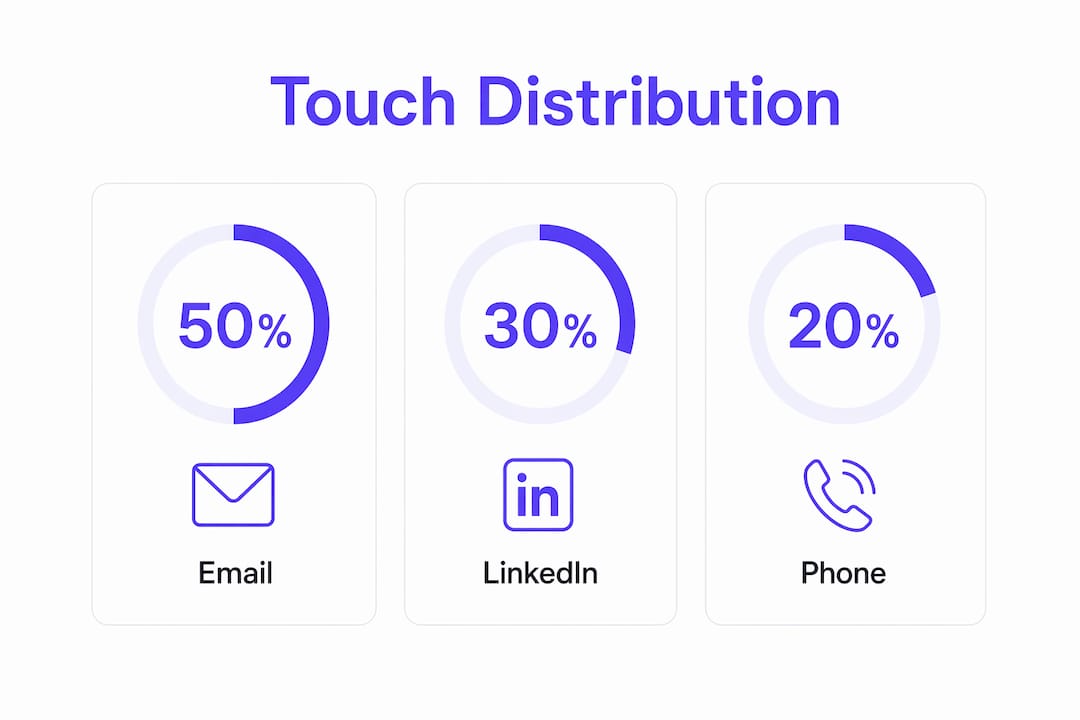
Channel distribution across the sequence:
| Channel | Touches | Share |
|---|---|---|
| 6 | 50% | |
| 3 | 30% | |
| Phone | 2 | 20% |
How do you prioritize accounts and build the signal layer?
Signal-based selling outperforms volume-first automation because it anchors each touch in a real business reason. The first step is scoring accounts by signal weight.
High-value signals and how to weight them:
- Inbound form fill or demo request: highest priority, compress to fast cadence immediately
- Intent data spike (content consumption on your category): high priority
- Executive hire or departure at target account: high priority — new leaders buy
- Funding announcement or product launch: medium-high priority
- Job posting for a role your product supports: medium priority, non-obvious but reliable
- Website visit from a known account: medium priority, use visitor intelligence tools to identify
Simple priority scoring model:
| Signal type | Score | Cadence class |
|---|---|---|
| Inbound + intent | 8–10 | Fast (6–8 touches, 10 days) |
| Funding + exec change | 5–7 | Standard (11 touches, — days) |
| Job posting + web visit | 2–4 | Standard or enterprise |
| No signal | 0–1 | Hold or nurture only |
Pro Tip: A job posting for a "Revenue Operations Manager" or a specific technology in the stack (e.g., switching from one CRM to another) is one of the most reliable reply triggers in B2B outreach. It signals active investment and a decision-maker with budget authority. Build a saved search for these and route matching accounts to your fast cadence.
SMB deals typically use compressed cadences of 6–8 touches over 10–14 days; enterprise deals justify 18–25 touches over 45–90 days.
What messaging actually gets replies?
The most effective personalization is the reason for outreach, not just the name in the greeting. One signal, one insight, one question. That is the formula.
Short templates:
Cold opener (email): "Subject: Quick question about [signal] Hi [Name], saw [specific event] at [company]. Teams in your position usually [pain point]. Worth a 15-minute call this week?"
Voicemail script (30 seconds): "Hi [Name], this is [your name] from [company]. I'm calling because [one-sentence signal]. I'll send a short email right now. If you'd rather just reply there, that works too. Talk soon."
LinkedIn connection note: "Hi [Name] — noticed [specific post or initiative]. Would love to connect."
LinkedIn DM after connection: "Thanks for connecting. I reached out because [signal]. Would a quick call make sense?"
Resource email (touch 7): "Subject: [Company] + [relevant topic] Thought this [case study / report] was worth sharing given [signal]. No ask — just useful context."
Breakup email: "Subject: Closing the loop I've reached out a few times and haven't heard back. No hard feelings — I'll assume the timing isn't right. If that changes, I'm one email away."
Rules for cold email:
- Under 125 words per message
- Close with one specific question or one clear call-to-action, never both
- Vary the ask across touches: first touch asks a simple question; subsequent touches add new angles, not the same pitch
When should you switch channels or back off?
Rotate channels every 2–3 touches and wait roughly 48 hours after the first email before adding LinkedIn. That gap prevents the sequence from feeling coordinated in an obvious, automated way.
Core channel rules:
- Open with email (lowest friction, sets context)
- Add LinkedIn at touch 3, after the email has landed
- Place phone attempts in touches 4–6, when familiarity is established
- End with a breakup email, never a phone call
Channel schedule:
| Touches | Channel | Timing rule |
|---|---|---|
| 1–2 | Day 1 and Day 3 | |
| 3 | 48 hours after touch 1 | |
| 4–6 | Phone + email | Middle of sequence |
| 7–9 | LinkedIn + email | Value-add phase |
| 10–11 | Phone + email | Urgency + close |
For SMB, compress to 6–8 touches over 10 days and skip the enterprise-length nurture phase. For niche verticals, direct mail or SMS at touch 8–9 can break through when digital channels are saturated. Timing outbound calls correctly matters; the role of timing in cold outreach is well-documented and worth reviewing before setting your call windows.
What tools do you need to run this at scale?
The minimum stack covers five capabilities: unified sequencing across email, LinkedIn, and phone; conditional branching on engagement signals; call logging and callback reminders; CRM hygiene and activity sync; and sender/delivery management.
Required capabilities checklist:
- Sequencer with conditional branching (not just linear drip)
- CRM with clean contact records: company, title, last activity, sequence status
- Call tracker with outcome tagging and callback reminders
- LinkedIn automation or manual workflow with DM templates
- Email deliverability monitoring (bounce rate, spam rate, domain health)
CRM hygiene is where most sequences break. If contact records are missing last-activity dates or sequence status fields, reps double-touch prospects or miss callbacks entirely. Keep those fields mandatory.
Dialedsales fits as the call-tracking layer inside this stack. A rep logs a call in under 10 seconds, tags the outcome (left voicemail, no answer, connected), and sets a callback date that surfaces automatically on the dashboard. That call signal then feeds the sequence decision: voicemail left means email within 24 hours; connected but not interested means sequence cancel. Without that loop closed, dropped follow-ups are the single biggest source of lost pipeline from phone touches.
Pro Tip: AI tools are useful for surfacing account context (recent news, hiring signals, earnings commentary) before you write a touch. Use AI to research and draft; use human judgment to refine tone and timing. AI-assisted research plus human-authored messages consistently outperforms fully automated output.
How do you measure success and run A/B tests?
Reply rates peak between touches 7–10 and decline after touch 12. Build your measurement cadence around that curve.
Core KPIs and benchmarks:
| KPI | Benchmark target | Notes |
|---|---|---|
| Reply rate | 15–25% (multichannel) | Single-channel caps at 5–9% |
| Meeting rate per 100 sequences | 8–15 meetings | Varies by ICP fit and signal quality |
| LinkedIn connection acceptance | 15–25% | Drops with generic notes |
| Call answer rate | 8–15% | Higher with local presence dialing |
| Sequence opt-out / cancel rate | Under 5% | Above 5% signals fatigue or poor fit |
A/B test plan:
- Form a hypothesis: "Changing subject line from [formula A] to [formula B] will increase open rate by X%."
- Run each variant on a minimum of 100 sequences before deciding.
- Measure one metric per test (open rate, reply rate, or meeting rate — not all three).
- Run for two full weeks minimum before calling a winner.
- Apply the winner, archive the loser, and move to the next variable.
Optimize weekly on deliverability signals, monthly on sequence structure, and quarterly on channel mix and ICP targeting. Tracking close rate improvements over time gives you the clearest picture of whether sequence changes are actually moving pipeline.
What mistakes kill reply rates, and what does compliance require?
Common mistakes:
- Running static sequences that ignore opens, clicks, and connections
- Poor CRM hygiene causing duplicate touches or missed callbacks
- Over-mailing on the same channel (more than 3 emails in a row without a channel swap)
- Weak personalization: name-only merge fields with no signal reference
- Mismatched timing: calling at 8 AM or 5 PM without testing prospect time zones
Prospect-fatigue red flags:
- Spike in spam reports or unsubscribes above 0.1% of sends
- LinkedIn account restrictions or connection limits triggered
- Low open rates (under 20%) combined with increased unsubscribes
- Reply rate drops sharply after touch 6 without a channel change
If your spam complaint rate climbs above 0.1% or your LinkedIn account gets flagged for connection volume, pause the sequence immediately. Audit your targeting list for bad-fit contacts, reduce daily send volume by 50%, and re-warm your sending domain before resuming. Deliverability damage compounds fast and takes weeks to repair.
Compliance: U.S. outbound email must comply with CAN-SPAM, which requires a clear opt-out mechanism and your physical address in every commercial email; always honor opt-outs within 10 business days and maintain an updated do-not-call list for phone outreach. This article is general guidance, not legal advice — confirm current requirements with a qualified professional for your specific situation.
Launch and audit checklist
Pre-launch:
- Define your ICP segments and signal definitions before building any sequence
- Audit CRM records: remove duplicates, fill mandatory fields, verify email addresses
- Confirm sequence logic includes conditional branches for opens, connections, and voicemails
- Warm sending domains to at least 30 days of activity before scaling volume
- Verify opt-out and do-not-call compliance for all contacts
Launch week: 6. Monitor open and reply rates daily for the first five business days 7. Confirm Dialedsales is logging every call with outcome tags and callback dates 8. Check deliverability signals: bounce rate under 2%, spam rate under 0.1% 9. Set alerts for LinkedIn connection volume limits
Post-launch audit (weekly/monthly): 10. Review KPIs against benchmarks every Monday morning 11. Maintain an A/B test backlog: one active test at a time, minimum two-week run 12. Flag any sequence with a reply rate under 10% for immediate revision 13. Review cold call follow-up data from Dialedsales monthly to identify dropped callbacks
Key Takeaways
A signal-driven, 8–12 touch multichannel sequence with a 50% email, 30% LinkedIn, 20% phone split consistently outperforms single-channel outreach, with reply rates reaching 15–25% versus 5–9% for single-channel efforts.
| Point | Details |
|---|---|
| Signal-first rule | Every touch needs a trigger: open, connection, voicemail, or intent signal — not just a calendar date. |
| Channel rotation | Swap channels every 2–3 touches; wait 48 hours after email before adding LinkedIn. |
| Reply rate window | Reply rates peak between touches 7–10; sequences beyond touch 12 see declining returns. |
| Measure and iterate | Track reply rate, meeting rate per 100 sequences, and opt-out rate weekly; run one A/B test at a time. |
| Dialedsales call tracking | Log every call outcome in seconds and set callback reminders so phone signals feed your sequence decisions automatically. |
Why signal-based workflows actually win
Most teams lose deals not because their product is wrong but because their sequence is indifferent. It fires on schedule regardless of what the prospect just did. That is the core failure of volume-based automation: it treats a prospect who opened your email three times the same as one who never saw it.
The shift to signal-based outreach is not a philosophical upgrade. It is an operational one. When a rep knows a voicemail was left and a callback reminder surfaces at exactly the right moment, that is a structural advantage over a team running a static drip. The same logic applies to every channel. Sequences that respond to behavior close more meetings per touch, which means less fatigue for prospects and less wasted effort for reps.
Dialedsales keeps your phone touches from disappearing
Most multi-touch sequences are only as strong as their weakest channel. For most teams, that is the phone. Reps leave voicemails, forget to log them, and the callback never happens. Dialedsales fixes that specific problem without adding complexity.
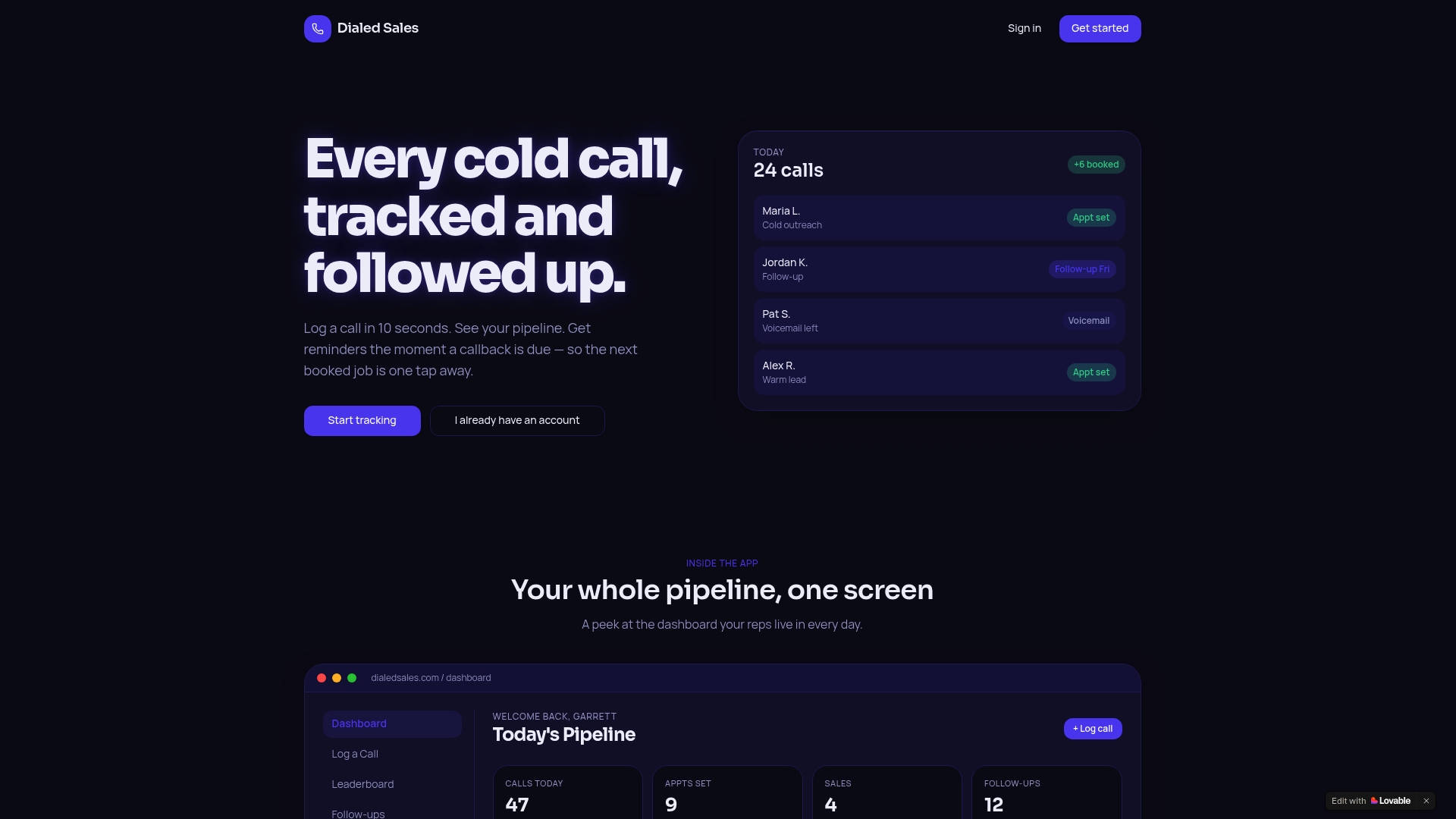
Log a call in 10 seconds, tag the outcome, and set a callback date that auto-surfaces on your dashboard when it is due. Every voicemail left becomes a tracked signal. Every callback due becomes a visible reminder. That call data feeds directly into your sequence decisions: voicemail left means email within 24 hours; connected means escalate or cancel. If you are running a multi-touch workflow and your phone touches are disappearing into a notes app, start tracking calls with Dialedsales and see how quickly your callback rate changes. The follow-up reminder feature alone closes the gap most teams never knew they had.
Further reading and useful sources
- Multi-Touch Multichannel Sales Cadences: The 2026 Playbook — Primary source for cadence benchmarks, channel split guidance, and reply-rate curves; cite in BLUF, example sequence, and channel strategy sections.
- Multi-Channel Outreach Sequence: The 22-Day System — Signal-based selling framework and breakup email rationale; cite in prioritization and messaging sections.
- What Is a Multi-Step Outreach Workflow? | GetReplies — Conditional branching logic and varied-ask principles; cite in example sequence and messaging templates.
- Sales Outreach: 25 Best Practices | Highspot — AI-assisted research best practices; cite in tools and tech section.
- Sales Outreach Best Practices and Strategies | Selling Signals — Broad outreach strategy framework and channel selection guidance; cite in channel strategy.
- What Is an Outreach Strategy? | Salesmotion — Multi-channel orchestration and signal-timing framework; cite in prioritization and measure sections.
- How to Create a Sales Outreach Strategy | Atlassian/Loom — Eight-touchpoint benchmark and multimedia follow-up guidance; cite in example sequence.