
A customer contact log is defined as a centralized, dated, and searchable record of every interaction between a sales rep and a prospect or customer. It captures phone calls, emails, meetings, and digital touchpoints in one place, serving as a single source of truth that prevents missed follow-ups and inconsistent communication. Without one, you rely on memory, scattered notes, and inbox searches. That reliance costs deals. This article breaks down what a contact log actually is, how it differs from a basic contact list, and how to build a logging habit that directly improves your close rate.
What is a customer contact log, and why does it matter?
A customer contact log, also called a contact journal or interaction record, is more than a call history. It is a living document that grows with every touchpoint you have with a prospect. Each entry captures the date, channel, outcome, and next step. Together, those entries give you the full picture of a relationship at a glance.
The core purpose is follow-up accuracy. Sales reps who track customer interactions consistently never have to ask themselves, "Did I already call this person?" or "What did we discuss last time?" The log answers both questions in seconds. That speed matters most when you are managing a high-volume pipeline with dozens of active prospects.

Contact logs also protect the customer experience. When every rep on a team can read the same interaction history, no one calls a prospect with a pitch they already rejected. No one misses a callback that was promised. The log creates consistency that builds trust, and trust closes deals.
How does a contact log differ from a contact list?
A contact list tells you how to reach someone. A contact log tells you what you know about them. That distinction is the entire point.
A static contact list holds a name, phone number, email address, and maybe a company. It does not change unless you update the contact details. A contact log, by contrast, records ongoing updates after every interaction. It grows richer over time, capturing context that no contact list ever could.
The difference shows up clearly in follow-up calls. With a contact list, you dial a number cold every time. With a contact log, you dial knowing the prospect's last objection, the decision-maker's name, and the exact date you promised to call back. That context turns a cold call into a warm continuation of a real conversation.
A contact log typically includes:
- Date and time of every interaction
- Channel used (phone, email, in-person, video)
- Outcome of the interaction (interested, not now, requested info, voicemail)
- Key notes on objections, questions, or commitments made
- Next step date and the specific action required
Each of these fields builds on the last. Over three or four interactions, you have a clear picture of where the prospect stands and exactly what they need to move forward.
How to capture customer interactions without slowing down
The best logging systems balance automation with targeted manual input. Trying to manually log every detail of every call burns time and leads to incomplete records. Automating everything loses the nuance that makes a log genuinely useful.
Successful reps automate 90% of routine data capture through integrations, then manually add critical deal context for the remaining 10%. That split reduces errors, cuts CRM fatigue, and keeps records accurate without turning logging into a second job.
Here is a practical framework for applying that split:
- Automate routine interactions. Email syncing, calendar meeting logs, and VoIP call activity should all capture automatically through your tool's integrations. You should not be typing "sent follow-up email" into a log manually.
- Log high-context notes by hand. Objections, changes in decision-makers, budget signals, and competitive mentions require your interpretation. Write those manually, immediately after the call ends.
- Use a standardized note format. Fields like "Reason for call," "Outcome," and "Next step date" keep every entry consistent and searchable across your team.
- Log within minutes, not hours. Memory degrades fast. A note written 10 minutes after a call is far more accurate than one written at the end of the day.
- Keep entries short. One to three sentences per field is enough. Long narratives rarely get read and slow down the next rep who needs context fast.
Pro Tip: Set a personal rule to log every call before you dial the next one. That single habit eliminates end-of-day catch-up sessions and keeps your pipeline data current at all times.
What are the key benefits of maintaining an accurate contact log?
Accurate customer interaction records produce direct, measurable improvements in sales performance. The benefits are not abstract. They show up in your follow-up rate, your response quality, and your close rate.
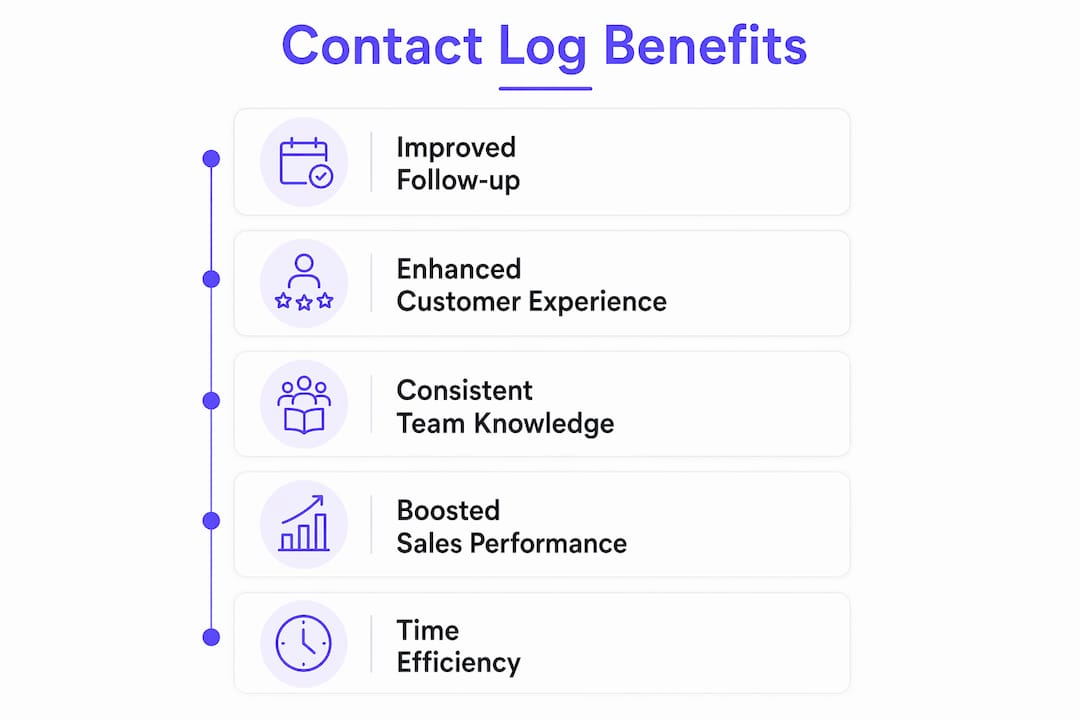
Automated follow-up reminders triggered by logged data help reps prioritize actions and prevent stalled deals. That means your pipeline moves forward on schedule rather than sitting idle because a callback slipped through the cracks. Every logged "next step date" becomes a task that surfaces automatically when it is due.
The benefits of consistent contact logging include:
- Faster onboarding for new reps. A new team member can read the log and understand a prospect relationship in under a minute, with no handoff meeting required.
- Fewer repeated conversations. Prospects do not have to re-explain their situation every time a different rep calls. The log already has it.
- Better prioritization. When every interaction is logged, you can sort your pipeline by last contact date, outcome, or follow-up urgency. You always know who needs attention today.
- Stronger team collaboration. Managers can coach based on actual logged outcomes rather than rep memory. That makes performance reviews and deal reviews far more productive.
- Reduced reliance on scattered channels. Without a log, interaction history lives in email threads, text messages, and personal notebooks. A centralized log pulls all of that into one place.
The compounding effect is significant. Each logged interaction makes the next one more informed. Over a full sales cycle, that depth of context is what separates a rep who closes from one who keeps following up without progress.
What pitfalls kill a contact log's usefulness?
The most common mistake is over-logging. Reps who write paragraph-length notes after every call create records that no one reads. Long narratives reduce CRM effectiveness because they bury the key facts inside unnecessary detail. The goal is a log that any rep can scan in 30 seconds, not a diary entry.
Emotional or judgmental language is another problem. Notes like "prospect was rude" or "seems like a waste of time" are unprofessional and useless. The best CRM notes are neutral, structured, and action-oriented. They describe what happened and what comes next. They do not editorialize.
Inconsistent naming and formatting destroys searchability. When one rep logs a company as "Acme Corp" and another logs it as "ACME," your search returns incomplete results. Without consistent naming conventions and templates, valuable prospect context gets lost in what amounts to a data graveyard. Standardized fields fix this at the system level.
Pro Tip: Adopt a "what and next" rule for every log entry. Write what happened in one sentence, then write the next action and its due date. If you cannot summarize the call in two sentences, you are logging too much.
Overcomplex logging systems also deter updates. If logging a call takes more than two minutes, reps will skip it or delay it. The most useful logs capture only the essential "what" and "next" to remain living records that reps actually use.
Key Takeaways
A customer contact log is the single most practical tool for turning a high-volume pipeline into a consistent, follow-up-driven sales process.
| Point | Details |
|---|---|
| Define the log correctly | A contact log records every interaction with date, outcome, and next step. It is not a contact list. |
| Automate the routine | Use integrations to capture emails, meetings, and calls automatically, then add manual context for key deal signals. |
| Keep notes short and neutral | Write what happened and the next action in two sentences. Avoid emotional or judgmental language. |
| Standardize your fields | Use consistent templates with "Reason," "Outcome," and "Next Step Date" to keep logs searchable and team-ready. |
| Log immediately | Notes written within minutes of a call are far more accurate than end-of-day summaries. |
Why I think most reps are logging the wrong things
Most sales reps I have seen treat their contact log like a transcript. They write down everything said, every objection in full detail, every tangent the prospect went on. The result is a log that looks thorough but is practically useless when you need to prep for a callback in 60 seconds.
The reps who close consistently log differently. They write the outcome first, then the one thing that will matter most on the next call. That is it. Two sentences. The discipline of keeping it short forces clarity. You cannot write a two-sentence summary of a call without actually knowing what the call was about.
The shift from manual-everything to automation-first also changed how I think about logging culture. When your tool handles the routine capture, you stop resenting the log. You start using it as a prep tool before calls rather than a reporting chore after them. That mental shift is where the real productivity gain lives.
Good logging also accelerates team performance in ways that are easy to overlook. When a manager can pull up any rep's log and see clean, consistent entries, coaching becomes specific. "Your last three calls with this prospect all ended with 'will think about it.' Here is what to try next." That kind of coaching only happens when the data is clean. You can explore cold call follow-up techniques that pair well with a disciplined logging habit to see the full picture.
The bottom line: log less, but log it right. A short, accurate entry beats a long, vague one every time.
— Garrett
How Dialedsales makes contact logging fast and consistent
Dialedsales is built for exactly the kind of logging discipline described in this article. It is a lightweight cold call tracker designed for sales reps and field teams across every sales-based industry.
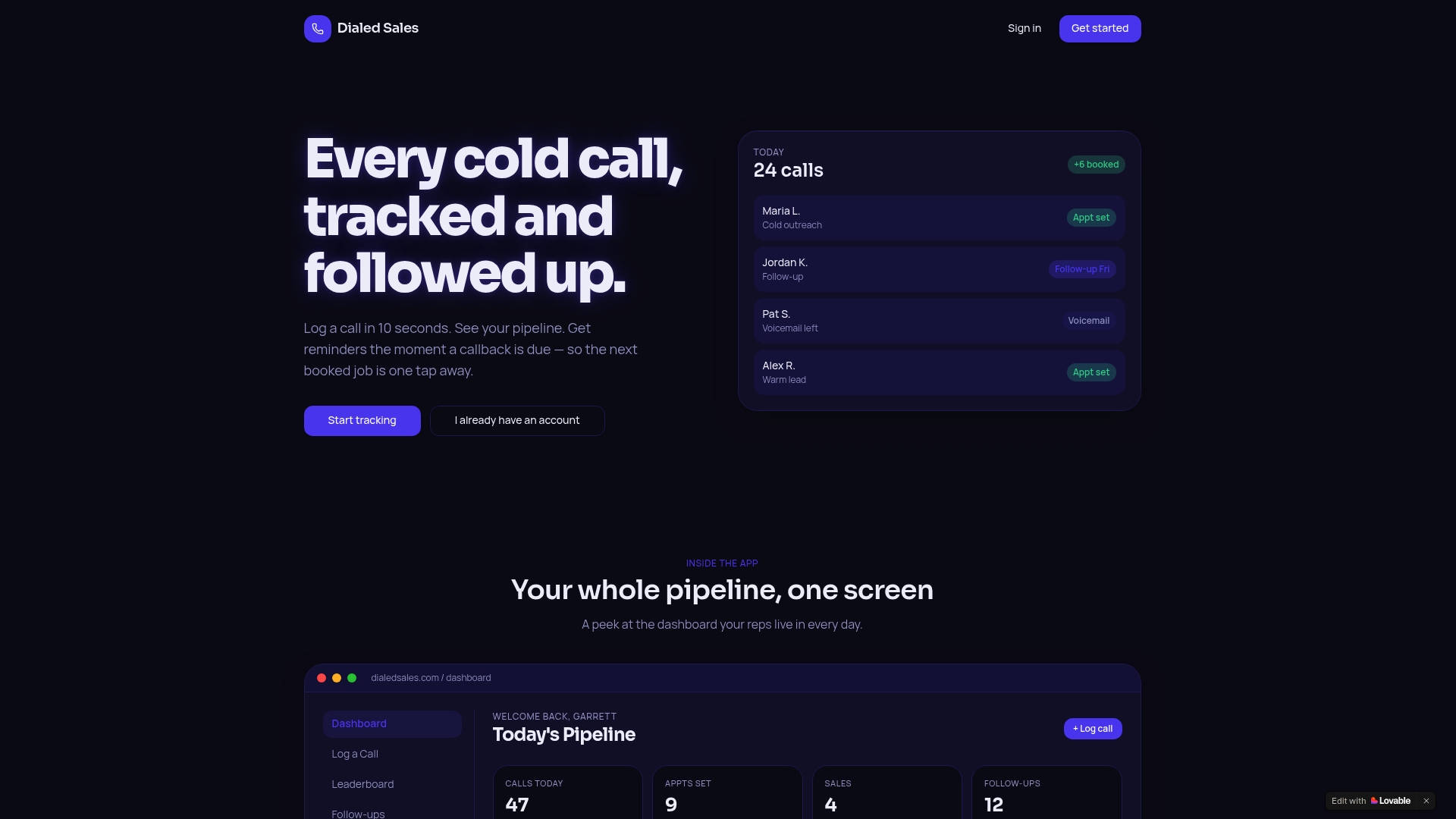
You log a call in 10 seconds with the customer name, outcome, and notes. Set a follow-up date and it surfaces automatically on your dashboard when it is due. No digging through emails. No missed callbacks. Dialedsales keeps your pipeline visible and your follow-up schedule current without adding friction to your day. If you are serious about turning your contact log into a close-rate tool, Dialedsales gives you the structure to do it.
FAQ
What is a customer contact log?
A customer contact log is a centralized, dated record of every interaction between a sales rep and a prospect or customer. It includes calls, emails, meetings, and digital touchpoints, and serves as a single source of truth for follow-up and relationship context.
How is a contact log different from a contact list?
A contact list stores how to reach someone. A contact log records what you know about every interaction with them, including outcomes, objections, and next steps.
What should every contact log entry include?
Every entry should include the date, channel, outcome, a brief note on key context, and the next step with its due date. Two to three sentences per entry is the target length.
How often should you update a customer contact log?
Update the log within minutes of every interaction. Notes written immediately after a call are far more accurate than those written hours later, and they keep your pipeline data current for the full team.
What is the biggest mistake reps make with contact logs?
The most common mistake is writing overly long or emotional notes. The best entries are neutral, structured, and short, focusing only on what happened and what comes next.