
These templates are ready to send right now. Each one follows the 120-word rule that CMDK's cold outreach research validated: keep it under 120 words, open with something about the prospect, and ask exactly one thing. Below are nine copy-paste templates with subject lines, use cases, and send timing.
Template 1 — Signal-Based Cold Open Use when: prospect posted on LinkedIn or announced a hire/funding Subject: Quick thought on [Company]'s [initiative]
Hi [First Name], saw you're [hiring SDRs / expanding into X market]. That usually means [pain point] gets harder to manage. We helped [similar company] [specific result]. Worth a 10-minute call this week?

— [Your Name]
Send: Tuesday–Thursday, 8–10 AM local. First follow-up: Day 3.
Template 2 — No-Signal Pain-First Use when: no obvious trigger, but you know their industry pain Subject: [Company] + [your company] — quick question
Hi [First Name], most [industry] teams I talk to are struggling with [pain point]. We fixed that for [Client Name] in [timeframe]. Is that on your radar right now?
— [Your Name]
Send: Tuesday–Wednesday, 7–9 AM. First follow-up: Day 4.
Template 3 — Referral Use when: a mutual contact suggested you reach out Subject: [Mutual contact] suggested I reach out
Hi [First Name], [Mutual Name] thought we should connect. We helped their team [result]. Would a quick call make sense?
— [Your Name]
Send: Any weekday morning. First follow-up: Day 5.
Template 4 — Value-First Use when: you have a resource directly relevant to their role Subject: Free [resource] for [Company]
Hi [First Name], put together a [checklist/guide] specifically for [their role/industry]. No strings. Want me to send it over?
— [Your Name]
Send: Monday or Thursday, 9–11 AM. First follow-up: Day 4.
Template 5 — Demo Ask Use when: prospect has engaged with your content or visited your site Subject: Saw you checked out [resource] — quick question
Hi [First Name], noticed you looked at [resource]. Happy to walk you through how [Company] uses this in 15 minutes. Does [day] work?
— [Your Name]
Send: Same day as the trigger event. First follow-up: Day 2.
Template 6 — Post-Call Follow-Up Use when: you just left a voicemail Subject: Left you a voicemail — [topic]
Hi [First Name], just left a quick message about [topic]. Short version: [one-sentence value prop]. Worth a call?
— [Your Name]
Send: Within 30 minutes of the voicemail. First follow-up: Day 3.
Template 7 — Social Proof Use when: prospect is in the same industry as a known client Subject: How [Client] solved [pain] — relevant for you?
Hi [First Name], [Client] was dealing with [pain] and got [result] in [timeframe]. Think [Company] might have the same challenge. Open to a quick chat?
— [Your Name]
Send: Tuesday–Thursday, 8–10 AM. First follow-up: Day 5.
Template 8 — Competitor Switch Use when: you know they use a competing solution Subject: [Company] + a faster alternative to [competitor]
Hi [First Name], a lot of [industry] teams using [competitor] switch to us because [specific differentiator]. Happy to show you the difference in 10 minutes. Interested?
— [Your Name]
Send: Wednesday–Thursday, 9 AM. First follow-up: Day 4.
Template 9 — Break-Up Use when: no reply after 3–4 touches Subject: Closing the loop on [topic]
Hi [First Name], I've reached out a few times with no luck. I'll stop here — but if [pain point] ever becomes a priority, I'm easy to find.
— [Your Name]
Send: Day 14–18 of cadence. No follow-up needed.
Table of Contents
- Why do short, conversational sales rep email templates outperform polished pitches?
- What subject lines consistently improve open rates?
- Five expanded templates with personalization prompts
- What follow-up cadence actually produces replies?
- How do you personalize at scale in 10–30 seconds?
- Which metrics should you track and how do you run A/B tests?
- How to use these templates alongside your Dialedsales call-tracking workflow
- Key Takeaways
- The volume vs. personalization trade-off nobody talks about honestly
- Dialedsales keeps your call and email cadence in sync
- Useful sources
Why do short, conversational sales rep email templates outperform polished pitches?
The goal of your first email is to start a low-stakes conversation, not close the deal. That shift in framing changes everything about how you write.
Personalized outreach emails achieve roughly 18% reply rates versus 6% for generic messages, and Superhuman's research points to 50–125 words as the sweet spot for open and reply performance. Long, polished emails signal effort on your end, but they also signal commitment on the prospect's end. A short email asks almost nothing of them.
The psychology is straightforward. A two-sentence ask feels easy to respond to. A 400-word pitch feels like homework. Cutting word count to the 50–125 word range raises read-and-reply velocity by significant margins, according to SyncGTM's concise-template research.
Pro Tip: Save every template as a text snippet in your email client or CRM. Insert the skeleton with one keystroke, fill in two fields, and send. The whole thing should take under 30 seconds.
Three rules that hold across every format:
- Keep it under 120 words
- Open with something about the prospect, not about you
- Ask exactly one thing
What subject lines consistently improve open rates?
Subject lines under 60 characters display fully on mobile, and 6–9 word subject lines drive the highest open rates according to Superhuman and SyncGTM's guidance. Most prospects read your subject line on a phone. If it gets cut off, it gets deleted.
Five formulas that work:
- Context + light ask: "Quick thought on [Company]'s [initiative]"
- Benefit + company name: "How [Client] cut [pain] in half"
- Event trigger: "[Mutual contact] suggested I reach out"
- Direct question: "Struggling with [pain point] at [Company]?"
- Pattern interrupt: "Closing the loop on [topic]"
Quick examples mapped to the templates above:
- "Quick thought on Acme's hiring push" (Template 1)
- "Acme + faster alternative to [competitor]" (Template 8)
- "Free SDR ramp checklist for Acme" (Template 4)
- "Saw you checked out our pricing page" (Template 5)
- "Closing the loop on pipeline tracking" (Template 9)
Pro Tip: Never use ALL CAPS, excessive punctuation, or words like "free" and "guaranteed" in subject lines. Spam filters flag them, and open rates drop fast.
Keep subject lines lowercase or sentence case. They read more like a message from a colleague than a marketing blast.
Five expanded templates with personalization prompts
These five templates are the workhorses of any outbound cadence. Each one follows the four-part structure Sendspark recommends: personalized opener, relevance bridge, credibility anchor, single CTA.
1. Signal-based cold open (first touch)
Subject: Quick thought on [Company]'s [initiative]
Hi [First Name], saw that [Company] is [specific signal: hiring, expanding, just raised]. That usually creates [specific pain]. We helped [similar company] [result with a number if possible]. Worth 10 minutes this week?
Personalize: signal (LinkedIn, job board, news), similar company name, result. Deliverability note: plain text only, no images, one link maximum.
2. No-signal pain-first (first touch, no trigger)
Subject: [Company] + [your company] — quick question
Hi [First Name], most [industry] teams I talk to hit a wall with [pain]. We solved that for [Client] in [timeframe]. Is it on your list right now?
Personalize: industry label, pain point, client name.
3. Referral (first touch, warm)
Subject: [Mutual contact] suggested I reach out
Hi [First Name], [Mutual Name] mentioned you're working on [initiative]. We helped their team [result]. Would a 15-minute call make sense?
Personalize: mutual contact name, initiative, result.
4. Demo ask (follow-up #2 or after engagement)
Subject: 15 minutes — [specific outcome] for [Company]
Hi [First Name], wanted to follow up. Happy to show you exactly how [Client] got [result] in a 15-minute screen share. Does [specific day] work?
Personalize: client name, result, proposed day.
5. Break-up (touch #4, Day 14–18)
Subject: Closing the loop on [topic]
Hi [First Name], I've reached out a few times. I'll leave it here — but if [pain point] moves up the priority list, I'm easy to find.
No CTA needed. The goal is to leave the door open.
| Template | Cadence position | Expected reply rate |
|---|---|---|
| Signal-based cold open | Touch 1 | Highest |
| No-signal pain-first | Touch 1 | Moderate |
| Referral | Touch 1 | Highest |
| Demo ask | Touch 2–3 | Moderate |
| Break-up | Touch 4 | Low, but closes loop |
What follow-up cadence actually produces replies?
A single email rarely gets a response. The first follow-up can raise overall reply volume by roughly 49% compared to sending just one email. A four-touch cadence over three to four weeks is the standard that most high-performing outbound teams use.
The four-touch sequence:
- Day 1 — First-touch template (signal-based or pain-first)
- Day 3–4 — Nudge: reference the first email, add one new piece of value (a stat, a short case study link)
- Day 8–10 — Different angle: change the subject line, try a different pain point or a social proof hook
- Day 14–18 — Break-up email: close the loop, leave the door open
What to change at each step: Day 3 adds value without repeating the pitch. Day 8 reframes the problem entirely. Day 14 removes all pressure.
When to stop or switch channels: if no reply after four touches, move to a call plus voicemail. A multi-touch outreach workflow that mixes email and phone consistently outperforms email-only sequences.
| Touch | Day | What changes |
|---|---|---|
| 1 | Day 1 | First-touch template |
| 2 | Day 3–4 | Add value, reference touch 1 |
| 3 | Day 8–10 | New subject, different angle |
| 4 | Day 14–18 | Break-up, no ask |
How do you personalize at scale in 10–30 seconds?
Signal-based openers produce the highest reply rates among cold formats. The good news is you only need to personalize one field to get most of that lift.
Three high-impact personalization slots:
- Signal opener: Reference a LinkedIn post title, a job posting, a funding announcement, or a news mention. One sentence. This is the only field that needs fresh research per prospect.
- Relevance bridge: Swap in the prospect's industry label and pain point. These are usually the same across a whole list segment.
- Credibility anchor: Drop in a client name and a result. Keep a short list of three to five go-to examples ready to paste.
Pro Tip: Save your skeleton templates as snippets in Gmail (using Templates), Outlook Quick Parts, or directly inside your CRM. Name each snippet by use case ("cold-signal," "referral," "breakup") so you can pull the right one in one keystroke and fill in the two variable fields.
Which metrics should you track and how do you run A/B tests?
Track four numbers. Everything else is noise until these are solid.
| Metric | Definition | Benchmark to aim for |
|---|---|---|
| Open rate | Opens ÷ delivered | 30–50% for cold outreach |
| Reply rate | Replies ÷ delivered | 18% with personalization |
| Reply-to-meeting | Meetings booked ÷ replies | — |
| Meetings booked | Total meetings from email | Depends on volume |
Reply-to-meeting conversion is the number most reps ignore. A high reply rate with a low conversion means your email is getting curiosity but your CTA is weak or your targeting is off.
Four A/B tests worth running:
- Subject line length: Test 4-word vs. 7-word subjects on the same template
- Opener type: Signal-based vs. pain-first on the same list segment
- CTA phrasing: "Worth a 10-minute call?" vs. "Does Thursday work?"
- Follow-up timing: Day 3 vs. Day 5 for touch two
Run each test on at least 50 sends per variant before drawing conclusions. For close rate benchmarks and how email metrics connect to pipeline outcomes, the Dialedsales blog has a dedicated breakdown.
How to use these templates alongside your Dialedsales call-tracking workflow
Email and calls work best when they reinforce each other. Here's the step-by-step loop:
- Log the call in Dialedsales: customer name, outcome (no answer, left voicemail, spoke briefly), and a one-line note.
- Set a follow-up reminder based on the outcome. Voicemail? Set Day 1 for the post-call email template. Spoke briefly? Set Day 2 for the demo ask.
- Choose the matching template. The call outcome maps directly to a template: voicemail → Template 6, spoke briefly → Template 5, no answer → Template 2.
- Pull the snippet from your saved library, fill in the two personalization fields, and send.
Dialedsales's quick call logging and automatic follow-up reminders surface the right prospect on your dashboard the moment a callback or email is due. The built-in AI assistant can draft a signal-based opener or summarize call notes into a follow-up message, cutting the time between a call and a sent email to under two minutes.
Pro Tip: Log call outcomes with a consistent label set ("VM," "Spoke," "No Answer") so the AI assistant can generate accurate activity summaries and you can filter your pipeline by outcome.
For managers, the sales rep daily workflow guide shows how to build email cadence into the hourly routine. Team leaderboards and per-rep activity stats inside Dialedsales make it easy to spot which reps are sending follow-up emails on time and which ones are letting cadence slip.
Manager checklist:
- Review per-rep activity stats weekly: calls logged, emails sent, follow-ups completed
- Use leaderboards to identify reps with high call volume but low email follow-through
- Coach to the reply-to-meeting metric, not just open rates
Key Takeaways
The single most effective outbound email is short (50–125 words), opens with something specific about the prospect, and asks exactly one thing.
| Point | Details |
|---|---|
| Copy two fields, send in 30 seconds | Save templates as snippets; personalize only the signal opener and client name. |
| Follow the four-touch cadence | Send touches on Day 1, Day 3–4, Day 8–10, and Day 14–18 before switching channels. |
| Track reply-to-meeting conversion | High reply rate with low meetings booked means your CTA or targeting needs work. |
| CAN-SPAM compliance | Every commercial email must include your physical address and a clear opt-out link; honor opt-outs within 10 business days. |
| Use Dialedsales to close the loop | Log call outcomes, set reminders, and use the AI assistant to draft follow-up emails in under two minutes. |
The volume vs. personalization trade-off nobody talks about honestly
Most advice on sales email templates lands in one of two camps: "personalize everything" or "automate at scale." Both are wrong as absolutes.
The reps who consistently book the most meetings do something simpler. They personalize one field per email, the signal opener, and they protect that one field fiercely. They do not try to personalize the credibility anchor or the CTA. Those stay locked. That discipline is what makes volume sustainable without the emails reading like mail-merge blasts.
The other trade-off worth naming: templates make you faster, but they can also make you lazy about list quality. A great template sent to a poorly segmented list will underperform a mediocre template sent to a tight, well-researched list every time. Spend the time you save on templates on better list segmentation, not on sending more volume to the same weak list.
For managers coaching a team: the Dialedsales dashboard shows you exactly where cadence breaks down. Most of the time it is not touch one. It is the Day 3–4 follow-up that never gets sent. Build a habit around that second touch and reply rates climb fast.
Dialedsales keeps your call and email cadence in sync
Every template in this article is only as good as the follow-up system behind it. If a call goes to voicemail and the email never gets sent, the cadence breaks and the deal stalls.
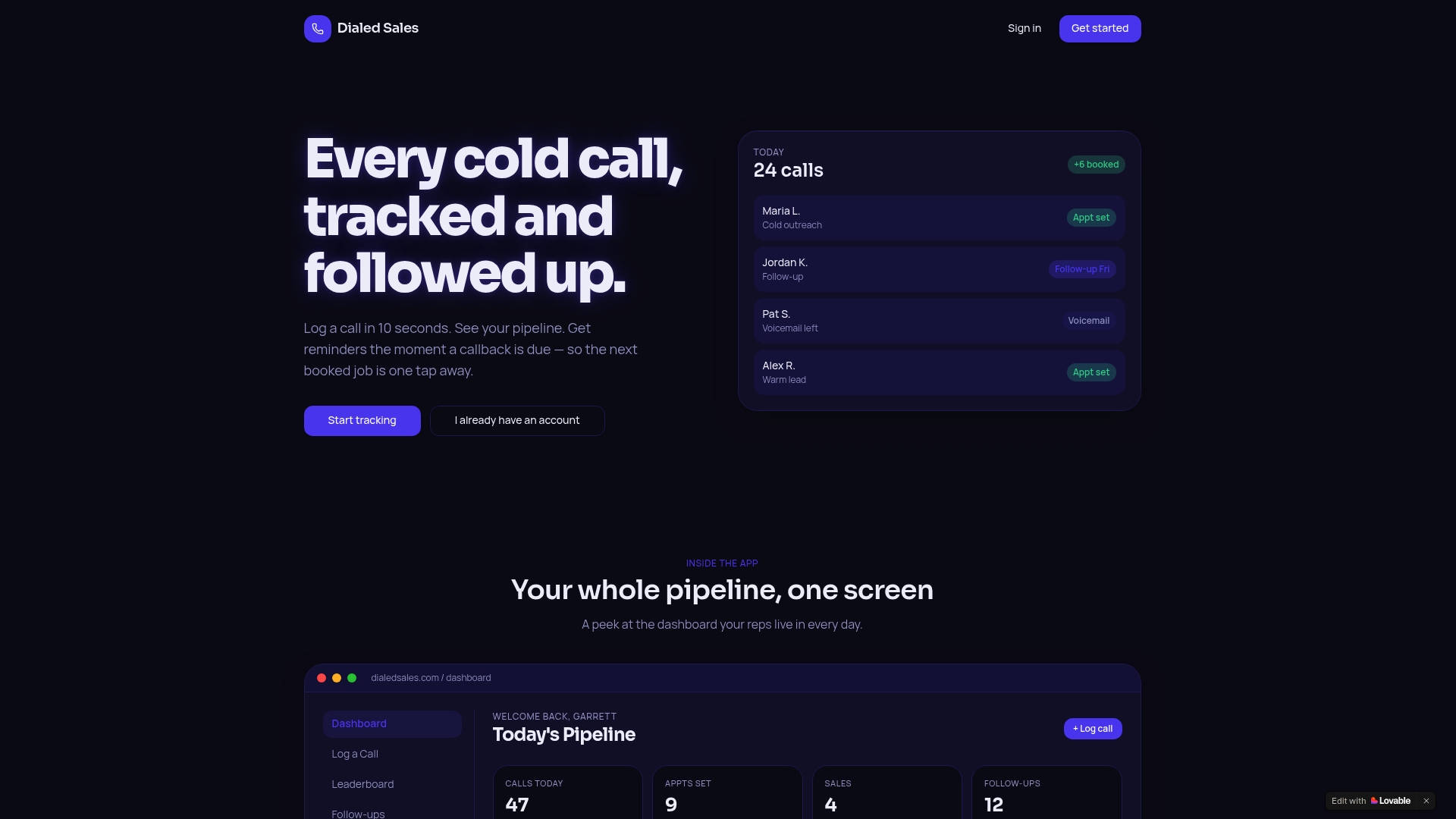
Dialedsales is built for exactly this loop. Log a call in 10 seconds, set a follow-up reminder, and let the dashboard surface the right prospect at the right time. The built-in AI assistant drafts signal-based openers and post-call summaries so reps spend less time writing and more time on the phone. Live leaderboards and per-rep stats give managers a real-time view of who is keeping cadence and who is falling behind. Start a free trial and see how fast the loop tightens when calls and emails run on the same system.
Useful sources
The research and templates in this article draw from the following sources. The most important ones for stats and structure are marked.
Core sources (templates, structure, and stats):
- Sales Email Templates: Cold Outreach and Follow-Ups That Get Replies — CMDK (120-word rule, snippet workflow, skeleton templates)
- 11 Outreach Email Sample Templates That Actually Get Responses — Superhuman (reply rate stats, subject line length, follow-up lift)
- How Brevity and Structure Improve Cold Outreach — Sendspark (four-part structure, 120-word constraint)
- 12 Salesperson Email Templates for Every Stage of the Deal — SyncGTM (signal-based openers, AI drafting)
- How to Write a B2B Sales Email That Gets Replies — SyncGTM (single personalization slot, skeleton structure)
- 9 Concise Personalized Sales Emails — SyncGTM (word count and mobile skimmability)
Supporting references:
- 52 Effective Sales Email Templates — Zendesk
- The 6 Best B2B Sales Email Templates for Cold Outreach — Leadfeeder
- 25 Sales Email Templates — Nextiva