
Finding cold call tracking software that saves time for field reps and fits existing workflows is still hard. Most tools demand new devices, charge steep per-user fees, or bury simple call tracking behind CRM setup and admin work. This list compares logging speed, device compatibility, and pricing so sales teams can pick an alternative that best matches their calling process.
Table of Contents
Dialed Sales
At a Glance
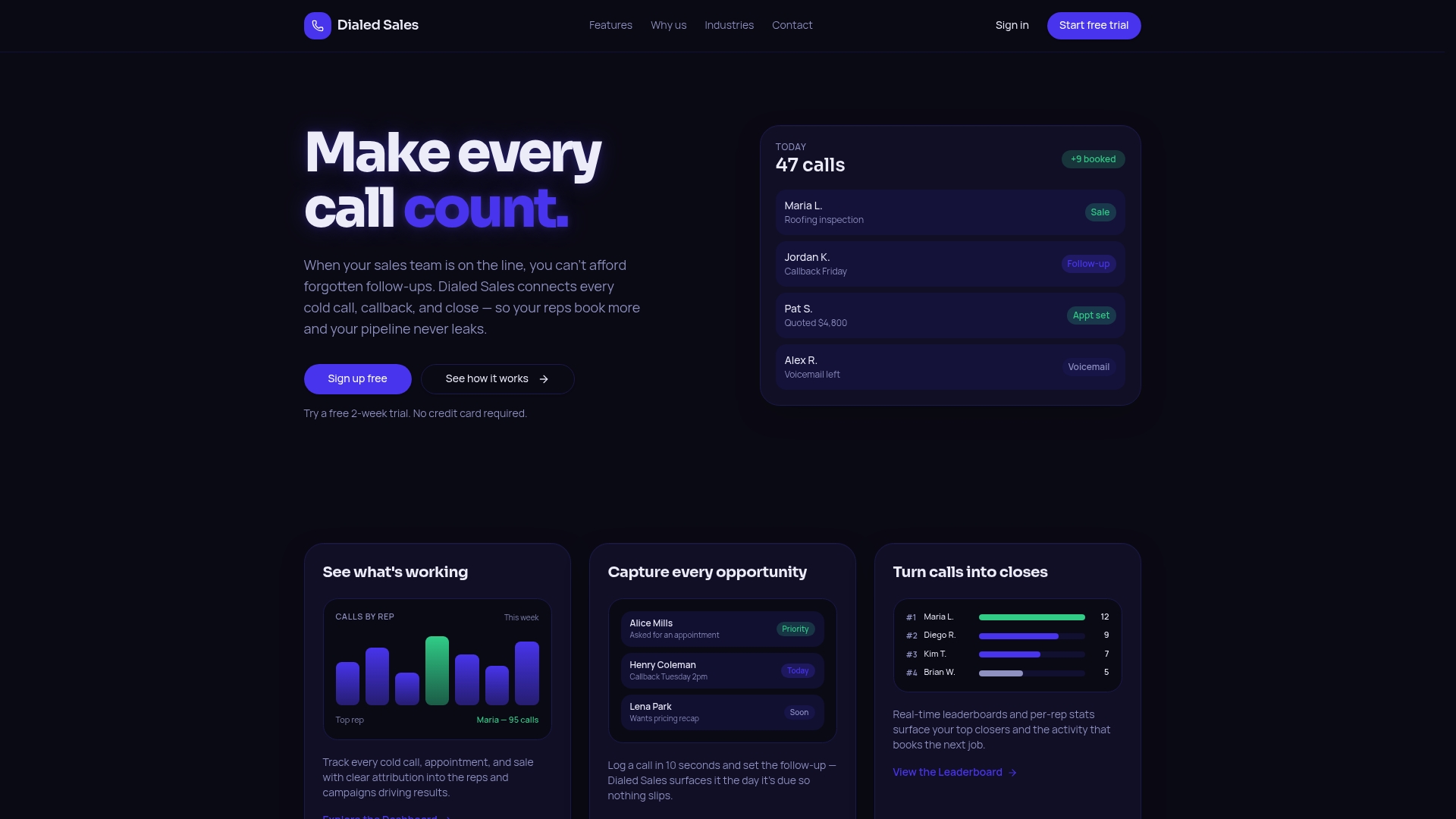
Dialed Sales reports you can log a call in 10 seconds. That speed targets field reps who must record dozens of interactions per day. The app pairs quick logging with follow-up reminders and real-time leaderboards, so managers see activity as it happens.
Core Features
The app offers quick call logging from iPhone, Android, or desktop so reps record a name, outcome, and notes in a few taps. It surfaces follow-up reminders on a dashboard when callbacks are due and provides real-time leaderboards and activity attribution for managers. Privacy controls and cross-device access keep field teams synchronized without a heavy CRM.
Key Differentiator
Dialed Sales focuses on minimal workflow friction for front-line reps. The product removes most CRM steps and reduces call logging to seconds, which keeps reps making calls instead of updating records. This focus on speed and simple follow-up mechanics separates it from full-featured CRMs that require data entry and setup.
Pros
High activity attribution ties outcomes to individual reps, which clarifies who is driving pipeline movement. The logging flow requires few fields, so reps spend less time entering data and more time calling. Managers get instant visibility via live leaderboards and dashboard callbacks, which helps coaching and daily prioritization without adding a separate attribution tool.
Cons
- Limited to teams that need call tracking and follow-up management; it may not meet needs for full CRM workflows or deep post-call automation.
Who It's For
Teams in roofing, solar, insurance, HVAC, and trades that rely on phones and field visits will find this useful. Small to mid-sized sales groups that want single-purpose activity tracking rather than a full CRM will benefit most. Field reps who log calls from mobile devices will see the biggest time savings.
Unique Value Proposition
Auto-surfacing follow-up reminders on the dashboard reduces missed callbacks and moves tasks from memory to the workflow. That behavior change shortens the loop between call and follow-up, so reps keep follow-ups current without managing separate to-do lists. For teams that measure success by call volume and booked appointments, this replaces manual tracking with a single, visible queue.
Real World Use Case
A roofing crew logs door knocks, follow-up calls, and appointments from mobile phones. The vendor advertises a 38% increase in booked appointments in the first month. Managers used the live leaderboards to reassign callbacks and close gaps in outreach each morning.
Pricing
Dialed Sales offers a free trial and then runs a subscription-based model. Exact tier prices are not publicly listed, so you must request current rates from the vendor or sales team. The lack of listed pricing keeps monthly cost details behind a demo or sales conversation.
Website: https://dialedsales.com
Salestrail
At a Glance
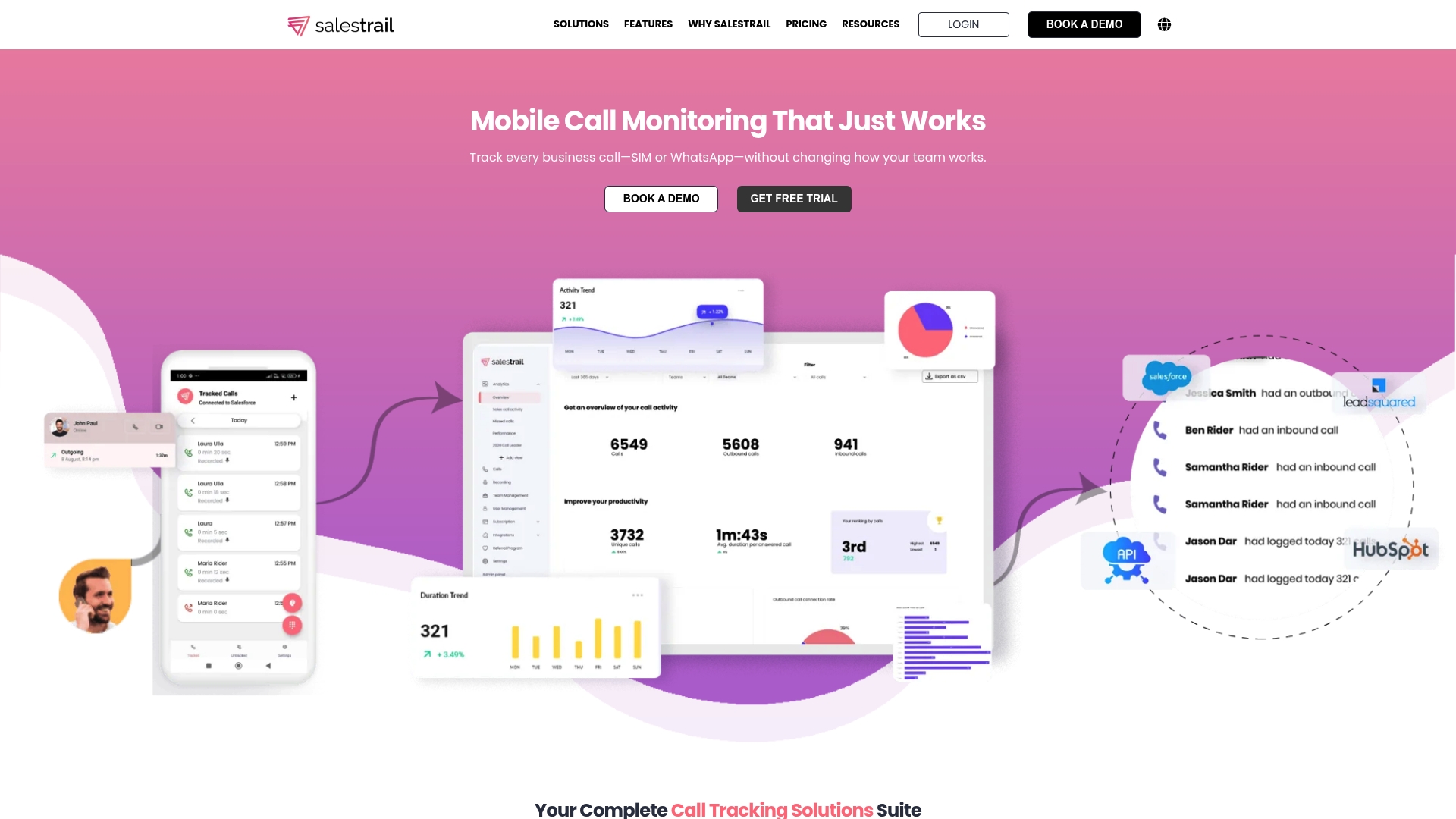
Salestrail auto-logs calls made via SIM cards and WhatsApp into a connected CRM, and reps keep their existing mobile numbers and devices. It records conversations on Android, and surfaces caller data and timestamps directly inside CRM records. That setup removes the need to deploy VoIP phones or change how reps make calls.
Core Features
Salestrail provides Call Monitoring that auto-logs calls from SIM, WhatsApp, and WhatsApp Business into connected CRMs. The app offers Record Calls on Android with controls for privacy and device limitations, and it feeds call metadata and recordings into the CRM. Reporting & Analytics deliver dashboards and custom reports so managers can spot activity trends and coaching opportunities.
Key Differentiator
Salestrail focuses on keeping sales reps on their current mobiles while capturing both regular and WhatsApp voice activity into CRM records. That approach avoids replacing phones or moving teams to VoIP, preserving existing phone numbers and carriers while centralizing call data for pipeline accuracy.
Pros
Integration with Salesforce, HubSpot, Zoho, and Microsoft Dynamics removes most manual call logging and reduces CRM noise. The app works on existing phones and numbers, so rollouts do not require new handsets or a separate telephony system. Automated logging and Android recordings free reps from manual notes while giving managers searchable call history for coaching. Team reports help identify activity patterns and maintain CRM hygiene without extra admin.
Cons
- Call recording and WhatsApp call tracking are limited to Android, which restricts functionality for iOS-heavy teams.
- The solution depends on app installation and explicit permissions, creating potential privacy or compliance hurdles in some regions.
- Advanced customizations and extra CRM connectors may require additional setup work and costs.
When It May Not Fit
If your sales team uses iOS exclusively, Salestrail will not provide full recording or WhatsApp call capture. Organizations with strict centralized device control that cannot install mobile apps will struggle to deploy it. Teams needing built-in time tracking or call routing features will need separate tools to fill those gaps.
Notable Integrations
Salestrail integrates with Salesforce, HubSpot, Zoho, and Microsoft Dynamics, plus Leadsquared and an API & Webhooks layer for custom connectors. Those integrations push call logs, recordings, and timestamps directly into CRM contact and activity records.
Who It's For
Sales managers and field sales teams in small and medium enterprises that want automated call logging without changing phones. It suits teams that rely on personal mobile numbers and use a supported CRM for pipeline management. Mobile-first sales groups that need call recordings on Android will find the platform relevant.
Real World Use Case
A retail field sales team keeps personal SIM numbers and installs Salestrail on Android devices. Calls and WhatsApp voice sessions auto-log in Salesforce, managers review recordings during weekly coaching, and sales reps avoid extra admin because outcomes and timestamps appear in CRM automatically.
Pricing
Salestrail lists plans on its site and commonly shows a low per-user starting figure with add-ons for recording and deeper CRM integration. Visit the vendor site for current tier details and any optional feature fees.
Website: https://salestrail.io
Ring.io
At a Glance
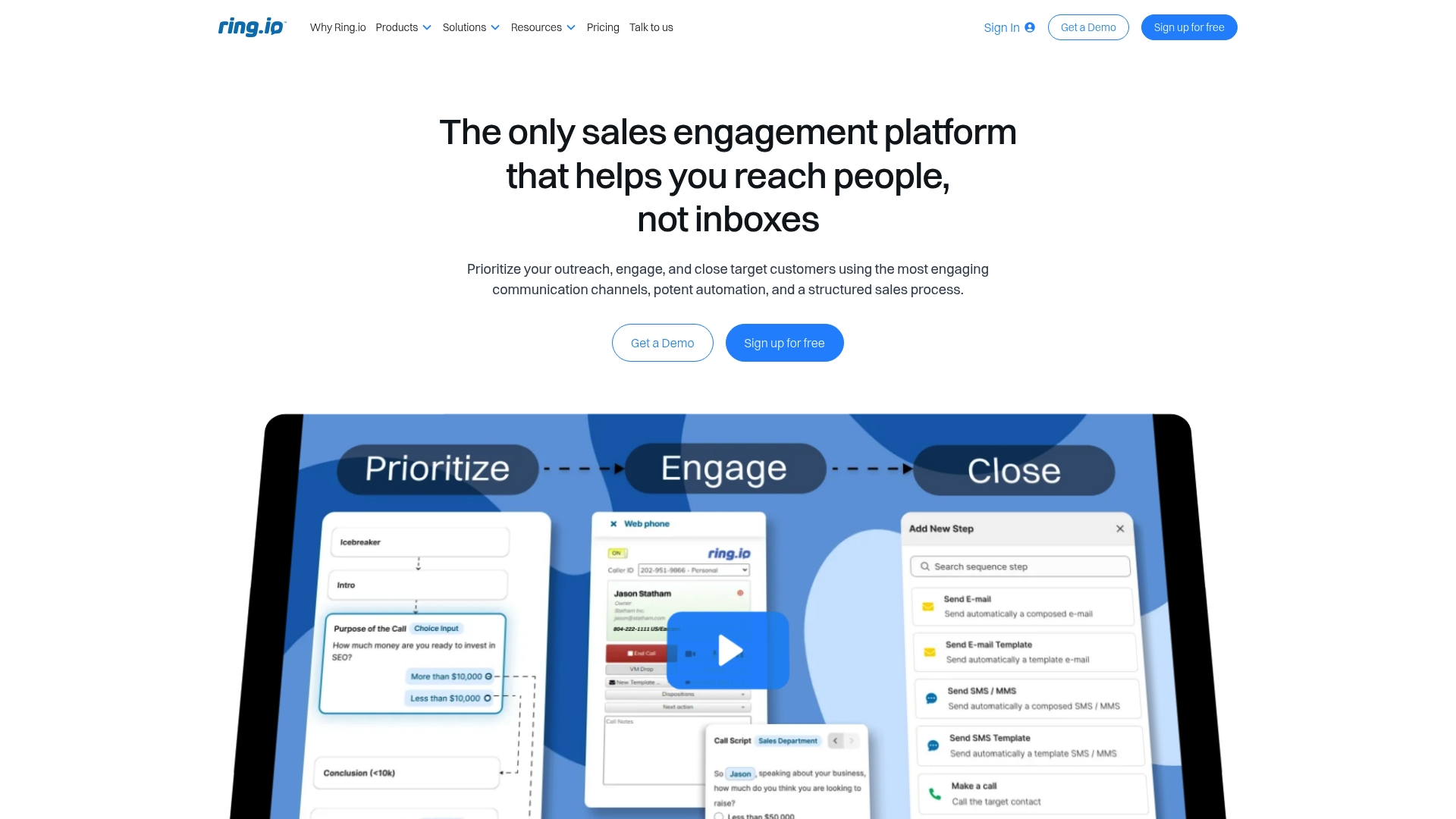
Ring.io centralizes calling, messaging, email, and video, so reps can run sequences from a single interface. The platform pairs a power dialer with multichannel outreach and built-in analytics. That mix targets sales teams that need CRM-synced engagement and automation without heavy setup.
Core Features
Ring.io bundles multichannel outreach including phone, email, SMS, MMS, and video with sequences and a power dialer. It keeps contact records synced to major CRMs while offering sales analytics to track engagement and surface follow-up priorities. Mobile apps, voicemail drop, and timed message sequences support reps who work outside the office.
Key Differentiator
Ring.io stands out for its deep CRM integration combined with outreach across voice, text, and email. The vendor emphasizes quick deployment so teams can start using sequences and dialing immediately. That focus makes CRM fidelity the central design goal rather than a separate add-on.
Pros
Ring.io is straightforward to set up and deploy, which reduces onboarding friction for sales teams. Its CRM connections keep data flowing into Salesforce, Hubspot, Zoho CRM, Zendesk, and Pipedrive so records update as activity happens. Automation features such as sequences, auto dialer, and voicemail drop let reps scale outreach without switching tools, and mobile apps let field teams keep activity current.
Cons
- Bigger organizations may need CRM customization to get reliable data mapping across complex objects.
- Costs can rise as teams add advanced automation or expand seat counts, which affects small teams with tight budgets.
- Some advanced features like bulk messaging and high-volume automation are gated behind higher-tier plans.
When It May Not Fit
Ring.io may not fit teams that want standalone dialer software without CRM dependency. Large enterprises with deeply customized CRMs could face extra implementation work. Small solo reps who need minimal features and low cost should compare simpler dialers first.
Notable Integrations
Ring.io connects to Salesforce, Hubspot, Zoho CRM, Zendesk, and Pipedrive. Those integrations support two-way sync so call and message activity updates CRM records automatically. The connection list covers the common sales CRM stack for mid-market teams.
Who It's For
Ring.io suits sales teams and managers who need integrated multichannel engagement and reliable CRM syncing. It fits mid-market B2B sellers that run outbound sequences and want call analytics tied to CRM pipelines. Field reps who log activity on mobile will find the mobile apps useful.
Real World Use Case
A mid-sized B2B sales team uses Ring.io to run a five-step outreach sequence of calls, SMS, and email. The power dialer increases call volume while CRM sync keeps lead records current. Managers review engagement metrics to prioritize callbacks and adjust cadences by performance.
Pricing
Ring.io lists pricing starting at $120 per user/month for the Startup plan, with higher tiers adding more automation and features. Teams should budget for seat counts and any additional messaging volume when comparing total monthly cost.
Website: https://ring.io
CallProof
At a Glance
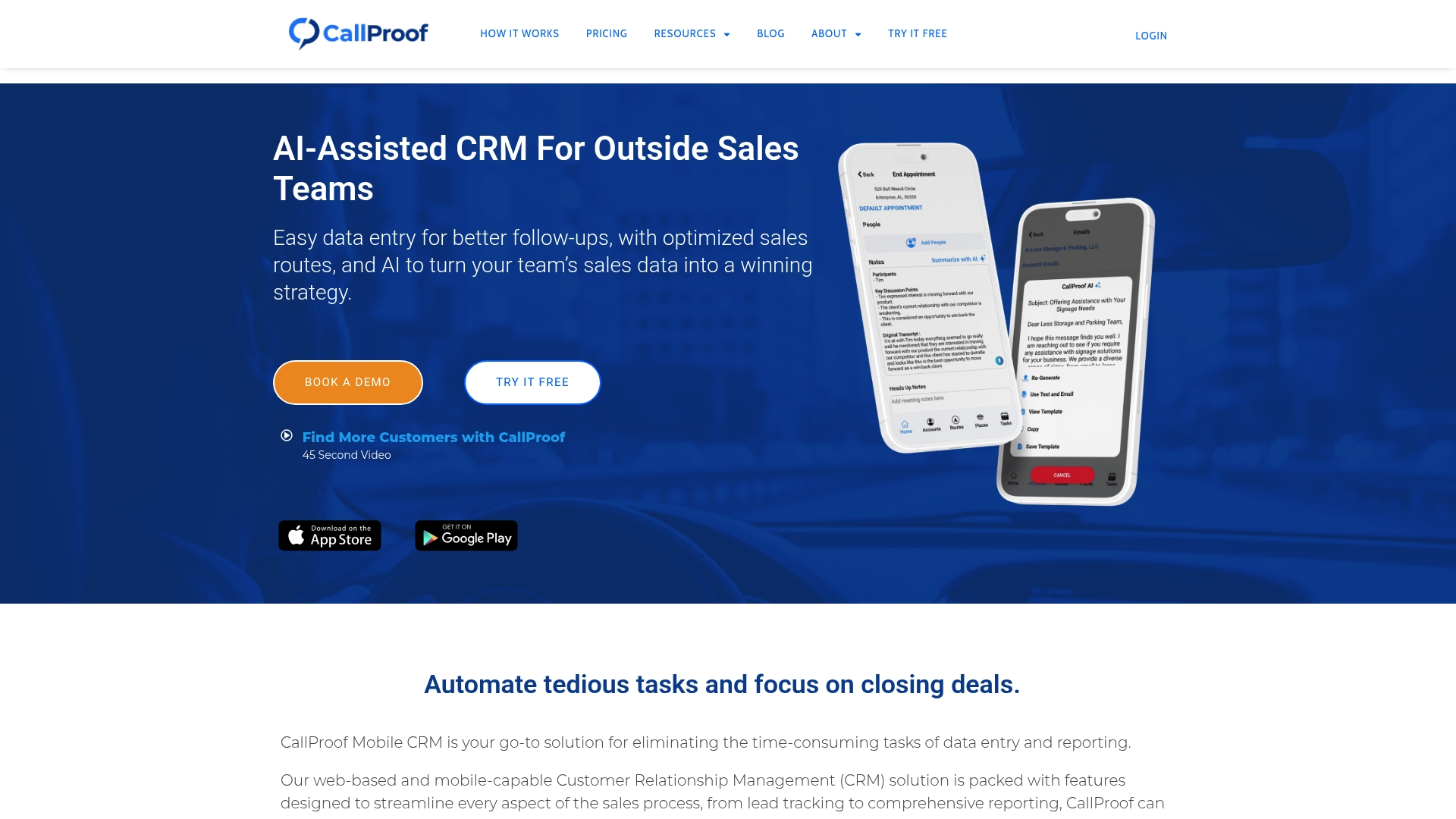
Plans start at $30 per user per month, with a $90 per user per month tier that includes CallProof Voice, billed annually. CallProof focuses on mobile first workflows for outside and inside sales teams. It combines route planning, automatic logging, and AI driven call summaries to reduce manual entry.
Core Features
CallProof delivers a mobile optimized CRM that keeps field reps working from their phone while managers view activity on the web. The platform includes automatic call and email logging, follow up tracking, business card scanning, route planning with Google Maps, and internal asynchronous video messaging. Reporting and AI driven summaries help managers spot gaps in activity without digging through spreadsheets.
Key Differentiator
CallProof targets outside sales with built in route planning and tools for field teams. Its AI driven call summaries and automatic logging are tuned for on the road workflows. That combination shortens admin time between customer visits.
Pros
CallProof reduces manual data entry through automatic call logging and business card capture, which saves time for reps who visit many clients per day. The app syncs with calendar and email so schedules and outreach stay coordinated across devices. Strong mobile access and route planning make it practical for teams that travel and need quick customer notes and follow up reminders.
Cons
- Pricing may be costly for smaller teams or solo users. This product has higher tier features behind more expensive plans.
- Some capabilities require paid add ons or a premium plan. Those add ons can raise the effective cost per user.
- Integrations appear limited to major email and calendar apps. There is limited public detail on additional third party connectors.
- Users unfamiliar with CRMs may face a learning curve when adopting more advanced reporting and AI features.
When It May Not Fit
If you run a one person sales operation the listed pricing may make less sense for you. If you rely on a long list of third party apps and custom connectors you may find the integrations lacking. Teams that want a free or very low cost option for light call tracking should evaluate simpler tools first.
Notable Integrations
- Gmail
- Outlook
- Google Calendar
Who It's For
Field sales teams and managers who spend significant time visiting customers will get the most value. Inside sales groups that need automatic logging and unified reporting also fit the profile. If your daily work depends on mobile captured activity and planned routes, this matches your workflow.
Real World Use Case
A field sales team uses CallProof to plan daily routes with Google Maps, log client interactions automatically, and pull real time performance summaries. Reps scan business cards on site to create contacts instantly. Managers use call summaries to coach reps without listening to full recordings.
Pricing
Plans start at $30 per user per month for the basic tier. Higher tiers add premium capabilities. The vendor lists CallProof Voice at $90 per user per month, billed annually.
Website: https://callproof.com
Comparison of Alternatives
Dialed Sales excels in providing an intuitive and rapid call logging process tailored for field-based professionals. The comparative analysis below highlights specific areas where alternatives might better fulfill certain requirements.
Speed and Usability
Dialed Sales uniquely simplifies the process of call logging, providing field users the ability to record calls in a mere 10 seconds with minimal inputs, aiding them in focusing on client interactions rather than administration. In contrast, Salestrail offers CRM-integrated logging for teams leaning towards pipeline management and recorded calls on Android devices, albeit requiring set installation and permissions. Similarly, Ring.io integrates multiple outreach channels, including voice, text, and email, which enhances multichannel workflows but may exhibit higher onboarding demands for customization in large organizations.
Integration Versatility
Salestrail leads in CRM connectivity, with integrations to Salesforce, HubSpot, Zoho, and others, ensuring transfer of call logs and recordings into centralized systems. Teams relying on CRM accuracy may favor Salestrail for its multifaceted interconnection capabilities. Dialed Sales, while providing internal leaderboards and follow-up management, does not extend similar offers, keeping its scope intentionally limited to frontline activity monitoring.
Best Fit
- Field sales teams prioritizing rapid call logging and streamlined follow-up visibility across mobile and desktop platforms will benefit from Dialed Sales.
- Organizations emphasizing CRM-driven processes and call recording functionality should consider Salestrail for its CRM integrations and Android recording features.
- Multichannel outreach users seeking combined power dialers and sequence tools in sync with lead records can explore Ring.io.
- Teams requiring route planning and on-site data automation via smartphones will find CallProof's integrations and planning tools highly advantageous.
Our Pick
Dialed Sales emerges as the preferred choice for sales teams requiring efficient call tracking with minimal administrative strain, thanks to its 10-second log speed and follow-up capabilities. Nevertheless, groups needing advanced CRM integrations or extensive multichannel outreach functionalities may find suitable alternatives in Salestrail or Ring.io, respectively.
Choosing the right cold call tracking software is essential to optimize workflows that require seamless integration and efficient call logging.
| Product | Core Feature | Key Differentiator | Best For | Pricing | Notable Limitation | |--------------------|---------------------------|------------------------------------------------|-------------------------------------|----------------------|---------------------------------------------------| | Dialedsales | Quick call logging | Minimal workflow steps for efficiency | Field reps in roofing, HVAC, trades | Price not published | Geared primarily toward call tracking, not full CRM | | Salestrail | Auto-logs SIM/WhatsApp calls | Maintains current phone numbers and devices | Android-based phone systems | Price not published | Limited features for iOS-heavy teams | | Ring.io | Multichannel outreach | Comprehensive CRM sync with integrated tools | Mid-market B2B sales teams | $120 per user/month | Costs rise with add-ons and seat expansions | | CallProof | Mobile-first CRM workflow | AI-driven summaries and route planning | Field sales teams prioritizing mobility | Starts at $30 per user/month | Integration options appear limited |
How to Find a Better Alternative to Callyzer.co for Field Sales Teams
Many teams struggle with call tracking tools that slow down reps or add extra admin. Dialedsales solves this by letting field sales reps log each call in just 10 seconds. The app focuses on quick call capture, follow-up reminders, and real-time dashboards to keep outreach active and visible.
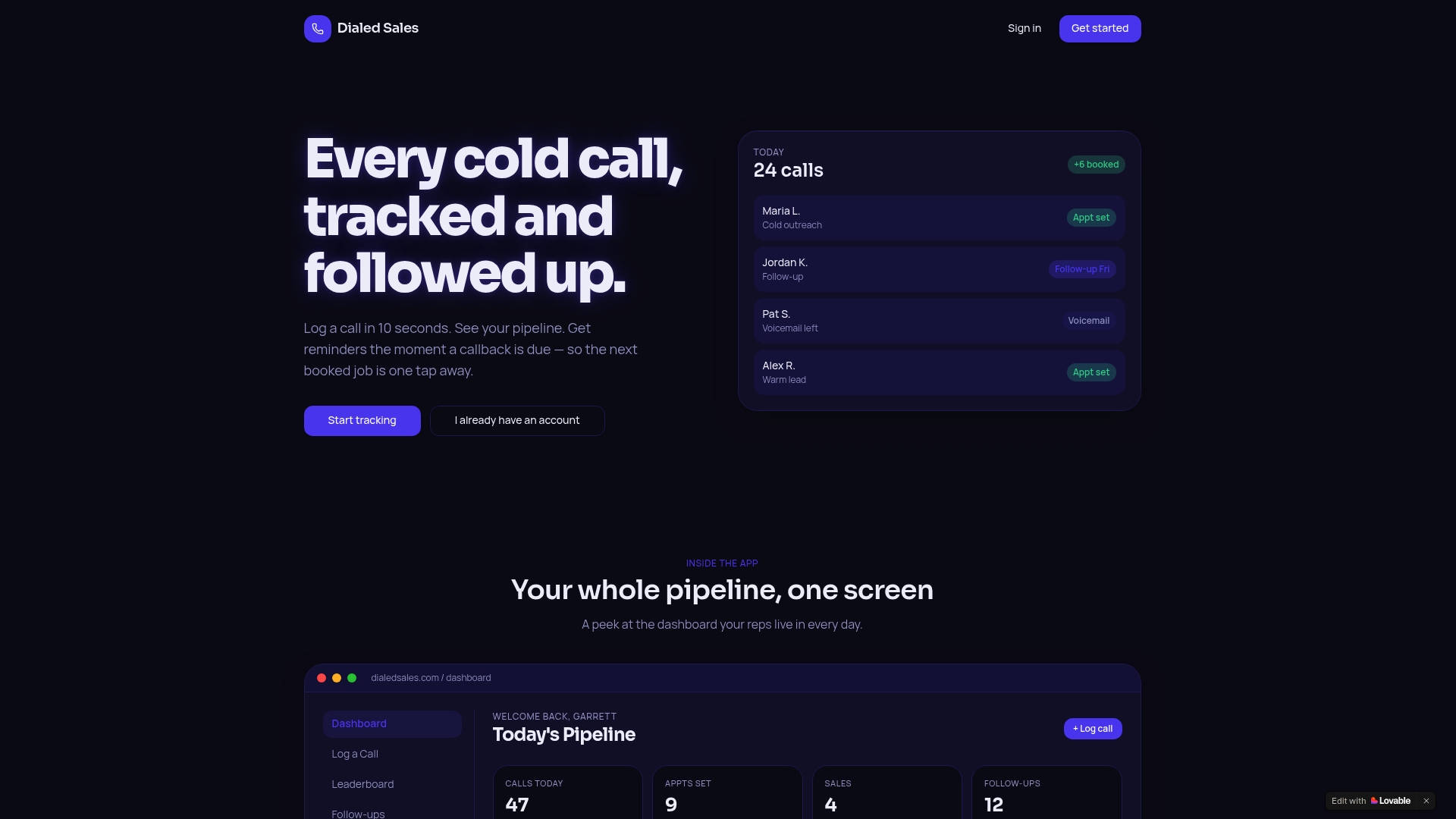
If you're roofing, solar, insurance, HVAC, or trades team needs reliable call logging without full CRM complexity, Dialedsales offers a lightweight approach. See how you can log calls, track pipeline progress, and get automatic follow-up alerts at Dialedsales. Start improving call tracking and pipeline visibility with a tool built for field sales teams.
FAQ
How quickly can Dialedsales log a call?
Dialedsales can log a call in just 10 seconds. This speed is beneficial for field reps who need to record numerous interactions each day. Expect efficient call management that allows reps to focus more on calling and less on data entry.
What is the difference between Dialedsales and Salestrail?
Salestrail excels at auto-logging calls made via SIM cards and WhatsApp while maintaining existing mobile numbers. Dialedsales, in contrast, is designed for teams that prioritize quick call logging and follow-up management without extensive CRM features. For teams focused on rapid call tracking, Dialedsales provides a streamlined experience.
Which platform offers better real-time monitoring for managers?
Dialedsales provides real-time leaderboards and activity attribution that allow managers to see interactions as they happen. This feature enhances coaching opportunities and helps prioritize team efforts daily. Managers can expect timely insights and visibility into sales activities.
Can I use Dialedsales if my team relies on VoIP phones?
Dialedsales primarily supports quick call logging from mobile devices rather than VoIP systems. This focus might limit its utility for teams exclusively using VoIP calling for sales activities. For teams looking for mobile-friendly logging solutions, Dialedsales remains a strong option.
How does Dialedsales handle follow-up reminders?
Dialedsales surfaces follow-up reminders directly on a dashboard when callbacks are due. This feature reduces missed opportunities by keeping follow-ups organized within the workflow. Teams can expect improved follow-through on client interactions.