
Tracking and following up on sales calls without losing data or wasting rep time remains slow and unreliable for many sales teams. Many call tracking tools add complexity, fail to integrate with existing CRMs, or only work on a single device type. This comparison makes it possible for sales teams to match the right call tracking software to their workflow, device needs, and CRM without paying for more features than they use.
Table of Contents
Dialed Sales
At a Glance
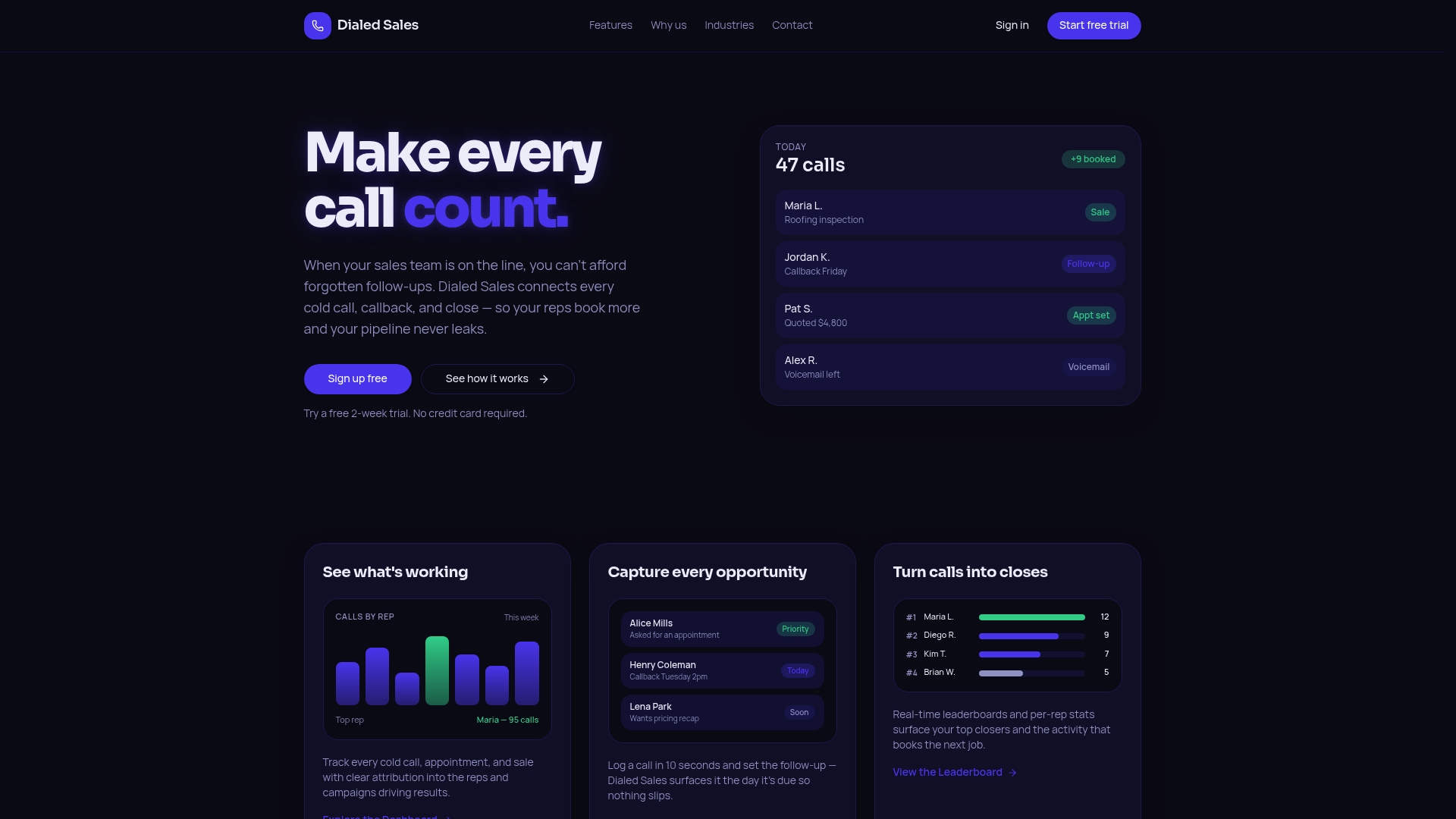
Log a call in 10 seconds from desktop or mobile, capturing customer name, outcome, and notes. The app surfaces follow-up dates on a dashboard the moment a callback is due. It focuses on pipeline visibility without CRM bloat for field and office sales teams.
Core Features
Dialed Sales offers quick call logging across desktop and mobile and real-time activity attribution to reps and campaigns. Follow-up reminders and scheduling appear on the dashboard so callbacks do not slip. Leaderboards and performance analytics track outcomes while privacy controls keep rep data private unless an owner views all activity.
Key Differentiator
The app centers on simple, fast call logging and attribution for field sales teams, reducing admin time so reps spend more time booking appointments. The workflow keeps logging to a minimal set of fields and surfaces follow-ups automatically. That focus makes the tool lighter than full CRMs while keeping pipeline visibility intact.
Pros
The interface lets reps log calls and set follow-ups quickly, which reduces time spent on admin tasks. Real-time attribution ties activity to reps and campaigns so managers see who is driving pipeline. According to the company, sales teams rate the product highly for increasing booked appointments and sales. Mobile and desktop access plus privacy controls support field reps and managers without complex setup.
Cons
- Limited public information on integrations with existing CRMs and no clear pricing details beyond a free trial.
Who It's For
Sales teams and managers in trades, roofing, solar, insurance, and HVAC who need straightforward call tracking and follow-up tools. Field reps who log door knocks, callbacks, and appointments will find the quick logging useful. Teams that want pipeline visibility without full CRM complexity will gain the most.
Unique Value Proposition
Log calls in 10 seconds and get an automated follow-up cue on your dashboard. That short transaction time reduces administrative friction and keeps reps focused on outreach. For teams paid on appointments or conversions, saving minutes per interaction can translate into more follow-up activity and more booked appointments per rep.
Real World Use Case
A roofing crew logs every door knock and callback on a mobile device. Managers monitor leaderboards to see which reps book the most appointments that week. The team uses follow-up reminders to convert callbacks into scheduled inspections and paid jobs more reliably.
Website: https://dialedsales.com
Callyzer
At a Glance
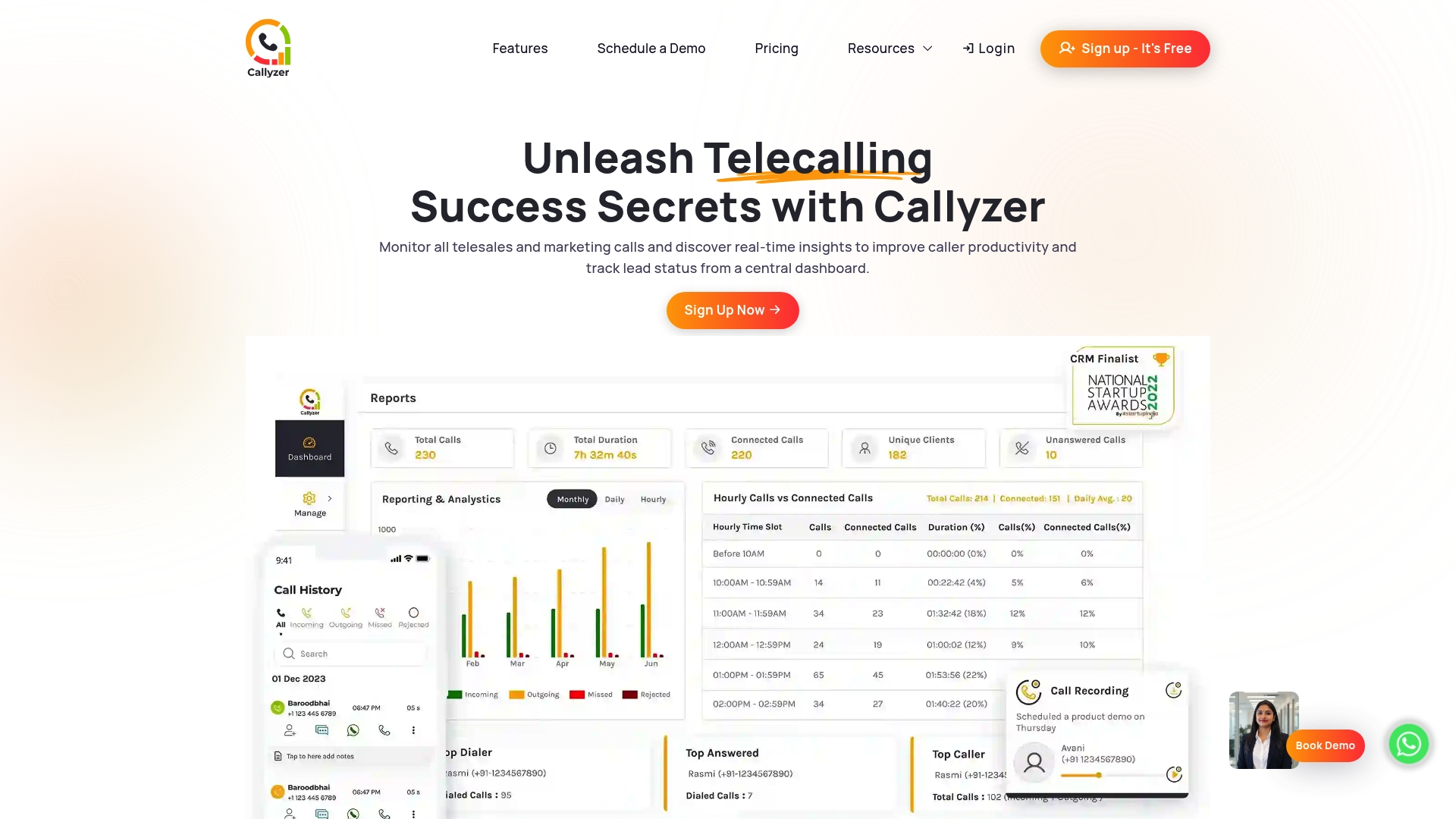
Callyzer reports it has more than 1,000 clients and 12,000 tracked phone numbers. The vendor also states the app has over 1,000,000 downloads and a 4.5-star rating on app stores. These adoption figures underline its focus on telecalling teams using mobile devices.
Core Features
Callyzer delivers a real-time call monitoring dashboard that shows live agent activity and call metrics. It includes lead management, call recording with synchronization, and performance reports that cover call duration and attempts. The product offers API and webhook access for CRM connections and third-party automation.
Key Differentiator
Callyzer centers on a mobile-first setup for telecalling teams that use Android devices. Its emphasis on Android installs and live call feeds separates it from desktop-first monitoring tools. The offering combines on-device call capture with real-time analytics and direct CRM hooks.
Pros
Callyzer gives managers immediate insight into agent behavior through live dashboards and recordings. Its Android installation removes the need for extra hardware and lets teams deploy quickly. The platform includes lead tracking, agent-level metrics, and API connections that support common CRMs. Those adoption figures suggest many teams have found the mobile approach practical.
Cons
- Requires an Android smartphone to operate, which limits mixed-device teams.
- Pricing can rise as you add integrations or scale tracked numbers.
- Public documentation on data security and privacy is limited, leaving compliance details unclear.
- Independent third-party user reviews beyond vendor statements are not presented.
When It May Not Fit
If your contact center runs mainly on iOS or desktop softphones, this tool will not support that setup. Organizations that need explicit security certification details may need more vendor evidence before committing. Teams with tight fixed budgets should plan for rising subscription costs as they add numbers and integrations.
Notable Integrations
Callyzer connects to a range of CRMs and lead sources. Integrations listed include CRM systems, Google Sheets, API/Webhook connections, Facebook and Instagram lead capture, LeadSquared, Zoho, and IndiaMART. These links let you push leads and call logs into existing sales workflows.
Who It's For
Small and medium businesses that run telecalling operations on Android devices will get the most value. Sales managers who want live oversight, recorded calls, and simple CRM sync will find it useful. Companies looking for a mobile-first call monitoring option are the best match.
Real World Use Case
A sales team installs Callyzer on agent phones and routes outbound numbers through the app. Managers watch the dashboard during peak hours, flag low-performing scripts, and pull recordings for coaching. The team exports call logs to their CRM for follow-up and pipeline updates.
Pricing
A free trial is available, and paid plans start with a basic plan that can be customized with add-ons. Billing is offered monthly or yearly. Specific pricing depends on features, tracked numbers, and integration needs.
Website: https://callyzer.co
Salestrail
At a Glance
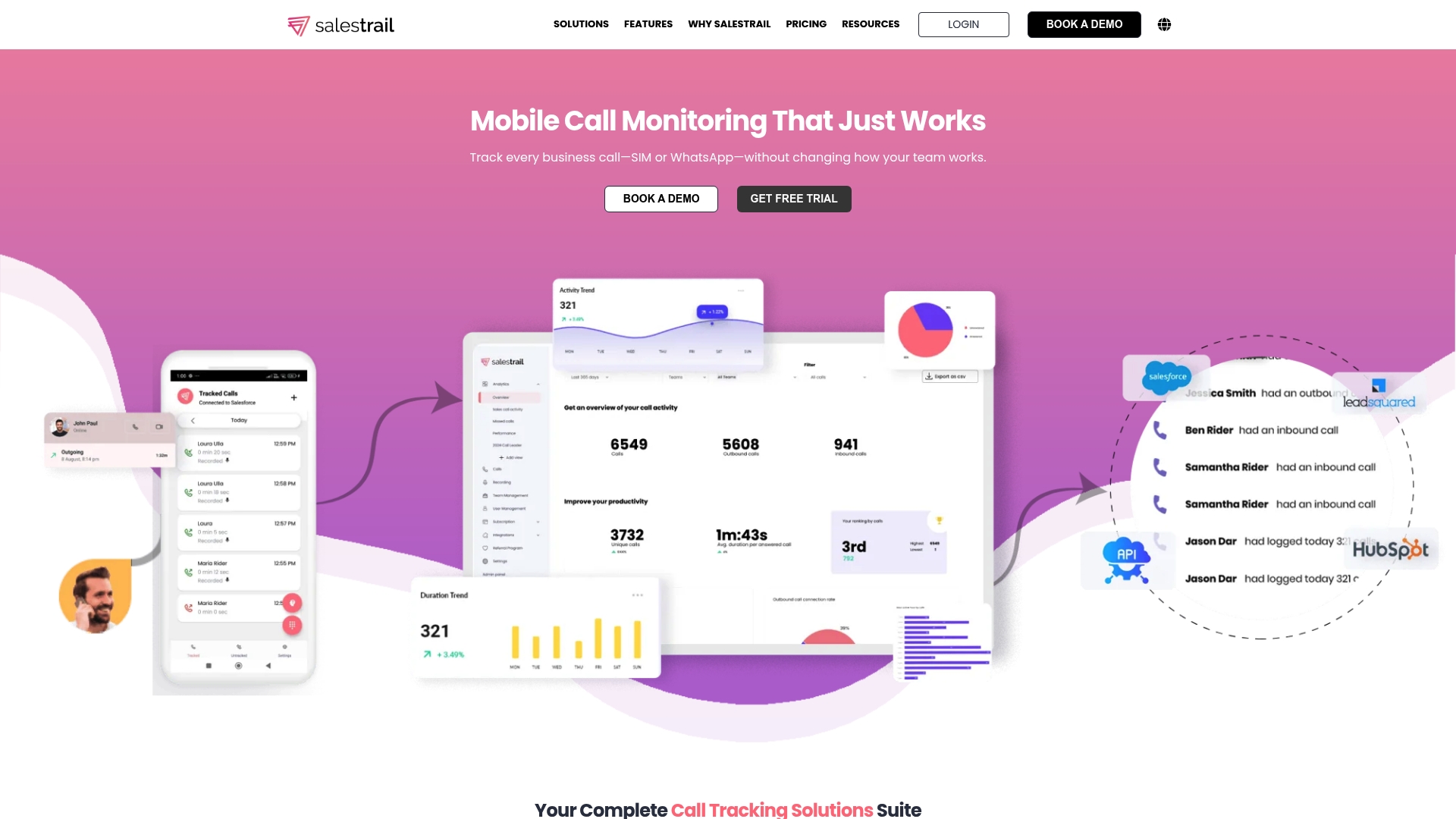
Tracks and records calls from agents' existing mobile numbers and WhatsApp without moving teams to VoIP or cloud telephony. Salestrail uses the native mobile connection to capture inbound and outbound activity and push it into CRMs. That approach reduces the need to provision new phone infrastructure.
Core Features
Salestrail offers call monitoring, call recording, and WhatsApp call tracking alongside a mobile app for Android and iOS. It collects call metadata, stores recordings where permitted, and exposes reporting and analytics dashboards for activity review. CRM connectors and API webhooks let teams push logged calls into Salesforce, HubSpot, and other systems.
Key Differentiator
Salestrail's main distinction is that it captures sales calls on the actual mobile number the rep already uses. That avoids moving reps to a cloud phone number or VoIP stack and preserves caller ID continuity with customers. For teams that rely on carrier voice and WhatsApp voice calls, this is the feature they will notice first.
Pros
The product is simple to set up and keeps your current mobile numbers in place, which reduces disruption for field sales and account managers. Automatic call logging removes much of the manual data entry reps do after calls, so CRM records stay up to date. Mobile app support for Android and iOS plus tracking for WhatsApp calls expands coverage to the channels sales teams actually use.
Cons
-
Call recording may require extra configuration, for example testing an Android APK to confirm behavior on specific devices.
-
The free plan limits features and forces upgrades for advanced recording or reporting capabilities.
-
Some integrations and customizations come with additional fees beyond the base plan.
-
The iOS app only records when calls are started inside the app, not during background call activity.
When It May Not Fit
If your team depends on always on VoIP or cloud telephony features like shared direct extensions, Salestrail's mobile first approach may not match that workflow. Organizations that require background call recording on iOS will find the platform limited on those devices. Small teams on the free tier may need to budget for add ons to get recordings and tighter CRM sync. Heavy custom integration needs can increase total cost because some integrations are charged separately.
Notable Integrations
Salestrail connects to major CRMs and integration endpoints. Key connections include Salesforce, HubSpot, and Zoho, plus LeadSquared and Microsoft Dynamics. The product also exposes API/Webhooks for custom syncs.
Who It's For
Salestrail fits sales teams and managers who make most calls from personal or company mobile numbers and who want those calls logged in their CRM automatically. Field sales teams that use WhatsApp voice calls and want recordings or transcriptions will get the most immediate value. It also suits small to mid sized companies that prefer minimal telephony change.
Real World Use Case
A regional sales group uses personal mobiles to call prospects and log outcomes. Salestrail records the calls where allowed, posts call logs and recordings to Salesforce, and surfaces call activity on managers' dashboards. Managers use those recordings for coaching and to confirm follow up dates in CRM.
Pricing
Plans start in the range of $5.60 to $8 per user per month with optional add ons for call recording and CRM integration. Discounts are available for annual billing and larger teams. Custom integrations or advanced recording features may add extra charges.
Website: https://salestrail.io
Callingly
At a Glance
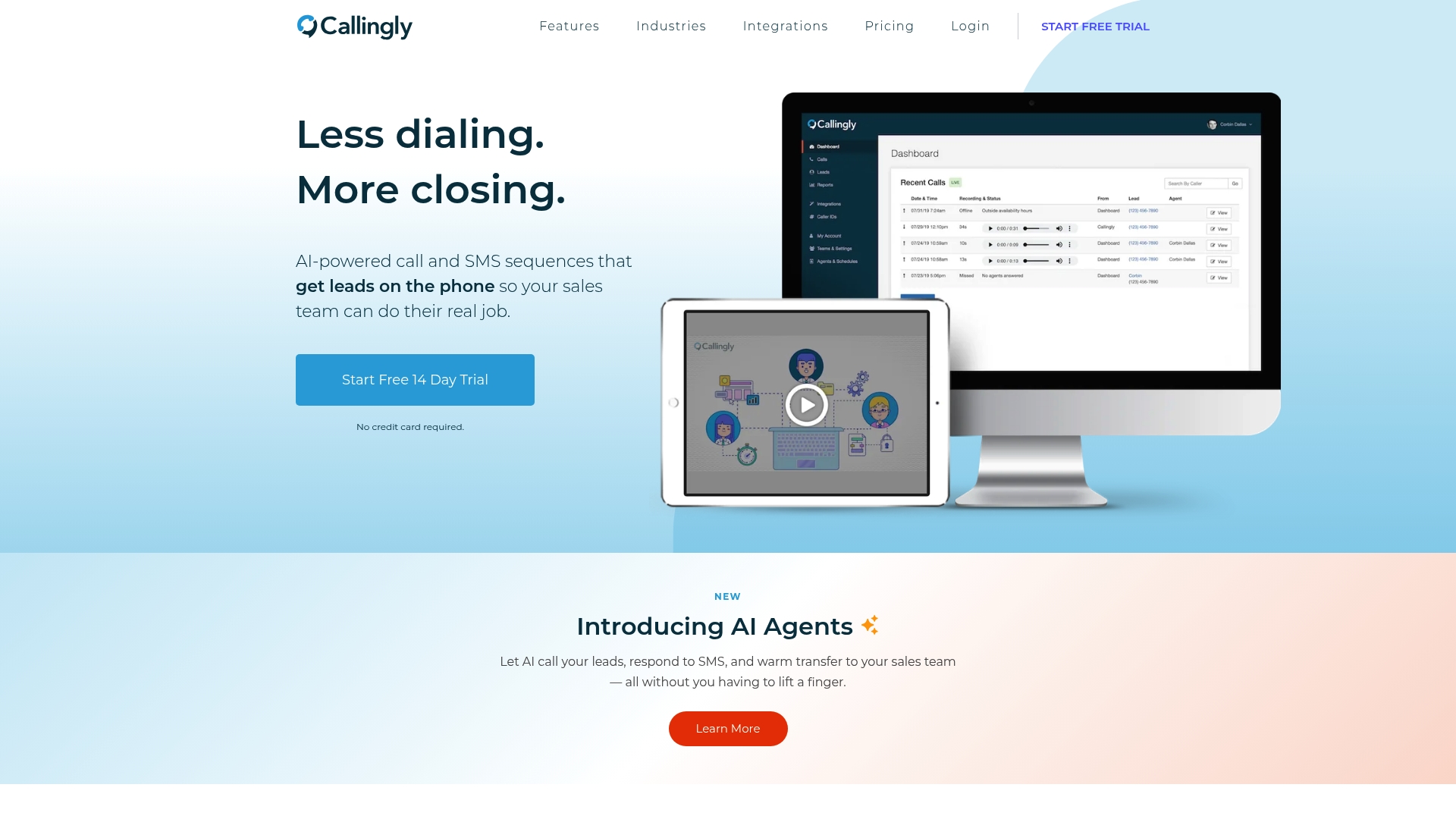
According to the company, its AI warm transfer connects leads to sales teams within seconds. Callingly pairs automated calling and SMS so new leads are reached immediately after form submission. Plans scale from small teams to enterprise and a free trial is available.
Core Features
Callingly dispatches inbound leads to assigned reps, supports AI and team warm transfers, and records calls with transcription for review. Routing rules, lead queuing, and an API let you automate which rep gets reached first. The platform also produces call summaries and basic sales performance metrics for coaching.
Key Differentiator
The single standout is the platform's focus on instant contact via AI-driven warm transfer that prewarms prospects. That claim matters for teams that need immediate handoff to improve conversion odds. The approach prioritizes speed to lead over manual callbacks or email follow up.
Pros
Callingly reduces lost leads by automating immediate outreach and follow up, which keeps prospects engaged. Call recording and transcription create concrete material for coaching and shorten ramp time for new reps. Broad CRM connectors reduce data entry and prevent duplicate lead records for operations teams. Reviewers report the interface is easy to adopt and that call routing works reliably for routine volumes.
Cons
- Setup complexity for advanced routing and custom automations can require technical skill or engineering support.
- Pricing starts at a level that may feel high for very small teams or irregular users.
- Some customers report missed calls or delays during peak volume windows, which can affect response consistency.
When It May Not Fit
Very small teams with tight monthly budgets may find the starting price prohibitive. Organizations that need heavy custom integrations may have to allocate developer time for setup. If your call volume spikes unpredictably and uptime guarantees are critical, this platform may require additional safeguards.
Notable Integrations
Connectors cover major CRMs, forms, and automation tools to keep lead data in sync.
- HubSpot, Salesforce, Zapier
- ActiveCampaign, JotForm, Pipedrive, Follow Up Boss, Unbounce
Who It's For
Sales teams in real estate, mortgage, insurance, home services, and auto sales that operate with high lead volume will benefit most. Marketing agencies running lead gen and appointment-setting campaigns also gain from instant outreach. Teams that prioritize speed to lead over low-cost, manual workflows fit this product.
Real World Use Case
A real estate agent routes web leads into Callingly so the system calls prospects immediately after form submission. The platform warms the prospect, routes the live call to the agent, and records the interaction for coaching. That flow shortens time between inquiry and contact and improves follow up consistency.
Pricing
Pricing starts at $100/month for the Starter plan. Higher tiers cover growth, business, and enterprise needs. Optional add-ons include branded caller ID and number protection.
Website: https://callingly.com
Salesforce
At a Glance
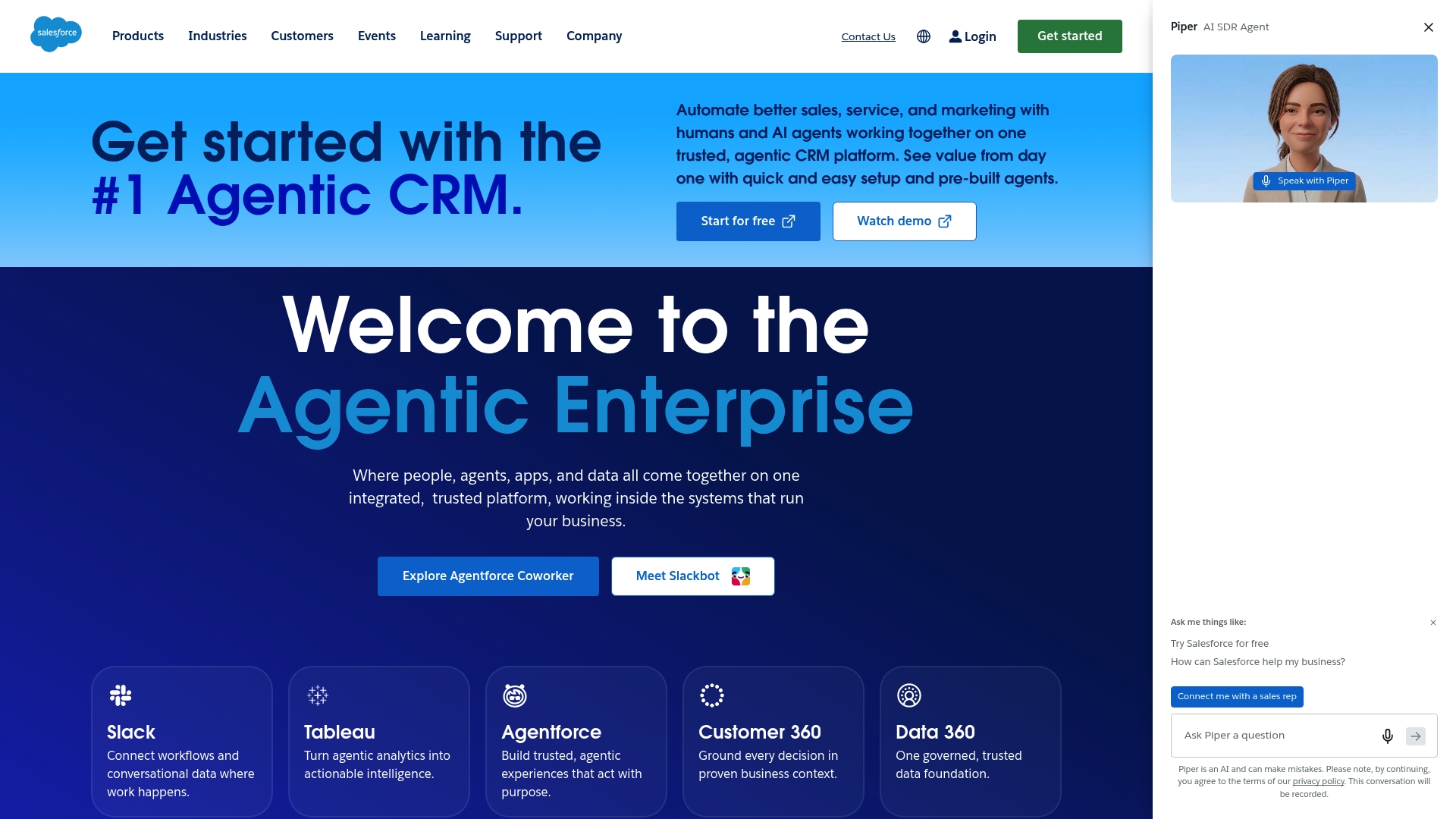
Salesforce unifies sales, service, marketing, commerce, and IT on a single platform. As one of the leading cratiocrm.com alternatives, it emphasizes built‑in AI, data unification, and industry solutions. The platform targets organizations that need cross‑team data and automation at scale.
Core Features
Salesforce delivers a single platform that links sales, service, marketing, commerce, and IT while embedding AI into workflows. It centralizes customer data through Data 360 and supports broader data flows with MuleSoft integrations. The platform also offers prebuilt industry solutions and customizable AI agents via Agentforce for 24/7 automation and support.
Key Differentiator
Salesforce’s defining angle is its deeply integrated agentic AI and data unification across the enterprise stack. That focus suits complex organizations that must coordinate sales, service, and commerce teams. It contrasts with Dialedsales, which targets lightweight cold call tracking for frontline reps.
Pros
Independent reviews report high customer satisfaction and measurable returns on investment. The platform centralizes customer records and analytics, so sales and support teams see the same account view. Built‑in AI helps predict outcomes and automate routine decisions, and the vendor offers industry templates for finance, retail, and healthcare. A large partner ecosystem supplies extensions, consultants, and implementation support for custom deployments.
Cons
- Complex pricing and many optional suites make cost planning harder for procurement teams.
- Several advanced AI capabilities require separate purchases, adding to total cost and rollout time.
- The overall feature set can feel overwhelming for small teams new to CRM technology.
When It May Not Fit
If your team needs a minimal call logging tool that a rep can learn in 10 seconds, Salesforce will be more than required. Smaller organizations without dedicated admin resources may face steep customization overhead. Teams that cannot budget add‑on AI or industry packs will find some key features out of reach.
Who It's For
Organizations of all sizes that can commit to platform configuration and integration work will get value. Large sales and service organizations with multiple channels benefit most. Companies seeking a quick, single‑screen call logger will likely prefer a simpler tool instead.
Real World Use Case
A retail chain gathers customer records from stores and online orders into a unified profile. Marketing runs automated campaigns using those profiles, while AI chatbots handle routine support questions. That setup reduces duplicate records and delivers more relevant offers at scale.
Pricing
Salesforce starts at $25 USD/user/month for the Starter Suite. Additional costs apply for industry solutions, advanced AI features, and many add‑on suites. Implementation and third‑party consultants add to total cost for complex deployments.
Website: https://salesforce.com
HubSpot
At a Glance
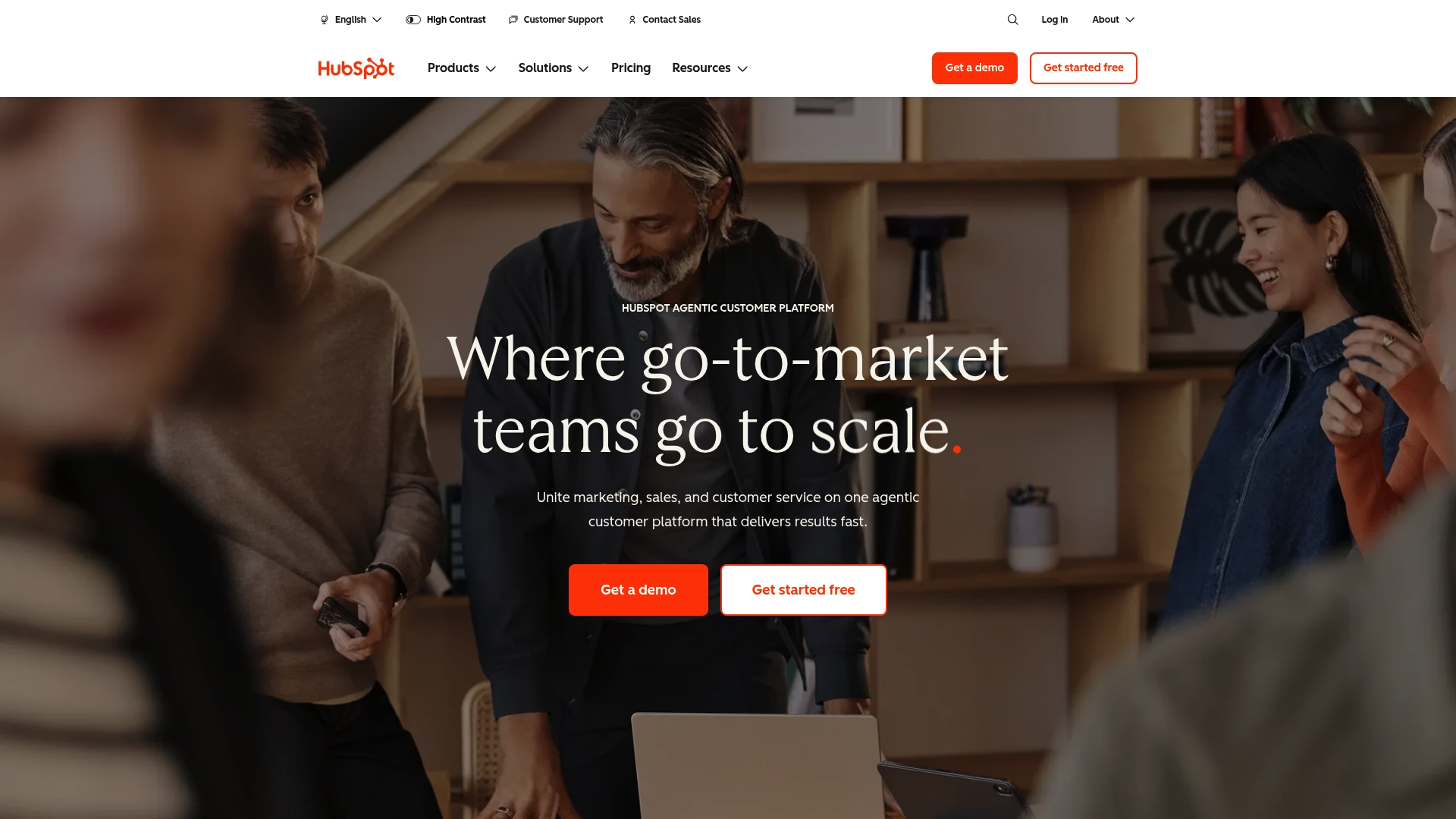
The vendor advertises over 2,000 integrations. That breadth shows up in its CRM and connected marketing and service tools. HubSpot also includes a set of free tools such as a CRM, website builder, forms, chat, and templates. These free components make entry practical for sales reps testing lead workflows.
Core Features
HubSpot combines marketing automation, sales pipeline management, and customer service tools inside a single environment. The CRM includes AI powered features for lead scoring and automation that help sales teams prioritize outreach. The platform also bundles free building blocks such as forms, chatbots, and templates that let reps launch simple campaigns without extra software.
Key Differentiator
All of HubSpot's marketing, sales, and service tools are integrated into one platform with a focus on automation, AI, and scalability. That integration reduces the number of systems sales teams must switch between when logging activity or following up on leads. The design favors teams that want a single source for contact history, campaign status, and support tickets.
Pros
HubSpot simplifies cross team visibility by keeping marketing, sales, and service records in one place. Its free tools lower the barrier for reps who need a quick CRM and basic site or form capabilities. The platform supports a wide set of connectors which helps you link email, ad, and e commerce tools to your sales workflow. Its automation and AI powered features can reduce manual tasks and surface high priority leads.
Cons
- Platform complexity may overwhelm new users without training. Setup and advanced workflows require time to learn.
- Costs can grow significantly as you add premium modules or expand contact lists. Budgets must account for module pricing.
- Some enterprise level customization needs are limited according to third party reviews. That can force workarounds for specific processes.
- Advanced features may present a steep learning curve for teams that lack onboarding resources.
When It May Not Fit
If you need a minimal call logging tool that stays focused on rapid call entry, HubSpot is likely more than you need. If your budget cannot absorb per contact or per module increases, the total spend may outpace simpler CRM options. Teams seeking deep custom platform development could find the product restrictive for unusual workflows.
Notable Integrations
- Gmail
- Shopify
- Mailchimp
- Zapier
- Google Ads
- Slack
- Microsoft Teams
Who It's For
HubSpot fits growing businesses and enterprises that want a single system to coordinate marketing, sales, and support. It matches teams that plan to invest in automation and AI to scale processes. Small sales teams can start with the free tools and expand into paid modules as needs grow.
Real World Use Case
An e commerce team uses HubSpot to automate email campaigns and track engagement across the customer lifecycle. Sales reps rely on AI powered lead scoring to prioritize callbacks. Support agents handle inquiries from the same contact record which reduces duplicate work and shortens response time.
Pricing
HubSpot offers free tools alongside premium plans that vary by module and user scale. Pricing depends on which Hubs you add and the number of contacts or seats you require. The vendor lists tiered paid plans for Marketing Hub, Sales Hub, Service Hub, and other modules.
Website: https://hubspot.com
Comparison of alternatives
When evaluating call tracking software, simplicity and efficiency stand out as factors for many sales teams. With solutions ranging from real-time analytics to integrated CRM tools, each product highlights unique advantages designed to cater to specific workflows and organizational needs.
Deployment and usability
Dialed Sales excels in rapid call entry and follow-up scheduling. Sales teams benefit from the streamlined approach to logging and managing callbacks, reducing time spent on administrative tasks. Callyzer, leveraging its Android-first approach, offers real-time dashboards and lead integrations suited for telecalling teams. However, this limits its usability for iOS-based or hybrid environments. Meanwhile, HubSpot and Salesforce provide extensive CRM capabilities encompassing marketing, sales, and service integrations but require extensive setup and learning curves.
Feature specialization
Certain platforms showcase specialized strengths. Callingly’s AI-driven warm transfers expedite lead-to-agent connections, ideal for high-lead-volume teams prioritizing immediate engagement. Salestrail focuses on retaining the utility of personal or company-assigned numbers, ensuring continuity for businesses not ready to migrate away from traditional telephony.
Best fit
- Teams aiming for quick call logging with minimal configuration will find Dialed Sales most effective due to its intuitive interface and essential feature set.
- Organizations running Android-based telecalling systems should consider Callyzer, as it provides direct mobile-device integration and live monitoring.
- High-lead-volume teams requiring instant lead connection and nurturing gain from Callingly’s AI-enabled immediacy and routing efficiency.
- Companies seeking marketing, sales, and support integration would profit from exploring the tailored solutions found in HubSpot or Salesforce.
Our pick
Dialed Sales effectively combines speed and functionality, making it uniquely advantageous for field sales operations. Its ability to log calls in just ten seconds and automate follow-ups greatly reduces the time sales representatives spend on post-call tasks. For organizations valuing CRM integration or more telephony frameworks, Salestrail or HubSpot may offer closer alignment with their objectives.
Here is a comparison of call tracking software focused on speed, functionality, and integration ease.
| Product | Core Feature | Key Differentiator | Best For | Pricing | Notable Limitation |
|---|---|---|---|---|---|
| Dialedsales | Quick call logging | Streamlined desktop and mobile logging | Sales teams in trades and field industries | Price not published | Limited public details on pricing and CRM integrations |
| Callyzer | Android call tracking and recording | Mobile-first design for telecalling teams | Small to medium telecalling businesses | Starter plans available | Requires Android devices and scalability increases costs |
| Salestrail | Call logging for carrier numbers | Native mobile number utilization | Sales teams using mobile or WhatsApp calls | $5.60–$8 per user/month | iOS background call recording requires app initiation |
| Callingly | Immediate AI warm transfer | Automated instant lead connection | High lead volume industries | Starting at $100/month | Setup complexity for custom routing |
| Salesforce | Unified CRM platform | Comprehensive integration and automation | Large sales and service organizations | Starting at $25/user/month | Overwhelming for small teams without admin resources |
Struggling to Find Lightweight cratiocrm.com Alternatives for Field Sales Teams?
Sales teams in trades, roofing, solar, insurance, and HVAC often need a fast, simple way to log calls and keep pipeline visibility without the complexity of full CRMs. Dialedsales solves this by letting reps log calls in just 10 seconds from any device. It automatically surfaces callback reminders on a dashboard, so follow-ups never slip through the cracks.
Dialedsales is designed to reduce admin time while improving appointment bookings. Visit Dialedsales to see how easily your team can track outcomes, boost close rates, and focus on what truly matters: selling. Log a call quickly, set follow-ups that pop up when due, and watch your sales pipeline grow.
FAQ
How quickly can I log calls with Dialedsales?
Dialedsales allows you to log a call in just 10 seconds. This efficiency is achieved through its streamlined interface where you can capture customer name, outcome, and notes. Use this quick logging feature to maximize your time spent on sales activities.
What is the difference between Dialedsales and Callyzer?
Callyzer excels in providing a mobile-first setup for telecalling teams that use Android devices. Dialedsales, on the other hand, is focused on quick call logging and follow-up reminders for field sales teams working in trades. If administrative efficiency is your priority, Dialedsales is a better fit.
How does Dialedsales ensure privacy for user data?
Dialedsales includes privacy controls that keep rep data private unless an owner views all activity. This focus on privacy helps build trust within your sales team and ensures sensitive information remains secure. Consider this feature if data security is a priority for your organization.
Which platform is better for tracking sales team performance: Callyzer or Dialedsales?
Callyzer offers real-time call monitoring and live dashboards for agent activity, but Dialedsales prioritizes fast call logging and attribution specifically for field sales teams. If your goal is streamlined call logging, Dialedsales provides the better solution.
How does Dialedsales remind users of follow-ups?
Dialedsales surfaces follow-up dates on a dashboard as soon as a callback is due. This feature helps avoid missed opportunities and keeps your sales process organized. Utilize this reminder functionality to ensure no callbacks slip through the cracks.